416 CHAPTER 36: SSH CONFIGURATION
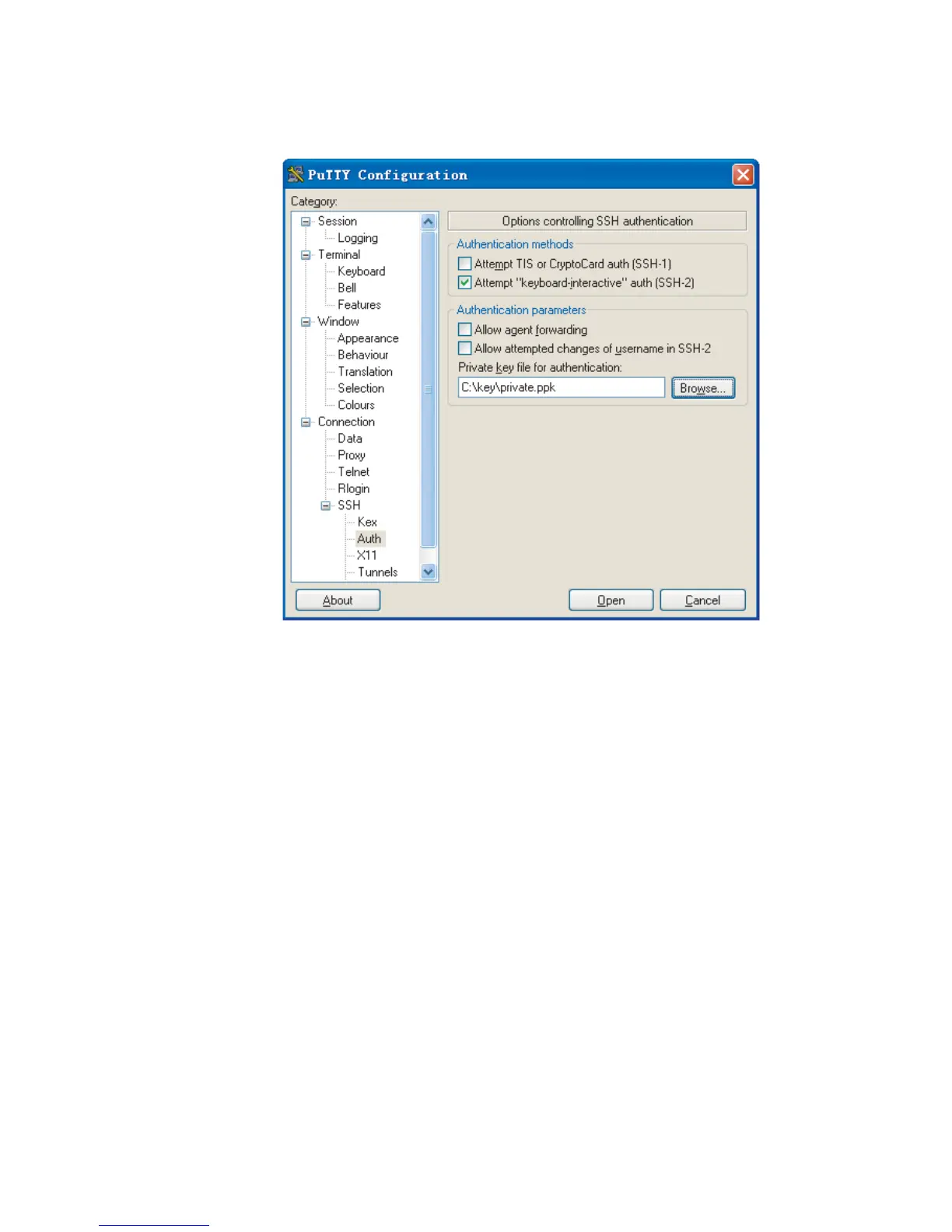
Figure 141 SSH client configuration interface (2)
Click Browse... to bring up the file selection window, navigate to the private key
file and click OK.
4 From the window shown in Figure 141, click Open. The following SSH client
interface appears. If the connection is normal, you will be prompted to enter the
username and password, as shown in
Figure 142.












 To Next Page