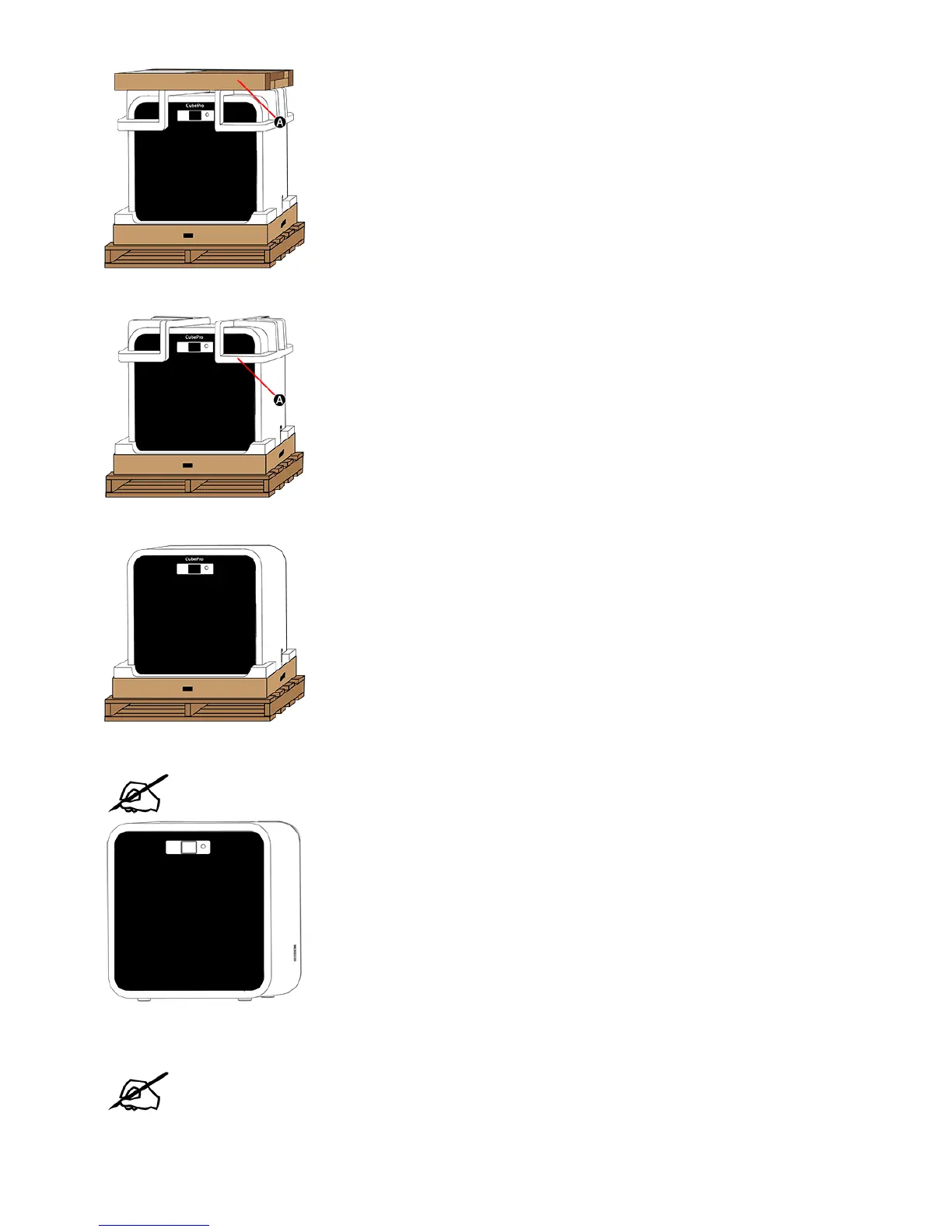
Remove the upper foam supports (A) from the printer.5.
Pull the protective bag down around the printer and remove the printer assembly from the lower foam support.6.
Position the printer where it will be used.7.
NOTE: Ensure the printer is placed in a location where its size and weight will be
properly supported.
Unpack the top layer of the accessories tray.8.
NOTE: Depending on the printer configuration, the arrangement of the accessory
boxes may differ. Unpack the power cord (A), the spacer (B), material cartridge, tool
kit and Cube Glue(C). Your configuration may include 1, 2 or three cartridges. For
configurations with fewer than three cartridges included, empty boxes may be used
as spacers.










 To Next Page