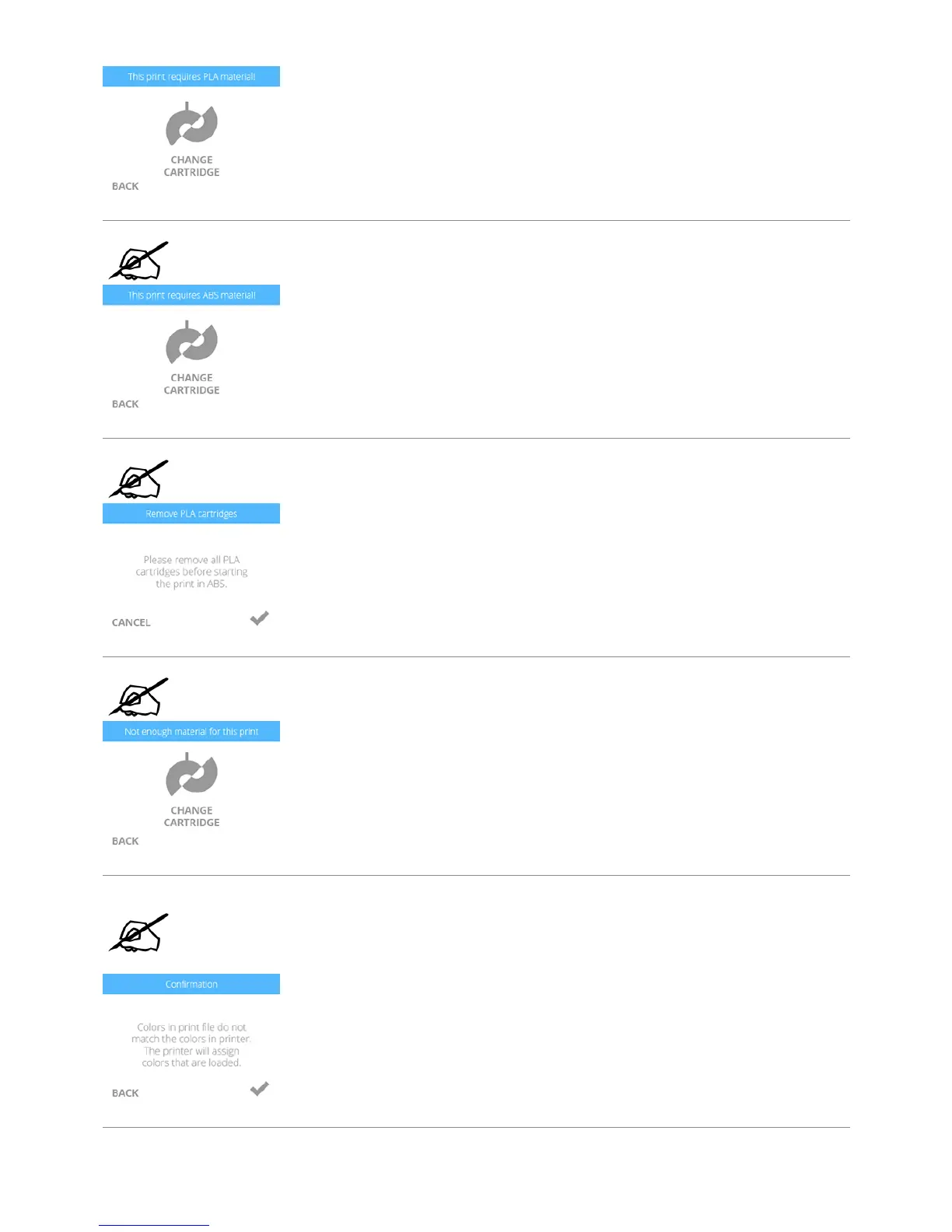
NOTE: If the print file requires ABS material and PLA material is installed, the printer
will prompt the user to change the cartridge(s). Select CHANGE CARTRIDGE and refer
to the section titled Replacing A Material Cartridge.
NOTE: If the print file requires ABS material but PLA is installed, the printer will
prompt you to change the material cartridge. Select CANCEL and follow the
instructions in the section titled Replacing A Material Cartridge.
NOTE: If there is not enough material in the cartridge to complete the print, the
printer will prompt the user to replace the cartridge. Select CHANGE CARTRIDGE and
follow the instructions in the section titled Replacing A Material Cartridge.
NOTE: If the creation file uses color(s) that are not installed, selecting the checkmark
will enable the printer to change the color of the print to a color currently installed.
You can also change the cartridge by selecting BACK and following the CHANGE
CARTRIDGE instructions. To change the cartridge, refer to the section titled Replacing
A Material Cartridge.










 To Next Page