User Manual
QuantorMed Plus TM -721-EN
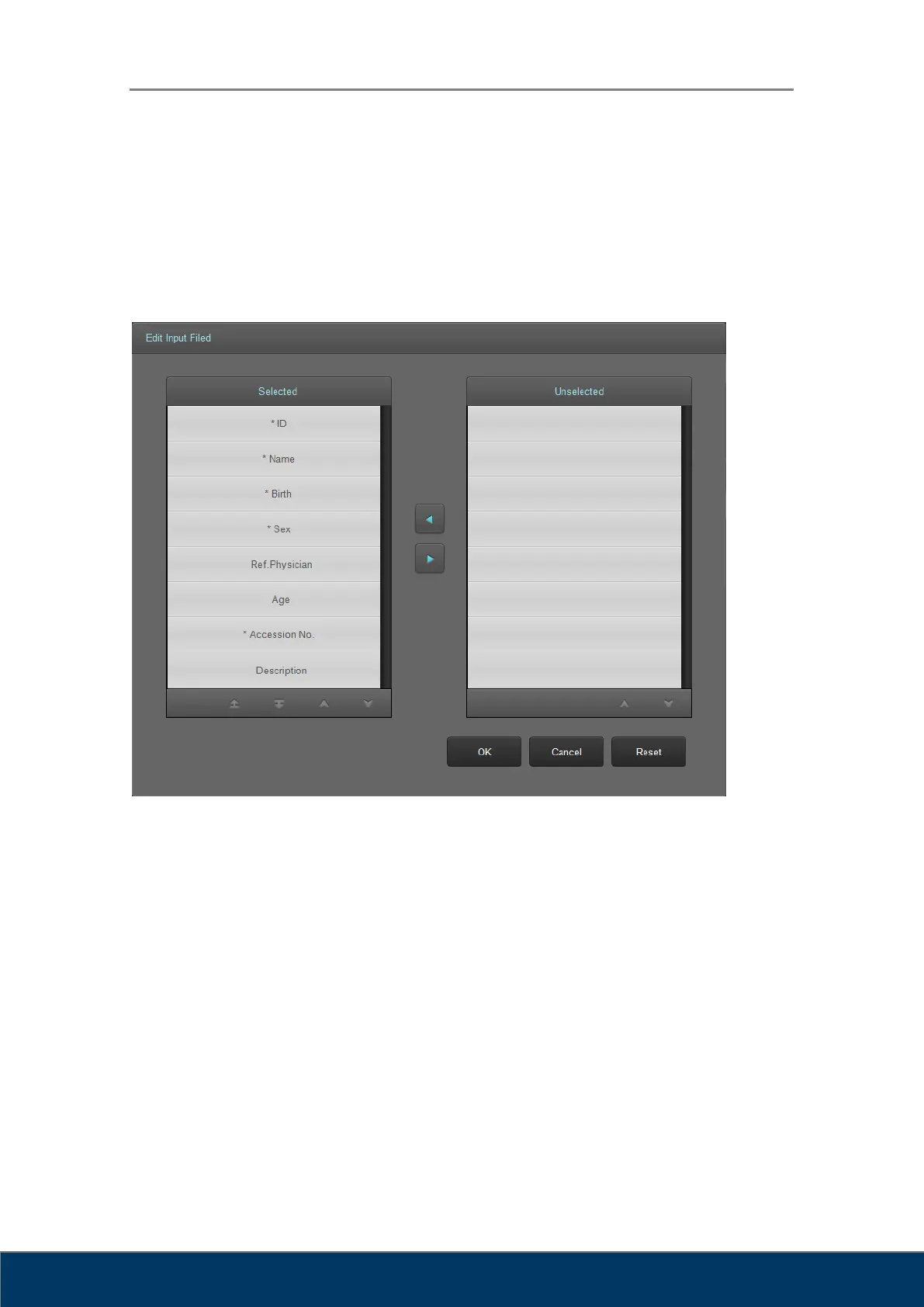
5.2. Input Field Edit Dialog Box
In the Input Field Edit dialog box, you can change the order of the input fields, and add or
remove input fields. The input fields can be edited according to the user’s environment.
However, mandatory input fields cannot be removed.
Figure 5.2. Input Field Edit
① Input field items to be displayed on the screen.
② Input field items not to be displayed on the screen.
③ Move selected items to left and right. Items on the left are displayed on the screen and
the items on the right are not displayed on the screen.
④ Button for switching pages.
⑤ Move the selected items up or down on the list to change order.
⑥ Save changes and close the dialog box.
⑦ Cancel changes and close the dialog box.
⑧ Reset the fields to default settings.



 To Next Page