User Manual
QuantorMed Plus TM -721-EN
12. Work List
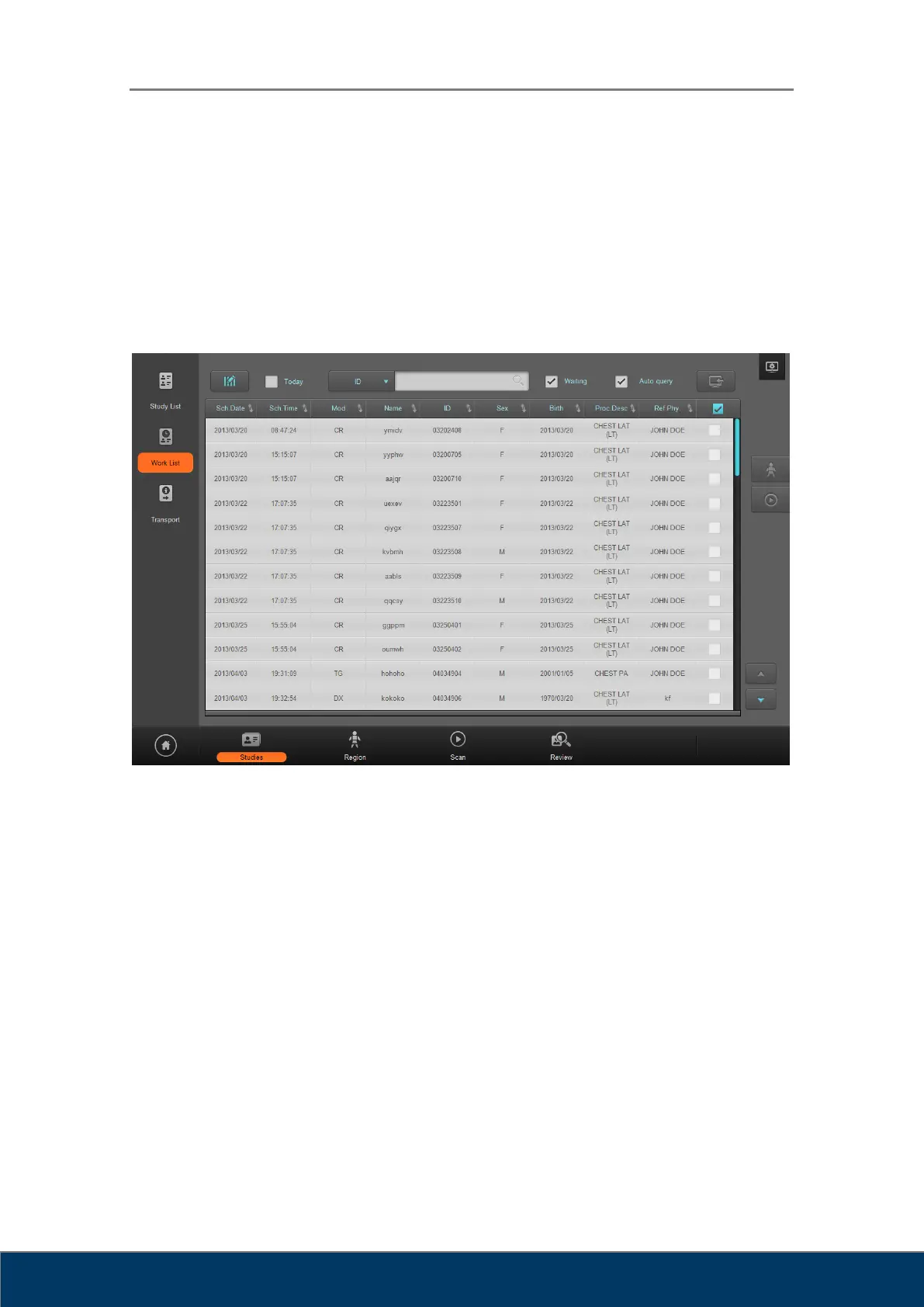
In the Work List screen, you can connect to Work List Servers of PACS or HIS systems and
query the list of the studies to conduct.
12.1. Screen Layout
Figure 12.1. Work List
① Edit Column: Display a dialog box for editing the columns of the list. Using the Work
List is identical to using the Study List.
② Today: Only query today’s studies.
③ Search: Query various criteria. Using the Work List is identical to using the Study List.
④ Waiting: Display the list of studies that have not been scanned yet.
⑤ Auto Query: Perform an auto query at a preset time.
⑥ Import: Import selected items to the Study List.
⑮ Region: Open the studies to select and go to the Region Selection screen.
⑦ Scan: Open the selected study and go to the Scan screen.
⑧ Page Up/Down: Go to another page.



 To Next Page