User Manual
QuantorMed Plus TM -721-EN
11. Study List
11.1. Screen Layout
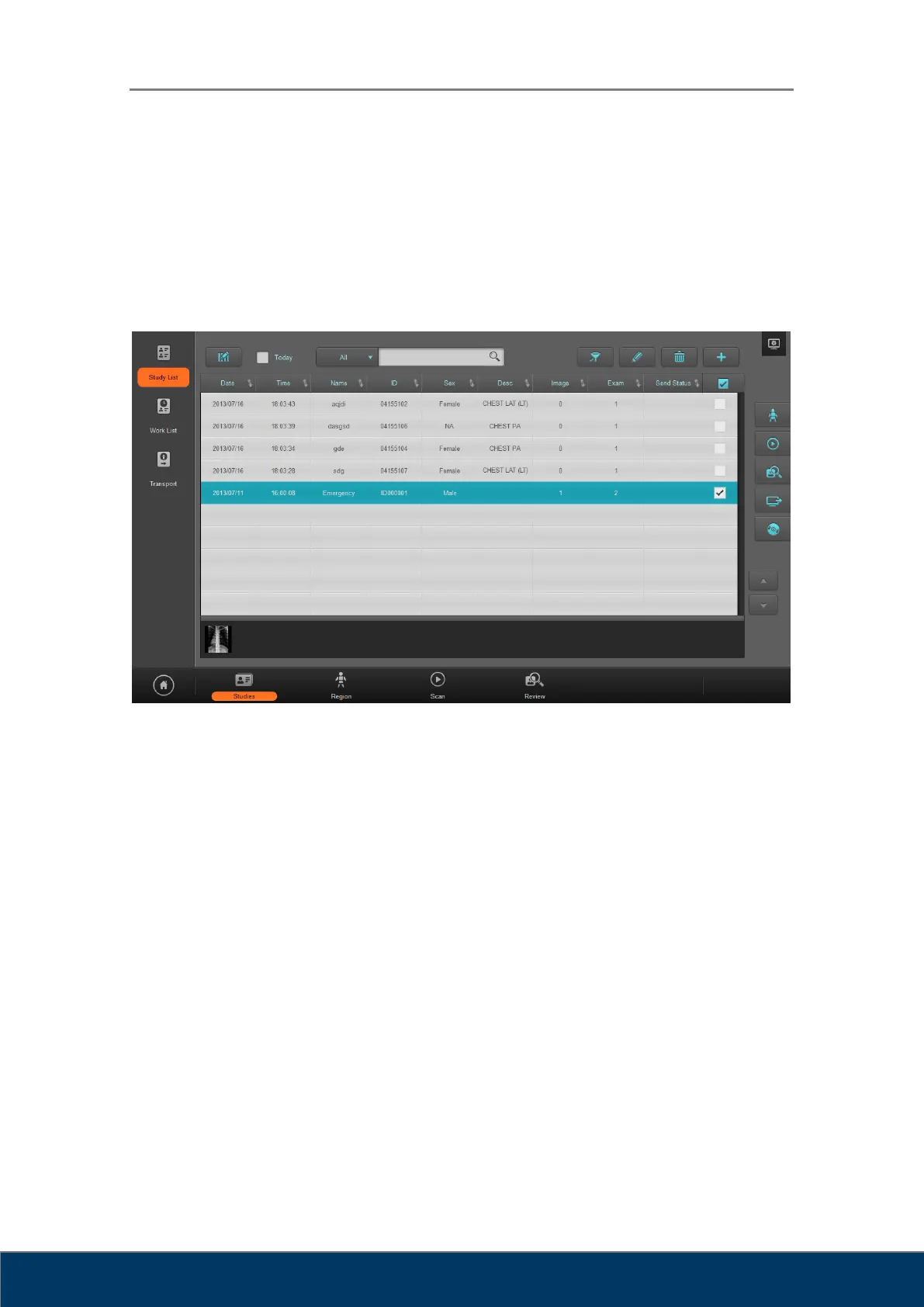
You can manage scanned images in Study List.
Figure 11.1. Study List
① Edit Column: Display a dialog box for editing the columns of the list.
② Today: Search only the studies from today.
③ Search: Search various criteria
④ Filter: Search same patient’s study with the selected study’s patient.
⑤ Edit: Edit the selected studies.
⑥ Delete: Delete the selected studies.
⑦ New Study: Add a new study.
⑧ Region: Open the selected study and go to the Region Selection screen.
⑨ Scan: Open the selected study and go to the Scan screen.
⑩ Review: Open the selected study and go to the Review screen.
⑪ Send Study: Transmit the selected studies.
⑫ Export: Export the selected studies to a CD, DVD or a local drive.
⑬ Page Up/Down: Go to another page.
⑭ Thumbnail: Displays thumbnail images of selected studies.



 To Next Page