User Manual
QuantorMed Plus TM -721-EN
all the columns will be searched.
② Keyword: Enter the keyword to search.
③ Search: Begin search.
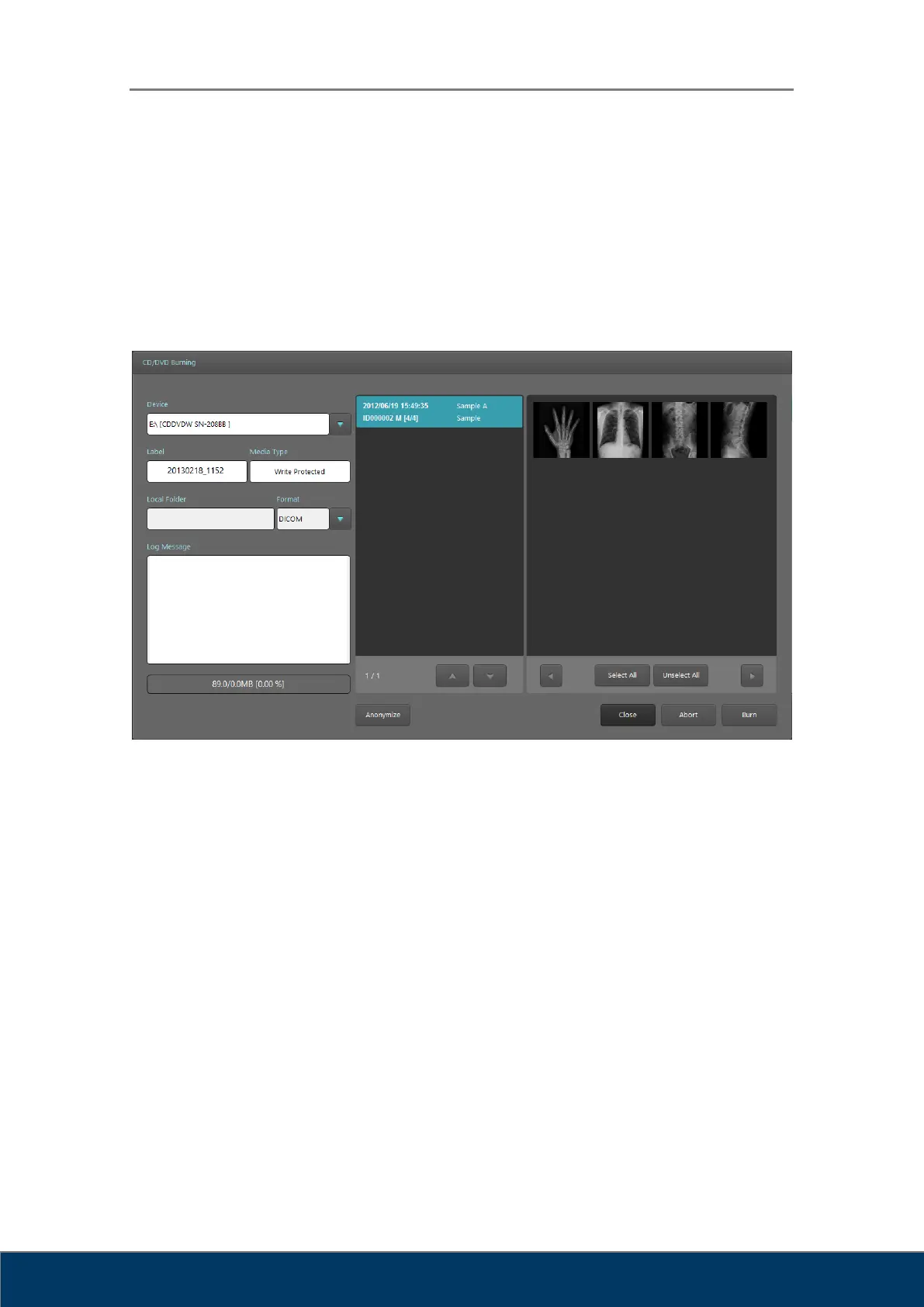
11.5. Export
Figure 11.2. Export
① Device: Select the storage device to export the images to. Optical disc drives
connected to the PC will be listed. If you select Local, you can use other storage
devices connected to the PC.
② Label: Label to be displayed on disc.
③ Media Type: Displays the type of the media inserted in the drive.
④ Local Folder: Activated only when Local is selected in the Device field. Select a
destination folder to save images.
⑤ Format: Select format to save images. Supported formats are as follows.
A. DICOM
B. Bitmap: Windows Bitmap file
C. Raw: RAW file
D. Jpg: JPEG
E. Tiff: TIFF



 To Next Page