User Manual
QuantorMed Plus TM -721-EN
2.4. FireCR Calibration
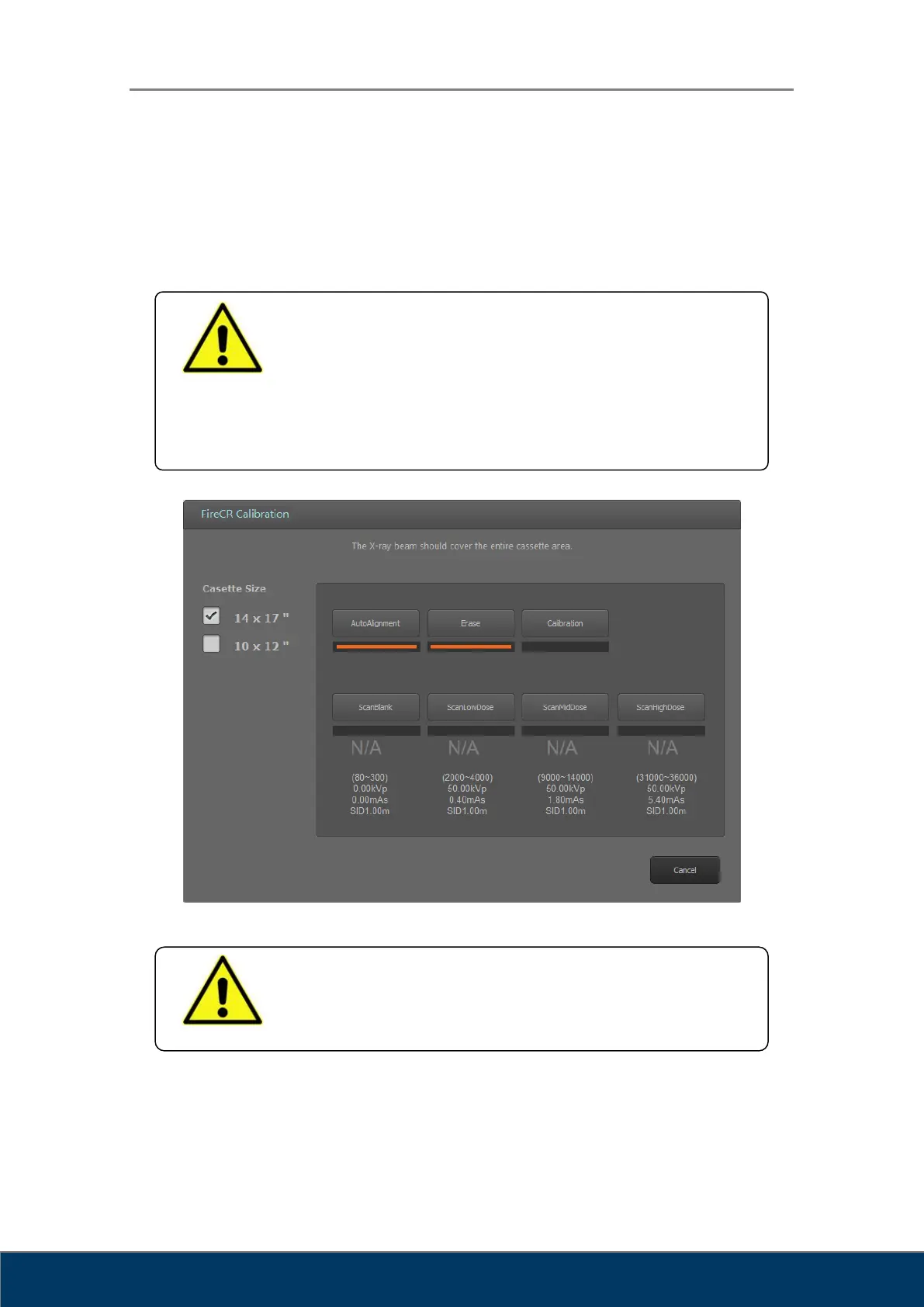
Select IP Calibration in the System Menu, then the following window will pop up. Follow the
steps in the menu.
Figure 2.14. IP Calibration
WARNING
Calibrate the scanner before use. The “Please calibrate system”
message pops up if the scanner is not calibrated or calibration data
does not exist.
It is recommended to calibrate the reader after moving it and as a
part of regular maintenance.
WARNING
Calibration should be done for both a Universal Cassette
containing IP 14” x 17” and a Universal Cassette containing IP 10”
x 12”.



 To Next Page