User Manual
QuantorMed Plus TM -721-EN
⑪ Switch: Switch the images of two tasks. The button is only activated when two tasks
are selected.
⑫ Page Up/Down: Button for switching pages.
9.2. Stitch
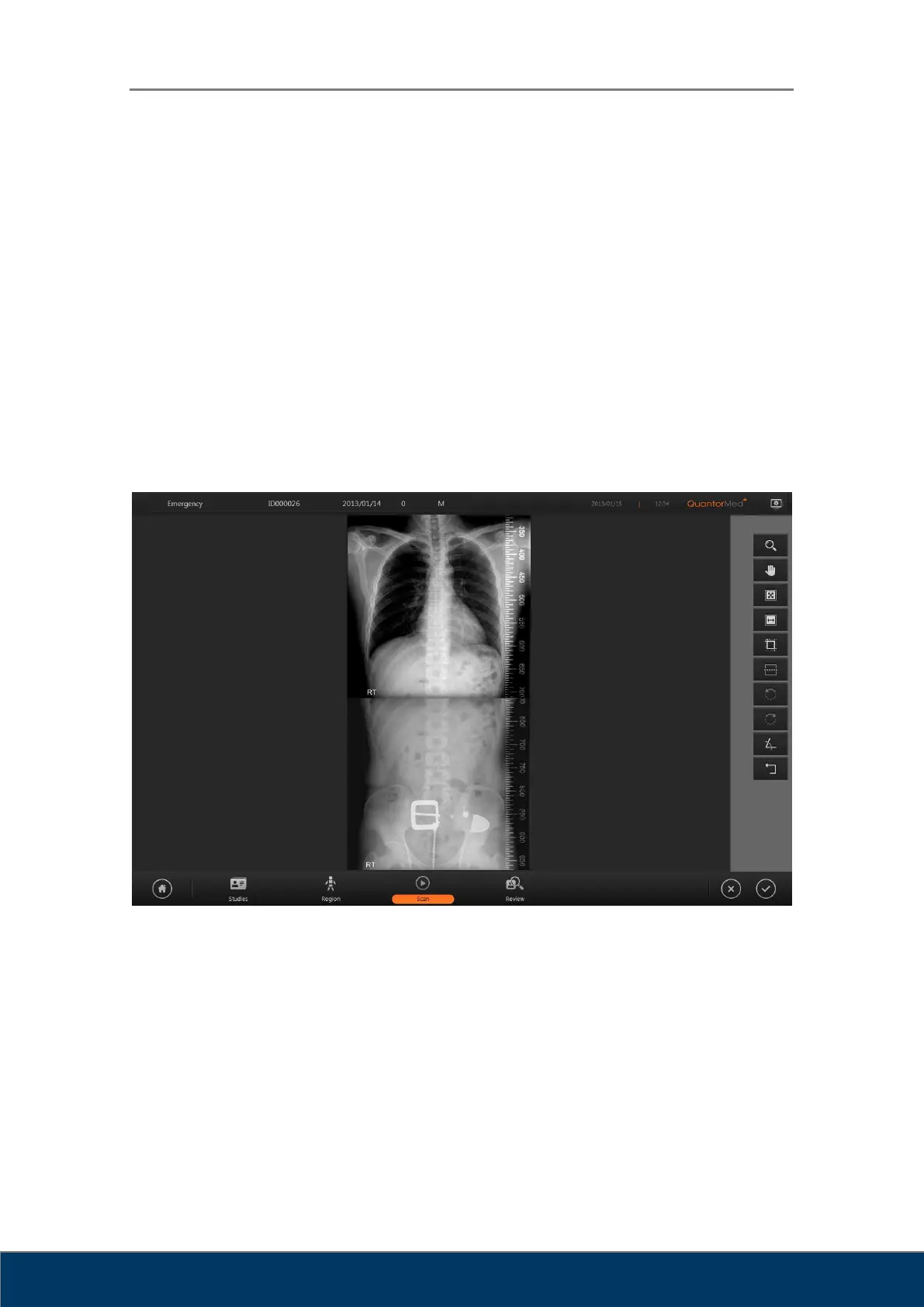
The Stitch function is optional. A Stitch Dongle is required to use the Stitch function. When
stitching begins, a screen shown in Figure 9.2 will be displayed on the screen and the selected
images will be displayed vertically according to the order in the Task Bar. When you adjust the
position and angle of the images and begin stitching, the two images will be stitched into one
and added to the Task List.
Figure 9.2. Stitch
① Zoom: Used to zoom in and out of the image. Drag the mouse over the image to
control the zoom. It does not zoom in/out on a single image and zooms in/out on the
entire screen.
② Pan: Pan the image. Drag the mouse over the image to control the zoom. The selected
image pans separately.
③ Fit To Page Size: Adjust zoom to fit the image to the height of the screen.
④ Fit To Page Width: Adjust zoom to fit the width of the screen.



 To Next Page