User Manual
QuantorMed Plus TM -721-EN
8.5. Auto Window
Automatically adjust the image brightness and contrast.
8.6. Retake
Used when the quality of the scanned image is insufficient and requires a rescan. Remember
that the current image will be deleted.
8.7. Reject
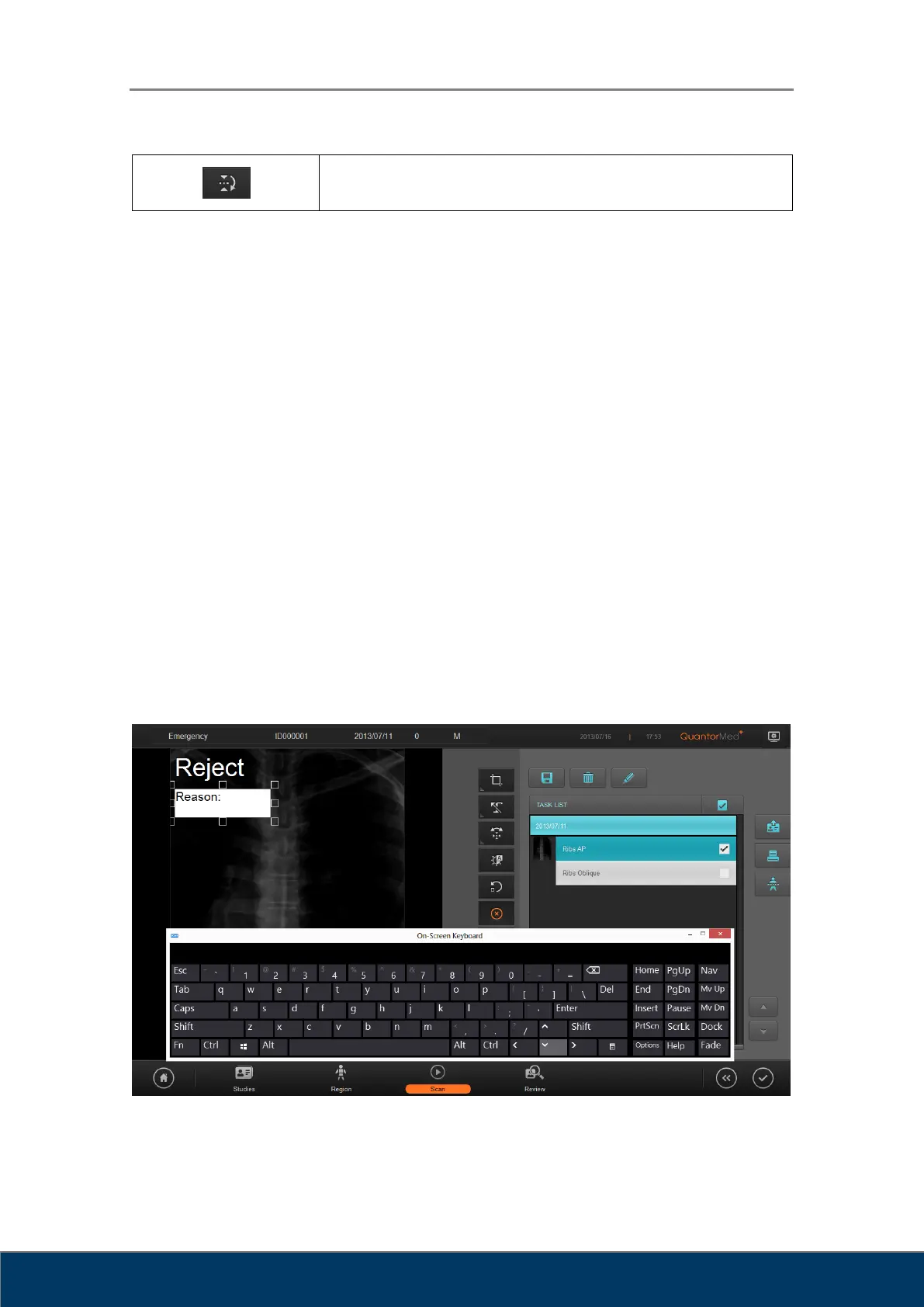
When the quality of the scanned image is insufficient, Reject preserves the current image with a
“Reject” marking without rescanning. When the Reject button is clicked, a “Reject’ marking is
added on the upper left corner of the image as shown below, and a “Reason” input field appears
on the screen. Type in the reason for rejection, and click outside the input box when you are
done. You can cancel a rejection by clicking the Reject button again.
Figure 8.5. Reject



 To Next Page