User Manual
QuantorMed Plus TM -721-EN
8. Image
8.1. Screen Layout
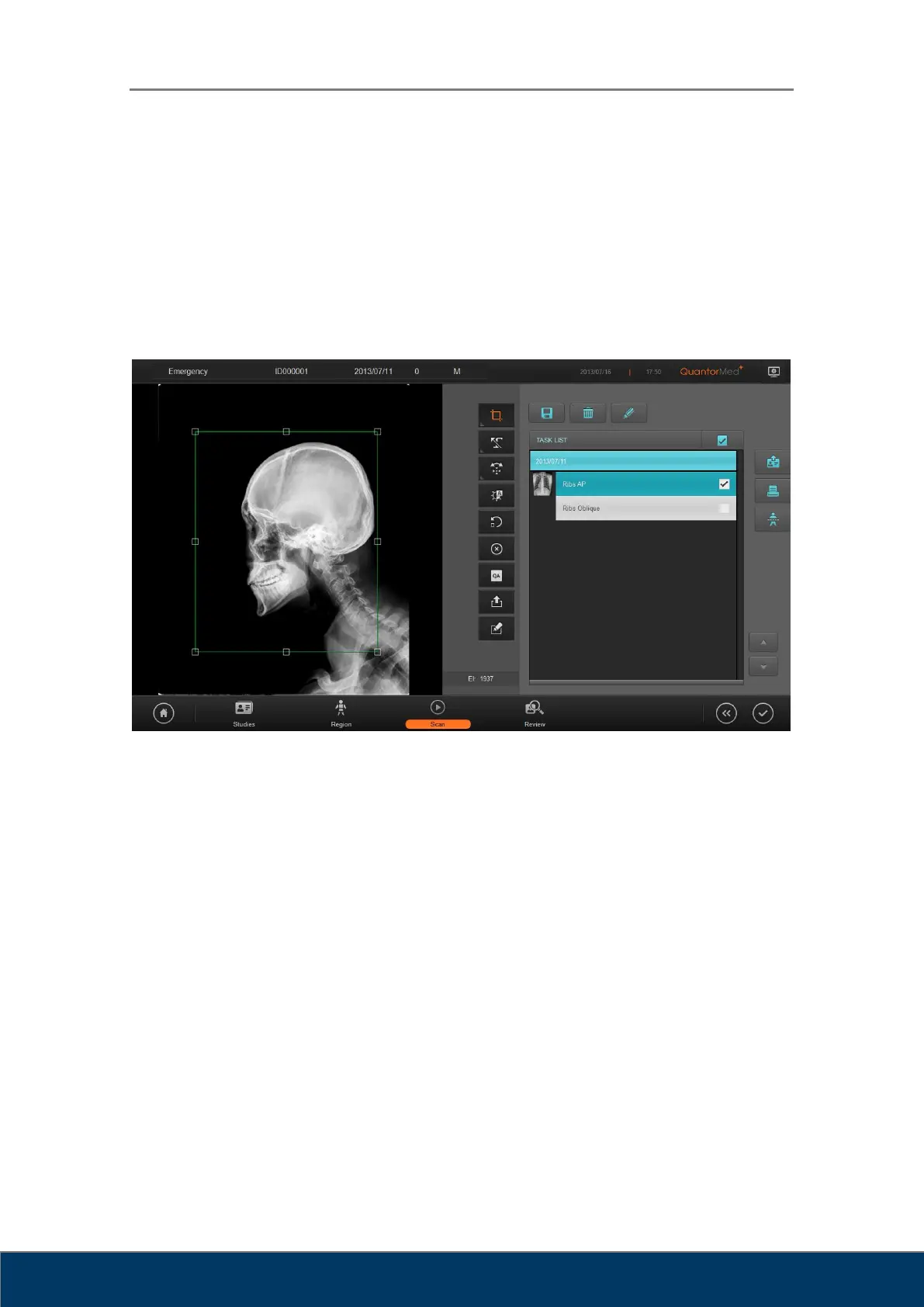
When an IP scan has been completed, the acquired image is displayed on the Scan window as
shown in Figure 8.1.
Figure 8.1. Image
① ROI Box: A tool for cropping the valid region of the scanned image.
② ROI: ROI-related tools
③ Marking: Add markings on the image.
④ Rotate Flip: Rotate/flip the image.
⑤ Auto Window: Automatically adjust the image brightness and contrast.
⑥ Retake: Scan the image again.
⑦ Reject: Reject the image.
⑧ QA: Bring up tools for adjusting image details.
⑨ Send Image: Transmit the image.
⑩ Image Comment: Write image comment
⑪ Exposure Index: Show the exposure index value of the scanned image.



 To Next Page