User Manual
QuantorMed Plus TM -721-EN
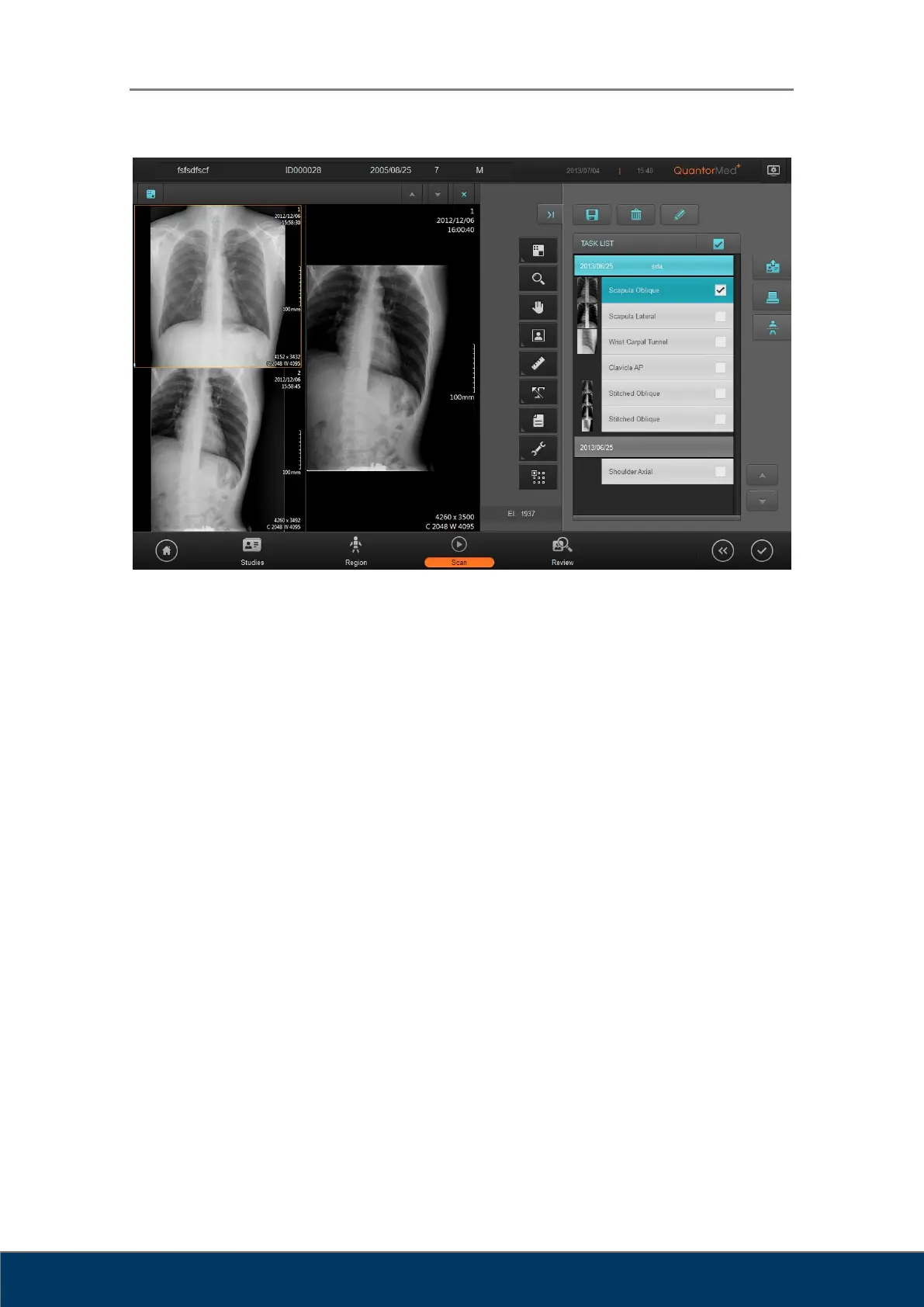
Figure 10.2. Review Screen
① View Caption Bar: The caption bar of the view.
② Full Screen: Show the review screen in full-screen mode.
③ View Window Layout: Change the layout of the view.
④ Zoom: Used to zoom in and out of the image. Drag the image left, right, up, or down
using the mouse.
⑤ Pan: Pan the image. Drag the image left, right, up, or down using the mouse.
⑥ Image Manipulation: Open image manipulation tools for rotating, flipping and inverting
images.
⑦ Measurement: Provides various measurement tools for measuring distance and angle.
⑧ Marking: Provides marking tools.
⑨ File: Display DICOM file on the screen.
⑩ Tools: Provides other tools.
⑪ Apply: Designate the range in which image adjustments will apply.



 To Next Page