User Manual
QuantorMed Plus TM -721-EN
1.1.6. Step 5: Scan Mid Dose
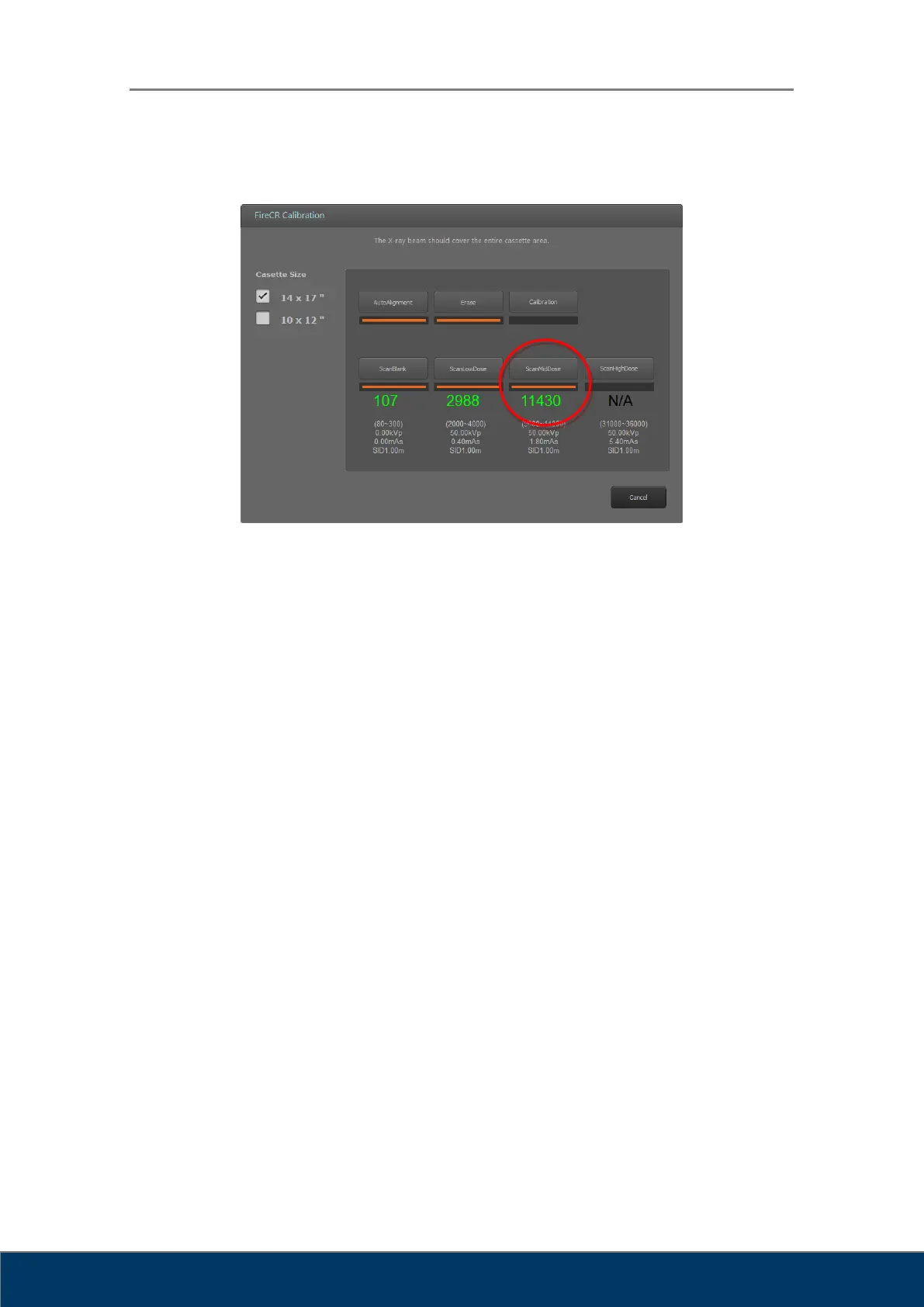
Figure 2.20. Scan Mid Dose
The Scan Mid Dose button is enabled after performing a Scan Low Dose.
Expose the cassette to the X-ray with the conditions noted below the Scan Mid Dose
button.
Then, insert the cassette into the reader and click Scan Mid Dose button to acquire
the third calibration image.
The mean intensity value of the mid dose image is displayed beneath the button.
The mean intensity value of the mid dose is displayed in green if the value is within
acceptable range.
The mean intensity value of the mid dose is displayed in red if the value is not within
the acceptable range, click Accept to continue anyways or Reject to acquire the mid
dose image again.
Increase the X-ray dose to increase the mean intensity value or lower the X-ray dose
to decrease the mean intensity value.



 To Next Page