EasyManua.ls Logo

4RF Aprisa SR+ - Page 293

4RF Aprisa SR+
492 pages
Print Icon
To Next Page IconTo Next Page
To Previous Page IconTo Previous Page
Loading...
Managing the Radio | 293
Aprisa SR+ User Manual 1.11.1
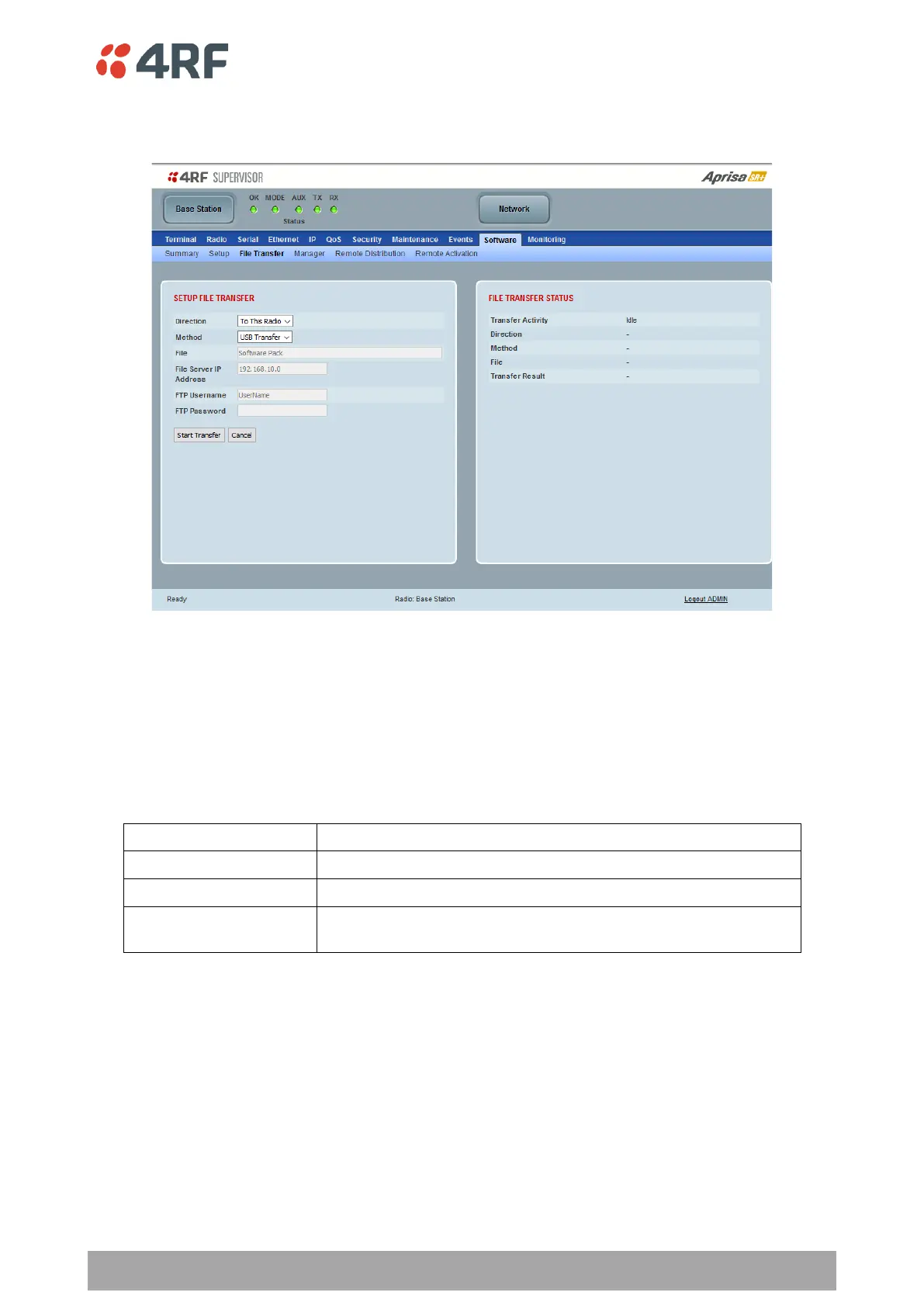
Software > File Transfer
This page provides the mechanism to transfer new software from a file source into the radio.
SETUP FILE TRANSFER
Direction
This parameter sets the direction of file transfer. In this software version, the only choice is To the Radio.
Method
This parameter sets the method of file transfer.
Option
Function
USB Transfer
Transfers the software from the USB flash drive to the radio.
FTP
Transfers the software from an FTP server to the radio.
HTTP / HTTPS
Transfers the software directly from a PC software pack file to the
radio.
File
This parameter shows the software file source.
FTP Username
This parameter sets the Username to access the FTP server.
FTP Password
This parameter sets the Password to access the FTP server.

Table of Contents

Other manuals for 4RF Aprisa SR+

Related product manuals