Aprisa SR+ User Manual 1.11.1
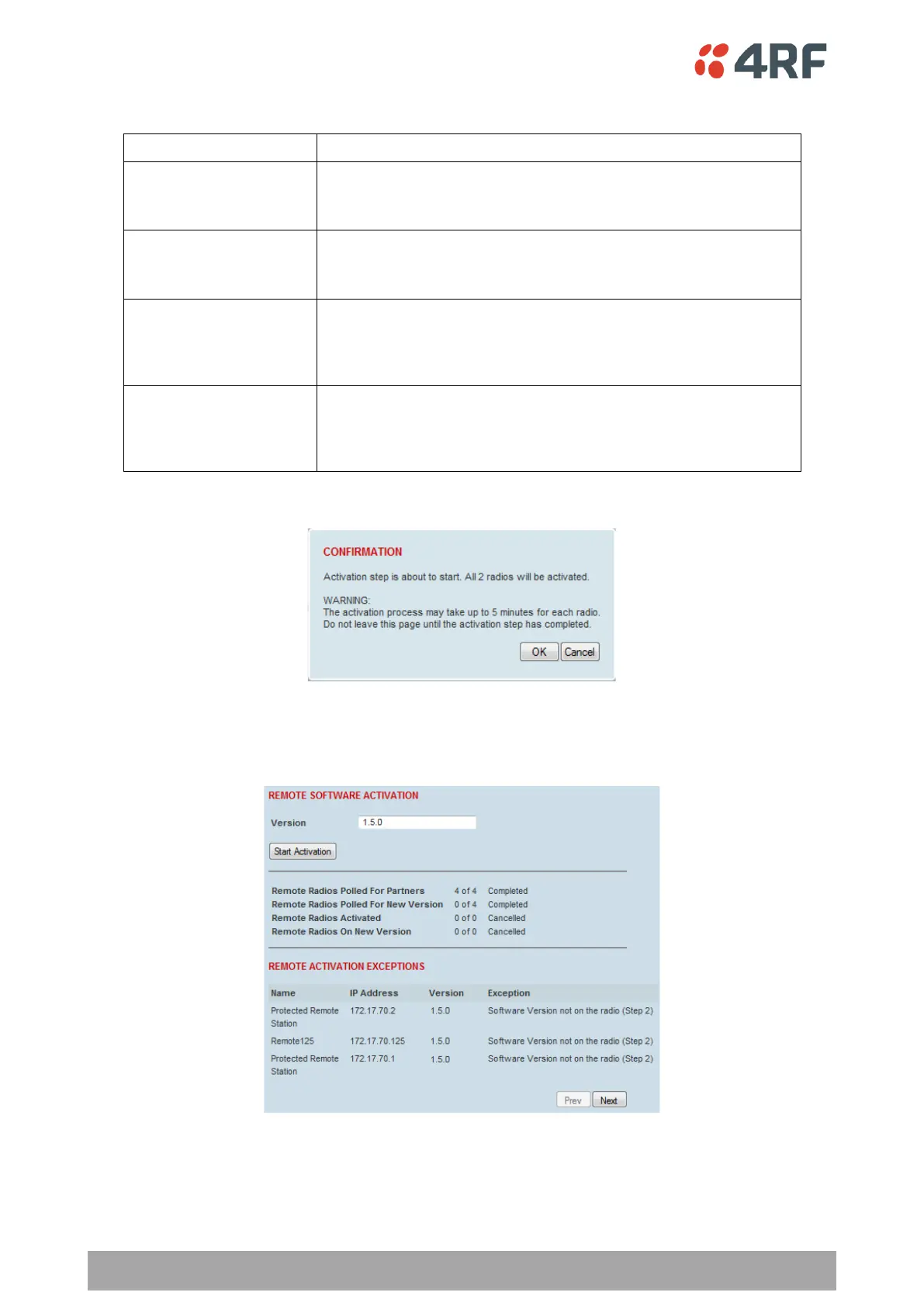
The remote radios will be polled to determine which radios require activation:
Remote Radios Polled for
Partners
X is the number of radios polled to determine the number of
protected stations in the network.
Y is the number of remote radios registered with the base station.
Remote Radios Polled for
New Version
X is the number of radios polled to determine the number of radios
that contain the new software version.
Y is the number of remote radios registered with the base station.
X is the number of radios that contain the new software version
and have been activated.
Y is the number of radios that contain the new software version
and can be activated.
Remote Radios On New
Version
X is the number of radios that has been successfully activated and
now running the new version of software.
Y is the number of radios that the activation command was
executed on.
When the activation is ready to start:
3. Click on ‘OK’ to start the activation process or Cancel to quit.
The page will display the progress of the activation.
The example shows that during the activation process there were exceptions that may need to be
investigated.



 To Next Page