ABB EQmatic
Device technology
22 2CDC512090D0202 | QA/S x.yy.1
2.6 User interface
The device has a user interface for commissioning and operating purposes. To access the user interface
there must be a connection to the device (for more information see: 3 Commissioning P. 23). Access is via
standard web browser (e.g. Chrome, Internet Explorer, Firefox, Safari).
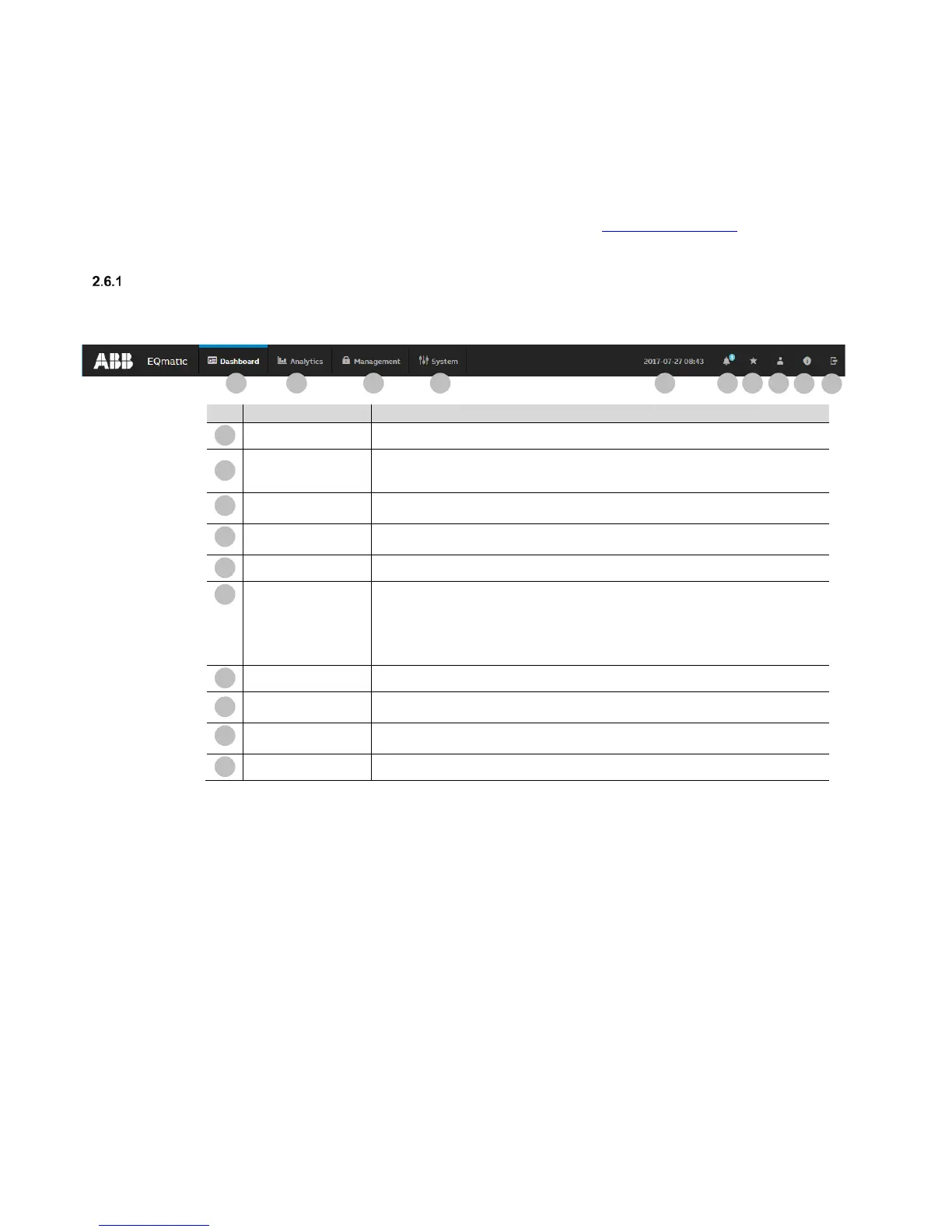
Main menu structure
Users can navigate around the system using the main menu at the top of the user interface screen.
Depending on the selection, a sub-menu may be displayed.
Customizable dashboard for displaying the most important data and measured values.
Detailed analysis of costs, consumption, instantaneous values, benchmarks and
comparison functions per consumer. Further processing and export of data and analyses.
Automatic report function via e-mail or FTP
Used to commission and manage the devices/meters (M-Bus or Modbus), metering
structures, users, tariffs/units and data transfer.
System
Basic device and system settings, e.g. date, time, language etc. as well as for diagnostics
Date and time
Displays the current system date and time.
Displays notifications, e.g. system updates etc.
• M-Bus/Modbus RTU device error: timeout/collision
• M-Bus/Modbus RTU error: short circuit, open circuit
• Update available
• Time synchronization: no connection to NTP server
Favorites
Quick access to previously configured analyses.
User profile
Displays user settings and information such as name, password and access rights.
The user language as well as the log-out options can be set.
Displays device information such as type, name, current firmware version and serial
Logout
Used to log out and end a session.











 To Next Page