ABB EQmatic
Commissioning
QA/S x.yy.1 | 2CDC512090D0202 55
Users
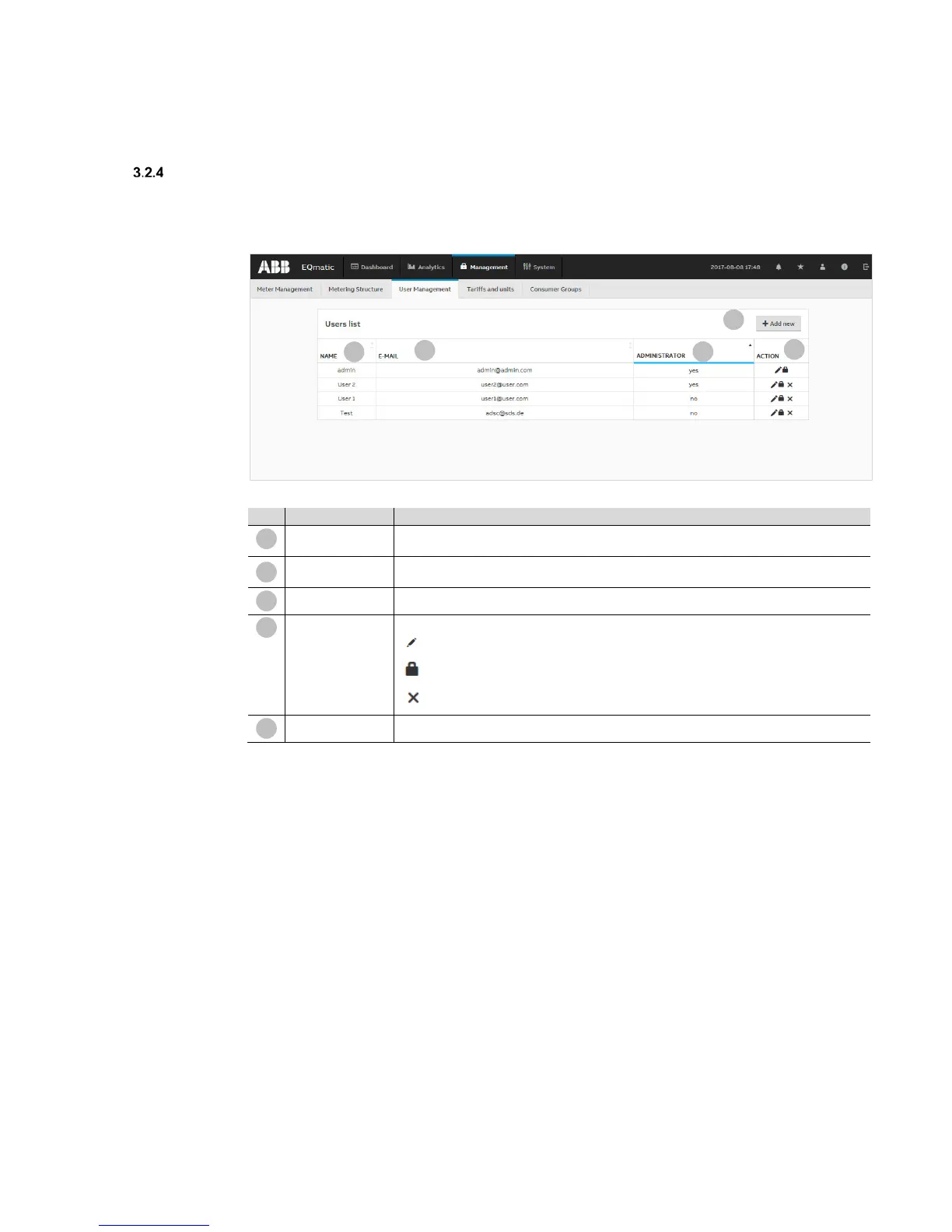
In User Management you can add, configure and delete users. You can also assign users different
access rights. This function limits user access to the areas authorized. You can add as many users
as you wish. Up to 10 users can access the system at any one time.
Displays the name of the user. The software is supplied with the "admin" user, which cannot
be deleted or renamed.
E-mail
Displays the user's e-mail address. This is required to send users a message about resetting
the password if the "password is forgotten."
Administrator
Indicates whether the user has administrator rights (full access).
Used to edit and configure users
Opens the configuration window
Opens the window for changing the password
Deletes the user from the system
Add new
Opens a window where you can add a new user











 To Next Page