ABB EQmatic
Commissioning
QA/S x.yy.1 | 2CDC512090D0202 31
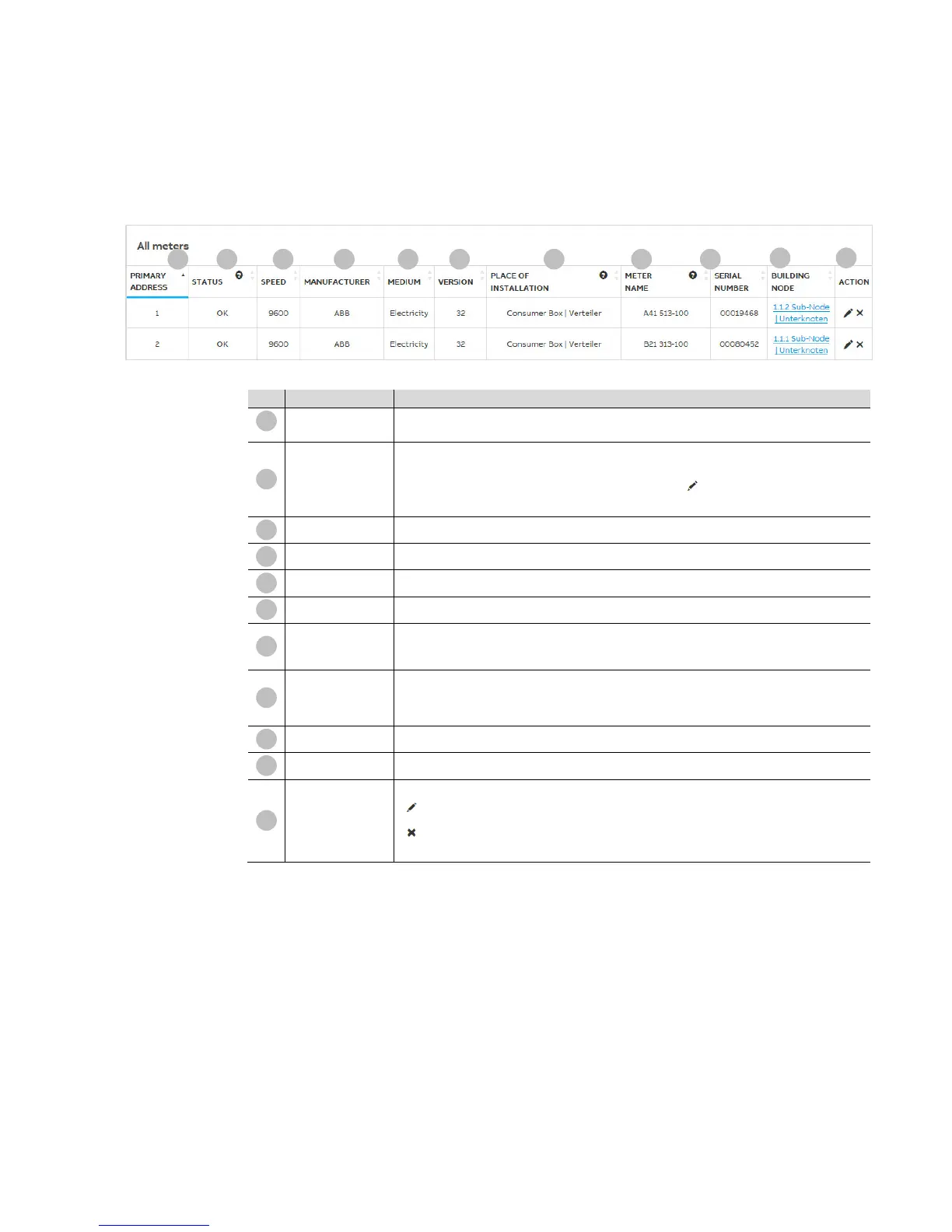
All meters (QA/S 3.xx.1 Energy Analyzer, M-Bus)
After a successful scan, all M-Bus devices detected are shown along with the information they
provided in the All meters table below.
1), 2)
Shows the primary address set in the M-Bus device.
OK: Meter detected, configured and connected
Collision: Address conflict. Devices with same primary address or identical serial number
Not configured: Device is not configured. Configure using
.
Disconnected: Device is not available or is disconnected from the M-Bus.
Speed
1), 2)
Shows the speed set in the M-Bus device
Manufacturer
1)
Shows the manufacturer (max. 3 characters, e.g. ABB)
Medium
1)
Shows which medium is measured by the M-Bus device
Version
1)
Shows the firmware version in the M-Bus device
Enter the place the device is installed here. This action is recommended so that the device is
easier to identify and assign on configuring the metering structure.
Duplicate names are allowed.
For ABB meters, the type designation is used by default as the device name after a scan. This
can be overwritten. Enter a name for the device here. This action is recommended so that the
device is easier to identify and assign on configuring the metering structure. Duplicate names
are allowed.
Serial number
1)
Shows the serial number (= secondary address) of the M-Bus device
Assignment
3)
Shows the assignment of the M-Bus device based on the metering structure configured
Action
Used to edit and configure the M-Bus device
Opens the window for configuring the meter
Removes the M-Bus device from the system
Needs to be set in the M-Bus device











 To Next Page