ABB EQmatic
Commissioning
QA/S x.yy.1 | 2CDC512090D0202 35
Configuration of manufacturer-specific data points
To add a manufacturer-specific data point, you need to configure it.
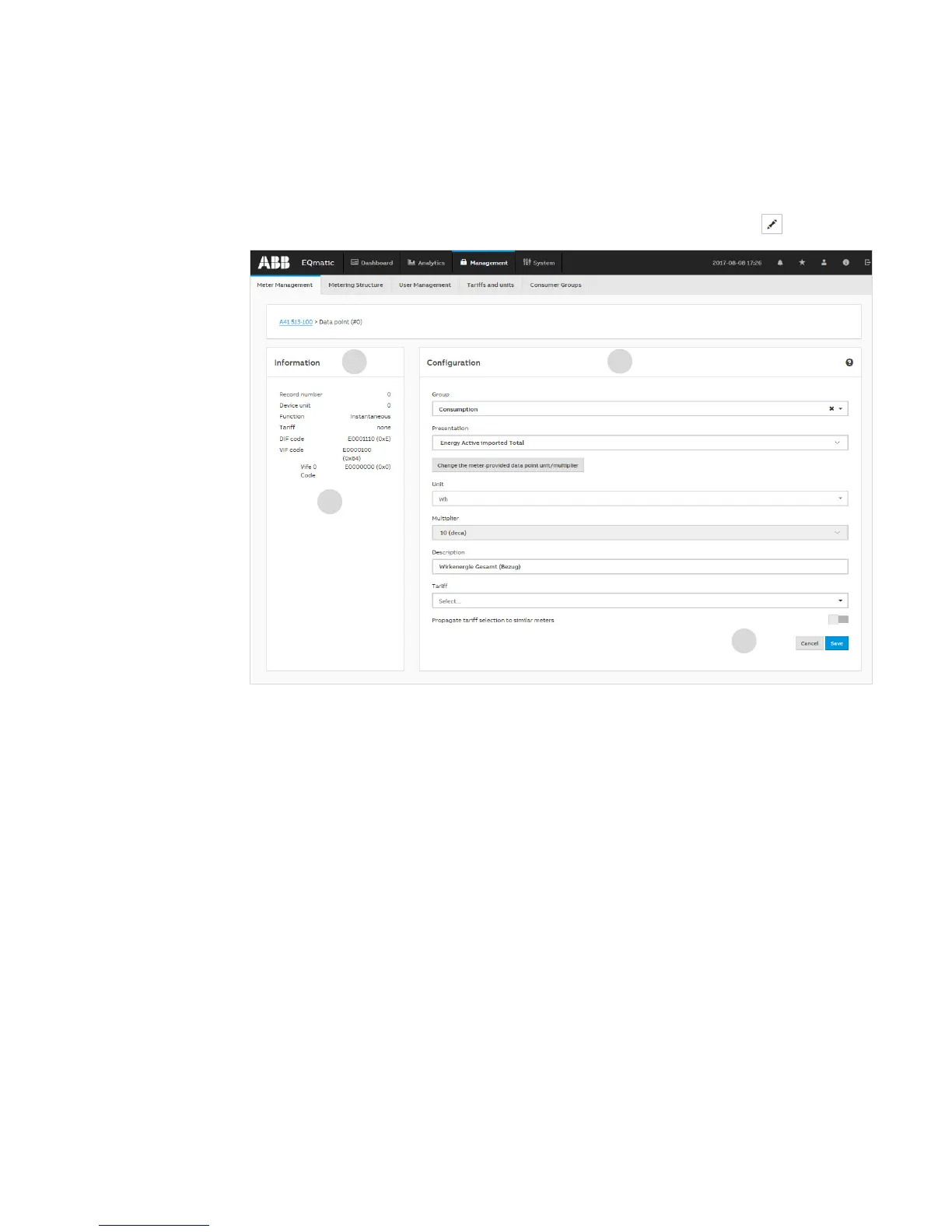
You can configure the required data point after opening the Configuration window using .
On the left of this window is the data point Information field (1). Check the M-Bus-specific DIF and
VIF codes for the corresponding data point (2). These are in the manufacturer's description for the
related M-Bus device. To decode the data point, search for the DIF and VIF codes shown in the
protocol description. In the Configuration window (3), enter the required information (e.g. Group,
Type, Unit, Multiplier, Description and Tariff). Click Save (4) to apply the settings. The data point is
now configured and available in the system.











 To Next Page