20
Step Action
1
12:43pm
Logbook
Settings
Time and date
Sounds
Language
Perform control
solution test
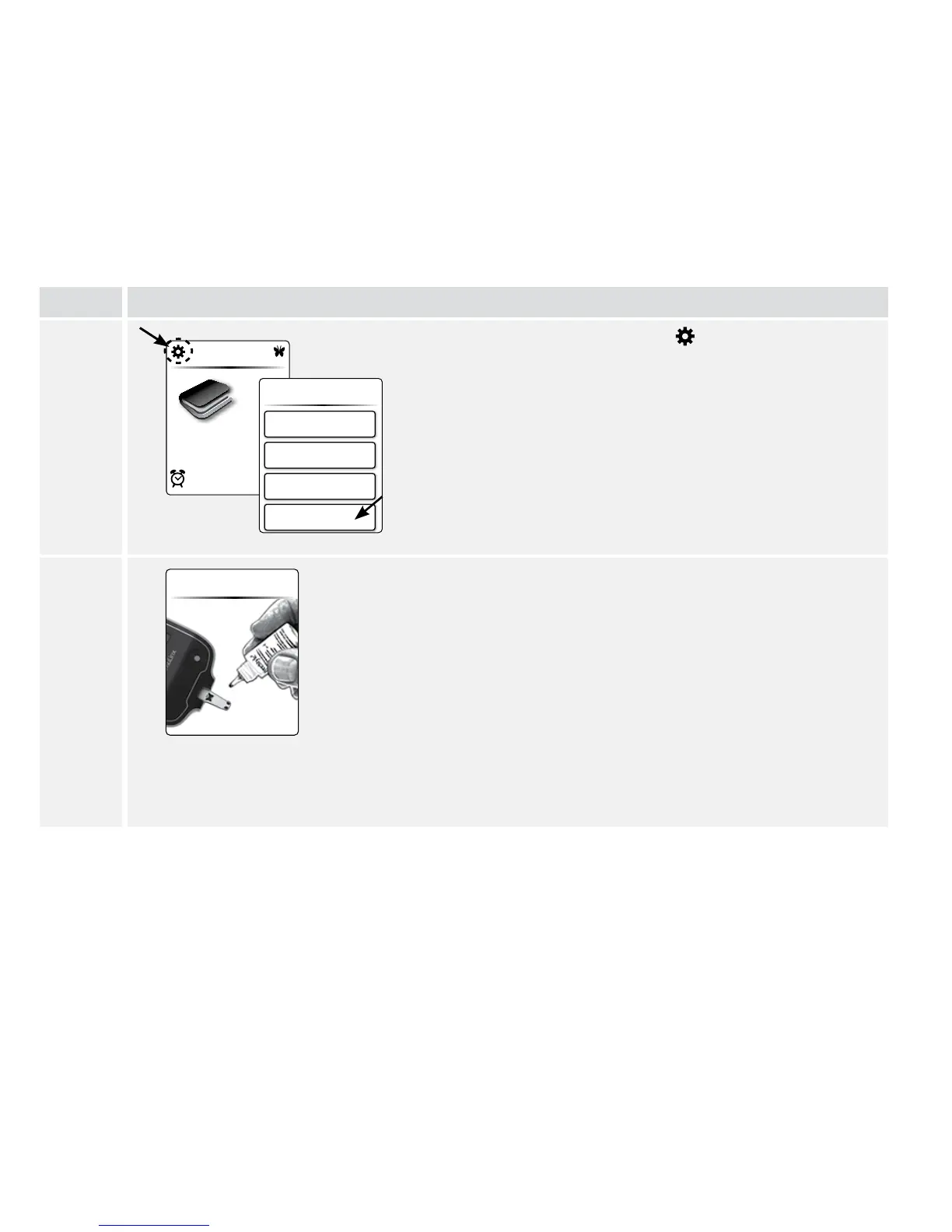
At the Home screen, tap Settings .
Then tap Perform control solution test.
2
Perform the control solution test.
a. Insert a test strip and close the test strip vial.
b. Apply control solution to the test strip as shown in
the picture.
c. The meter will beep once to let you know that you
have applied enough control solution.
d. A buttery will appear on the screen while you wait
for the result. The meter will beep twice when the
result is ready.















 To Next Page