2
20
2 GETTING STARTED
Cancel current process?
CONFIRMATION
15:332019-11-07
YES
NO
ERROR
15:33
PRINTING FAILED
2019-11-07
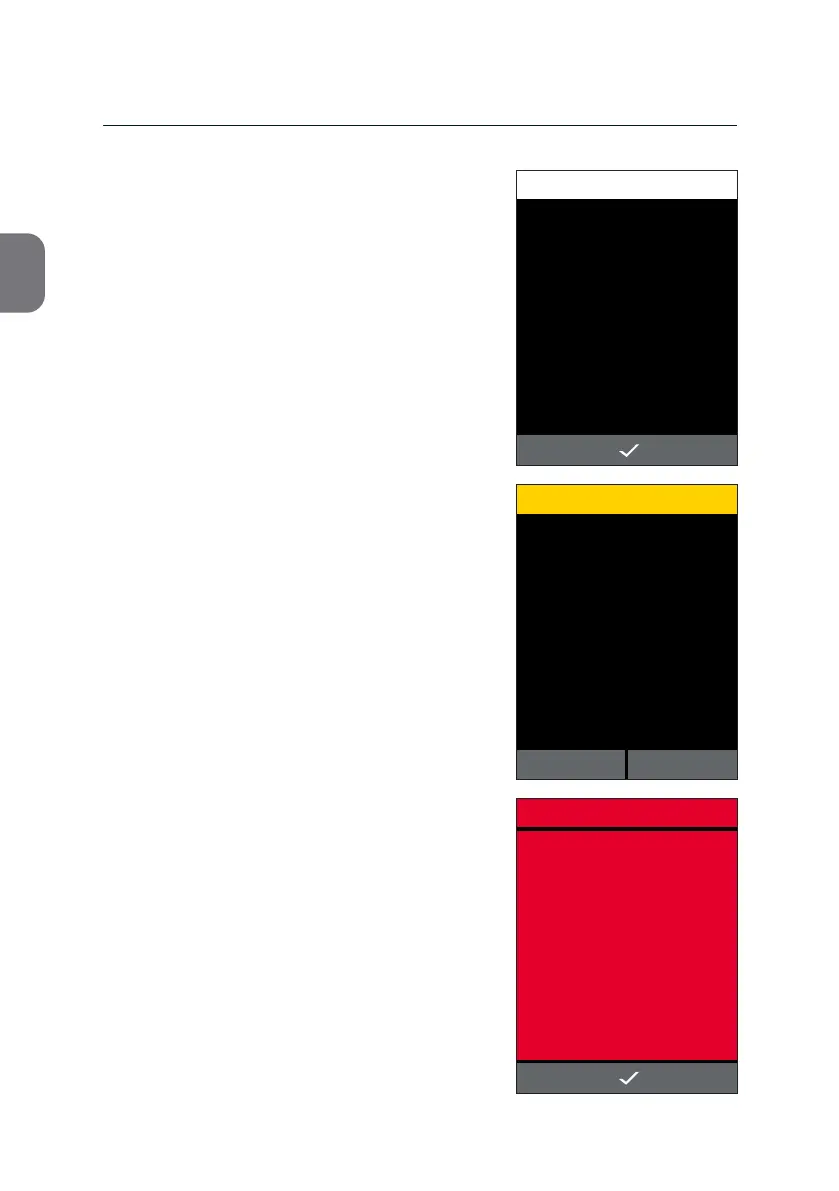
Informaon screens with white headers
appear when pressing an inacve grey icon.
An icon turns grey if the underlying acon is
not available at that stage, e.g. the g icon
will turn or remain grey as long as no printer is
connected to the m-PIMA™ Analyser.
Informaon screens provide you with further
details to connue with your processes.
As a precauonary measure your m-PIMA™
Analyser will ask you to conrm certain
decisions, like cancelling acve processes.
Conrmaon screens are displayed with a
yellow header.
Choose either z or y to connue.
Error screens are displayed completely in red.
They contain either Error Messages or Error
Codes.
Conrming Error screens with i will lead you
either back to the previous screen or will open
a m-PIMA™ Test Report.
INFORMATION
15:33
Connect to USB Printer.
2019-11-07



 To Next Page