5
36
5 ARCHIVE
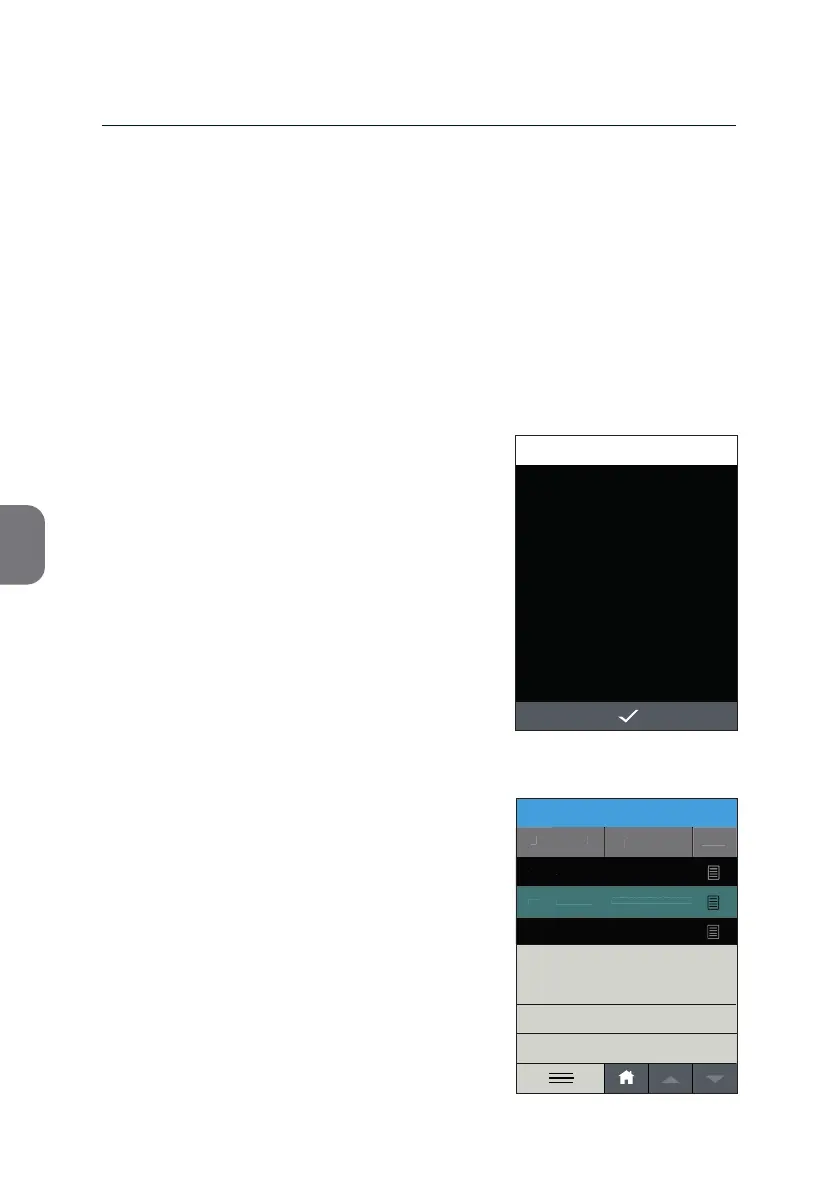
Note: Make sure you marked all results of
interest before ac va ng the prin ng
process.
If you miss to preselect the results of
interest the «PRINT» op on will remain
inac ve.
Should you a empt to press the respec ve
menu line any way, an Informa on screen will
be displayed informing you about the next
steps to take.
SELECT ALL
EXPORT
DELETE
2019-11-06
123456789-ABD-576123
12345-ABG-123
2019-11-05
PRINT
Sample ID
#
View
Date
ARCHIVE
2019-11-07 14:51
2019-11-06
107
06-11-2019-ABC
106
105
INFORMATION
15:33
Select result.
2019-11-07
Ac on Menu
Pressing h will open the Ac on Menu. Here you will nd the respec ve
ac on items and the «SELECT ALL» op on.
Ac on Menu: Print
You need to a ach the USB Printer to one of the USB ports of the instrument
to print results from the archive.
• A er selec ng your results press
h to
select the «PRINT» op on.
Note: If you did not a ach the USB Printer the
«PRINT» op on remains inac ve.



 To Next Page