8
60
8 POWER OFF & STORAGE
If for any reason it is not possible to turn o the m-PIMA™ Analyser via the
described route or it does not react to any input from the touch screen, press the
grey Power On buon on the front of the instrument unl the screen turns black.
This might take a couple of seconds.
The power status light goes o indicang that
your m-PIMA™ Analyser is now switched o
. To restart the m-PIMA™ Analyser,
press the grey Power On buon again.
To protect the internal baery from undesired discharge during transport or long
term storage of the m-PIMA™ Analyser the instrument automacally reacvates
the EP-mode of the internal baery every me it is powered o.
Note: If a controlled shut down is not possible and therefore the instrument is
turned o by pressing the grey buon the EP-mode for the internal baery is
NOT being acvated.
Deinstallaon
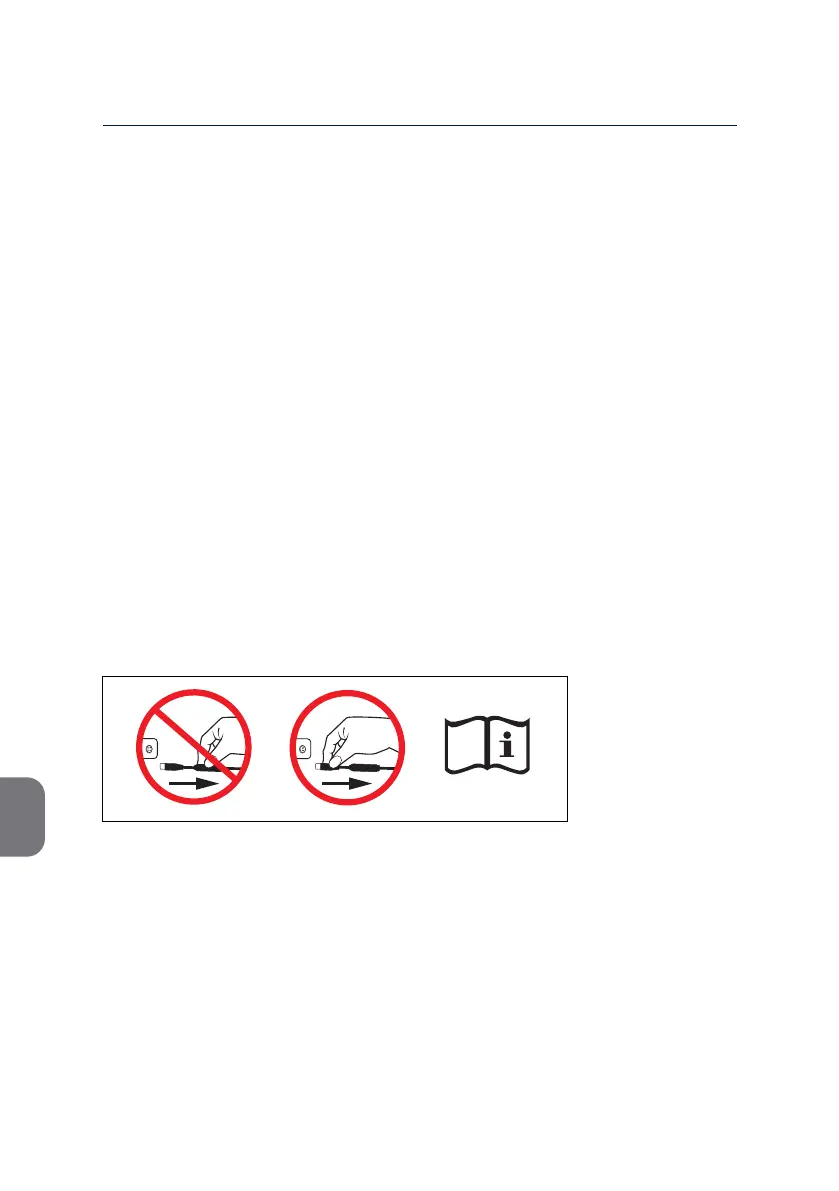
To disconnect the power transformer pull back the outer sleeve of the plug.
DO NOT pull on the cord. Follow instrucons on the cable tag thoroughly
(see below). Violaon of the described workow may cause serious damage to the
instrument. Please note the informaon sign aached to the power transformer cable.
m-PIMA™ Analyser Storage and Recharge Intervals
If you want to store the m-PIMA™ Analyser for longer periods of me below 30°C
connect it to mains A/C power and turn it on to recharge the baery at least once
every 6 months. If long term storage temperatures exceed 30 °C, the recharge
intervals may need to be considerably shorter.
Note: Never store the m-PIMA™ Analyser with an empty baery. Always fully
recharge the baery before long term storage.



 To Next Page