m-PIMA™ ANALYSER USER GUIDE
59
8
8 POWER OFF & STORAGE
POWER OFF
HOME
2019-11-07 14:51
ARCHIVE
SETTINGS DEVICE
RUN TEST
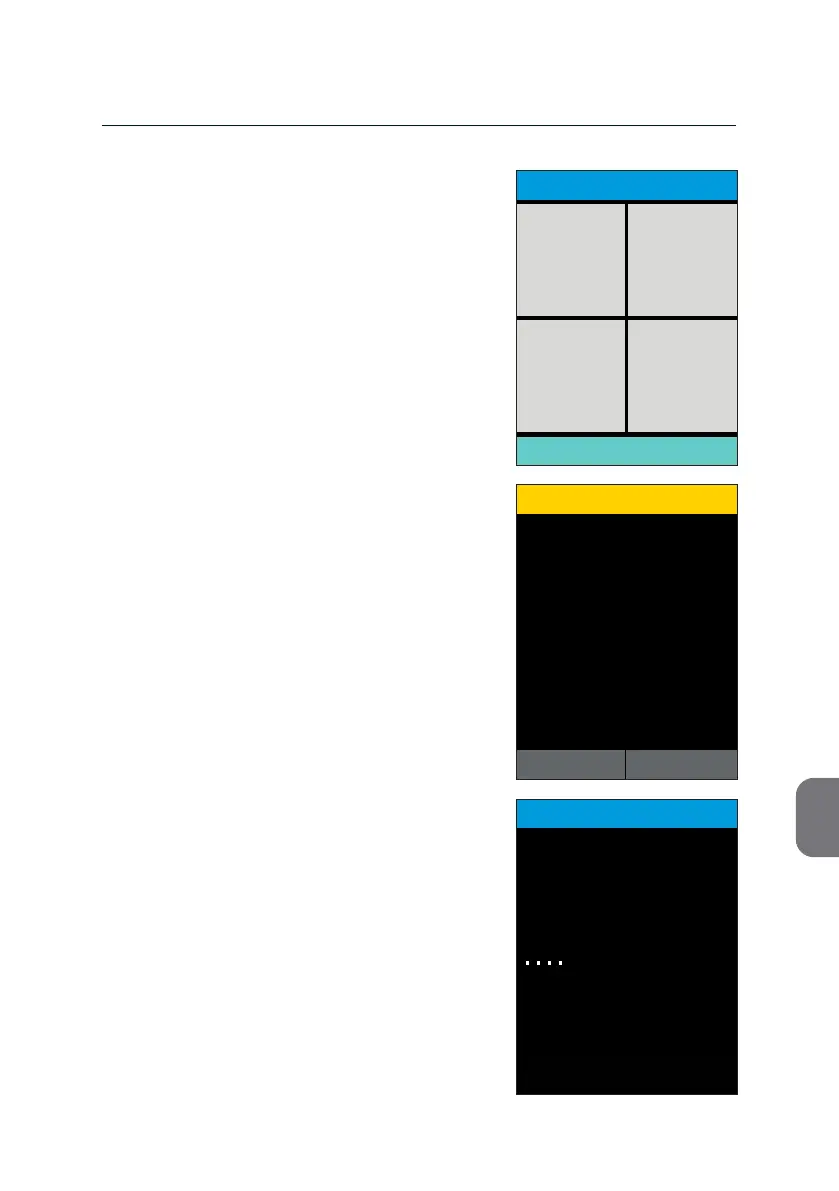
• If you want to turn o the m-PIMA™
Analyser, press the [POWER OFF] le on the
lower part of the «HOME» screen.
A «CONFIRMATION» screen will open.
• Press z to return to the «HOME» screen;
conrm with y to iniate the nal shut
down sequence.
The following screen will indicate that the
m-PIMA™ Analyser is shung down.
This may take up approximately one minute
during which the power status light will be
ashing (green LED, see page 15).
Aer the shutdown sequence is completed,
the m-PIMA™ Analyser will turn itself o, the
screen will turn black and the power status
light goes o.
It is recommended to throw the main power
switch on the back of the instrument to
posion ( O ).
Power O
Shut down the m-PIMA™ Analyser?
CONFIRMATION
15:332019-11-07
YESNO
POWER OFF
15:33
Shutting down
2019-11-07
in progess



 To Next Page