5
34
5 ARCHIVE
5 ARCHIVE
All results stored in the Archive can be viewed, printed and exported or deleted.
You can only access the Archive, if there is no analysis currently in progress.
Up to 1000 test results can be stored in the m-PIMA™ Analyser archive.
POWER OFF
HOME
2019-11-07 14:51
ARCHIVE
SETTINGS DEVICE
RUN TEST
Sample ID
#
View
Date
ARCHIVE
2019-11-07 14:51
2019-11-06
2019-11-06
123456789-ABD-576123
12345-ABG-123
2019-11-05
106
105
107
06-11-2019-ABC
123456789-ABF
2019-11-05
75
89-FG
2019-11-04
32
1-AH-35
2019-11-02
15
62-GU-1
2019-10-30
8
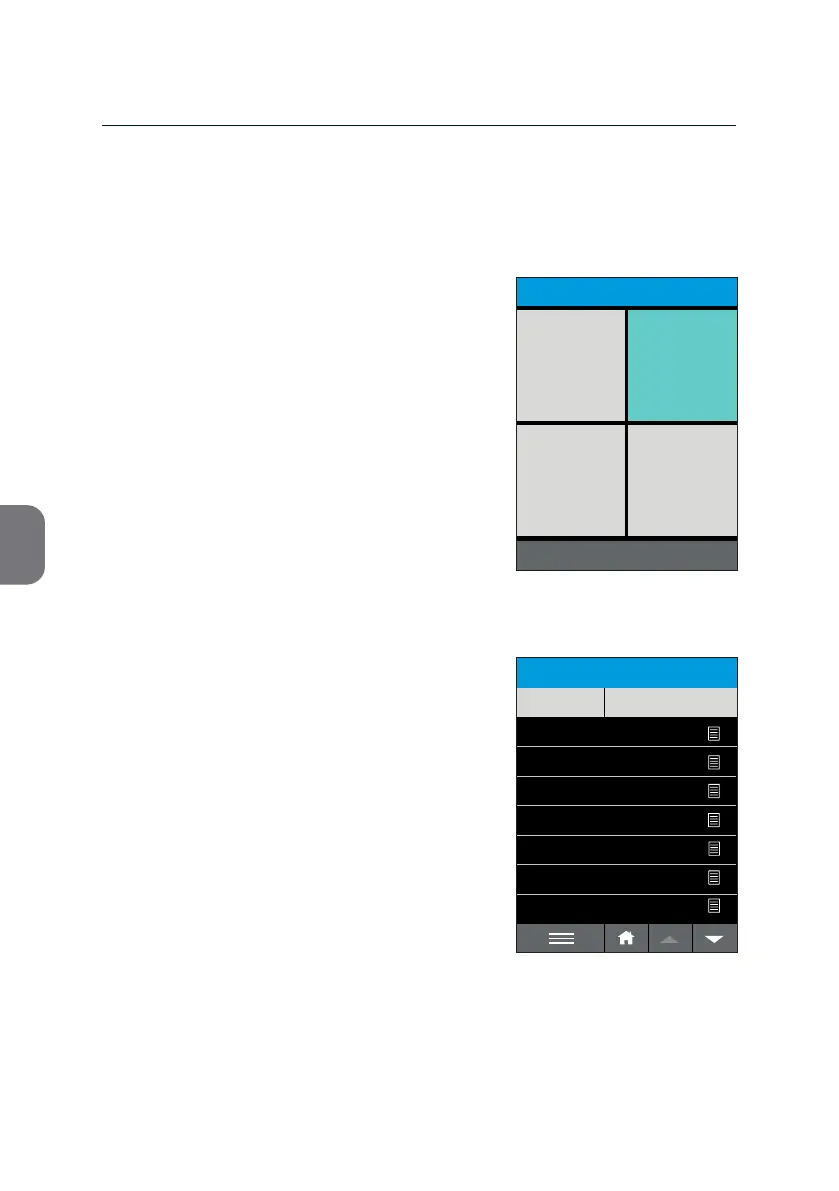
• To open the list with all results archived,
press the [ARCHIVE] le in the upper right
corner of the «HOME» screen.
All available results are displayed in
chronological order with the last result on top.
• Use the v and w keys to scroll the
complete list.
• Press the header of column [#] or [Date]
to reverse the chronological order of the
results.
• Press the header of column [SAMPLE ID] to
group results based on Sample ID.



 To Next Page