23
4
m-PIMA™ ANALYSER USER GUIDE
4 RUNNING A TEST
How to iniate a Test
The m-PIMA™ test consists of a disposable test cartridge, containing all test
reagents, and the m-PIMA™ Analyser.
The m-PIMA™ test cartridges are supplied in boxes containing a product
insert detailing instrucons for sample collecon as well as the test specic
performance characteriscs.
Before you are performing an m-PIMA™ test, carefully read the respecve
m-PIMA™ Cartridge Guide for details on sample applicaon and cartridge
handling.
POWER OFF
HOME
2019-11-07 14:51
ARCHIVE
SETTINGS DEVICE
RUN TEST
RUN TEST
14:56
To start a test insert new cartridge and
close door.
2019-11-07
Check correct date and me on your
m-PIMA™ Analyser before running a test.
Please refer to page 45 to learn more about
how to change the me sengs according
to your local me zone.
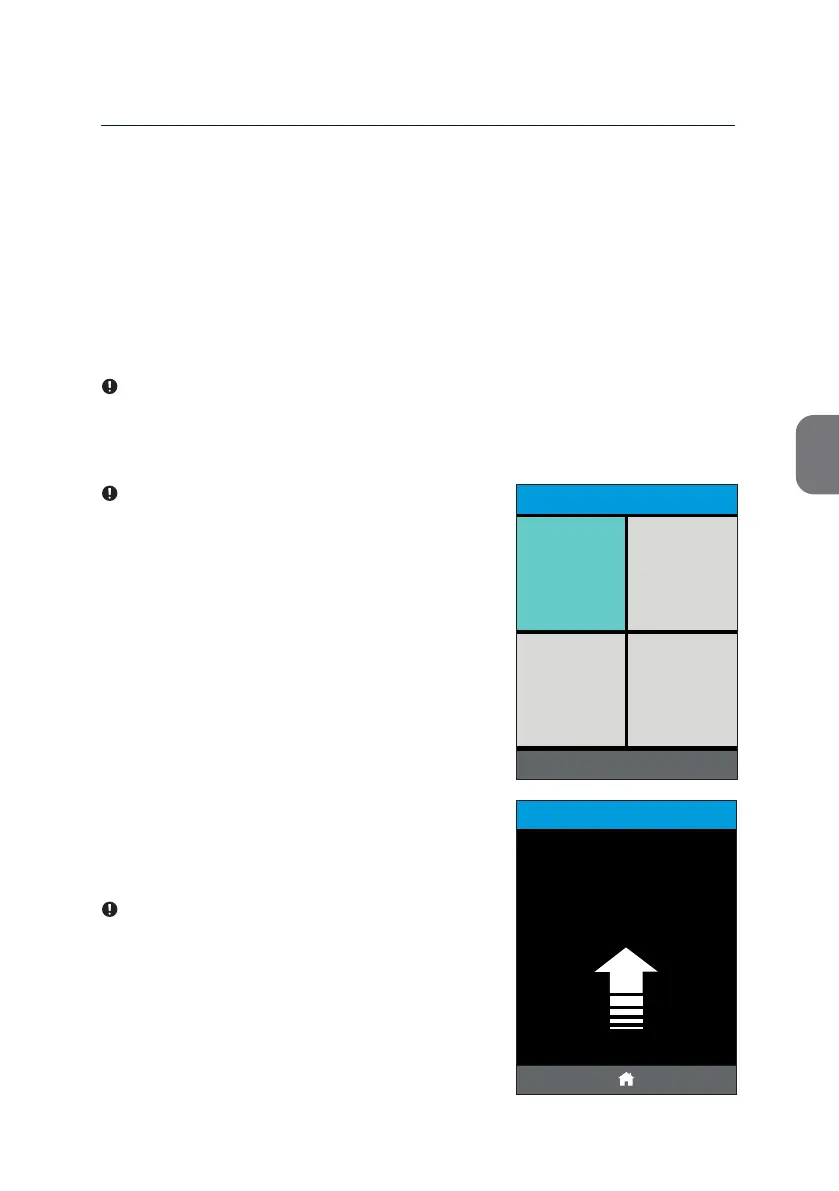
• To iniate a test press the [RUN TEST] le
in the le upper corner of the «HOME»
screen.
This will open the rst «RUN TEST» screen and
you are asked to insert a cartridge.
Your m-PIMA™ Analyser is designed to only
process m-PIMA™ test cartridges.
Do not insert any other cartridges, test
strips or devices into the instrument.



 To Next Page