m-PIMA™ ANALYSER USER GUIDE
35
5
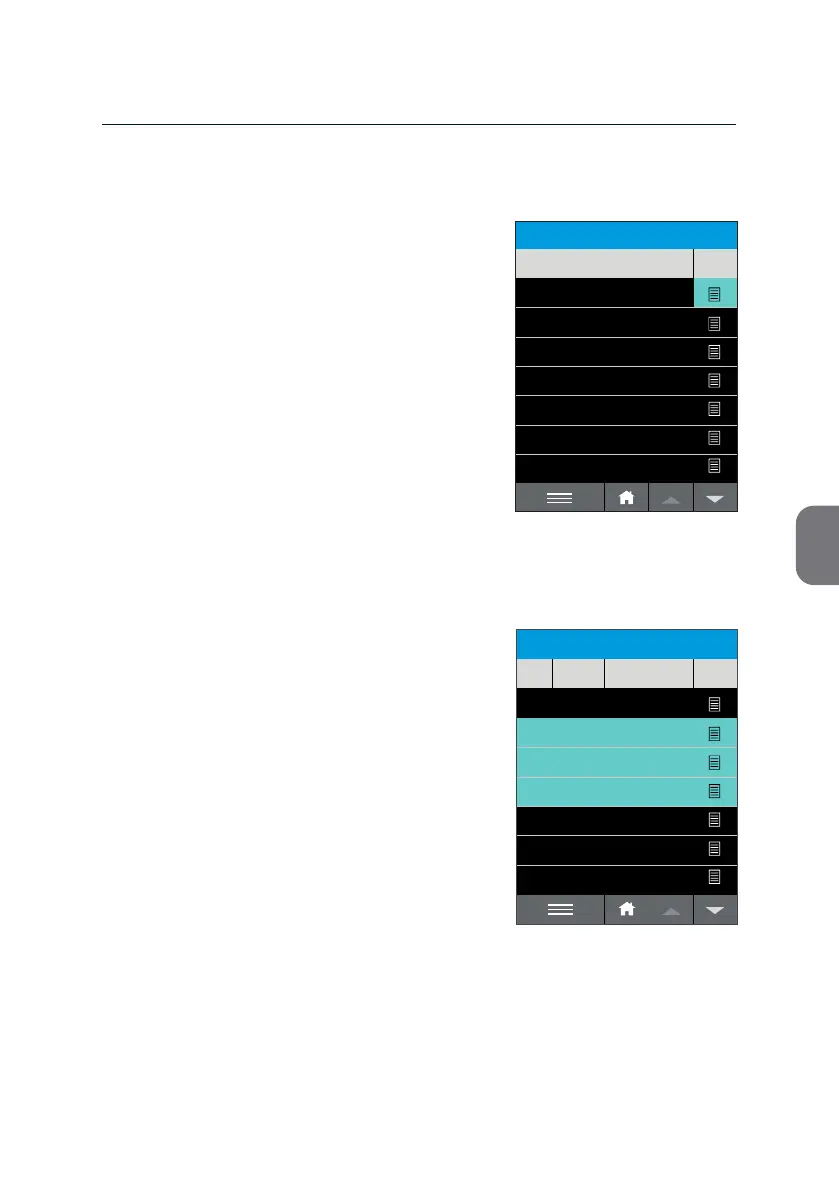
View Results
• To view a result of interest, press f at the
right end of the respecve line.
This will open the Test Report of this
parcular test run.
See page 29 for further opons aer opening
the Test Report.
Select Results
Select your results of interest by pressing the
specic lines in the result list.
You will recognize marked results as
highlighted in mint.
Deselect a result by pressing the respecve
line once again.
Alternavely you can choose the «SELECT ALL»
opon in the Acon Menu to select all results
currently stored in the archive (see next page
for details).
ARCHIVE
14:51
32
15
8
2019-11-06
89-FG
1-AH-35
62-GU-1
Sample ID#
View
Date
2019-11-06
2019-11-05
2019-11-05
2019-11-04
2019-11-02
2019-10-30
123456789-ABD-576123
106
105
75
107
06-11-2019-ABC
2019-11-07
12345-ABG-123
123456789-ABF
ARCHIVE
14:51
32
15
8
2019-11-06
12345-ABG-123
123456789-ABF
89-FG
1-AH-35
62-GU-1
Sample ID#
View
Date
2019-11-06
2019-11-05
2019-11-05
2019-11-04
2019-11-02
2019-10-30
123456789-ABD-576123
106
105
75
107
06-11-2019-ABC
2019-11-07



 To Next Page