m-PIMA™ ANALYSER USER GUIDE
39
5
In case the data transfer medium is not recognized, the respec ve Export
op on will remain inac ve.
• Select the results you want to export.
• Press
h to select the «EXPORT» op on.
Note: The Export op on will remain inac ve
un l you connect the respec ve Export
hardware to the m-PIMA™ Analyser.
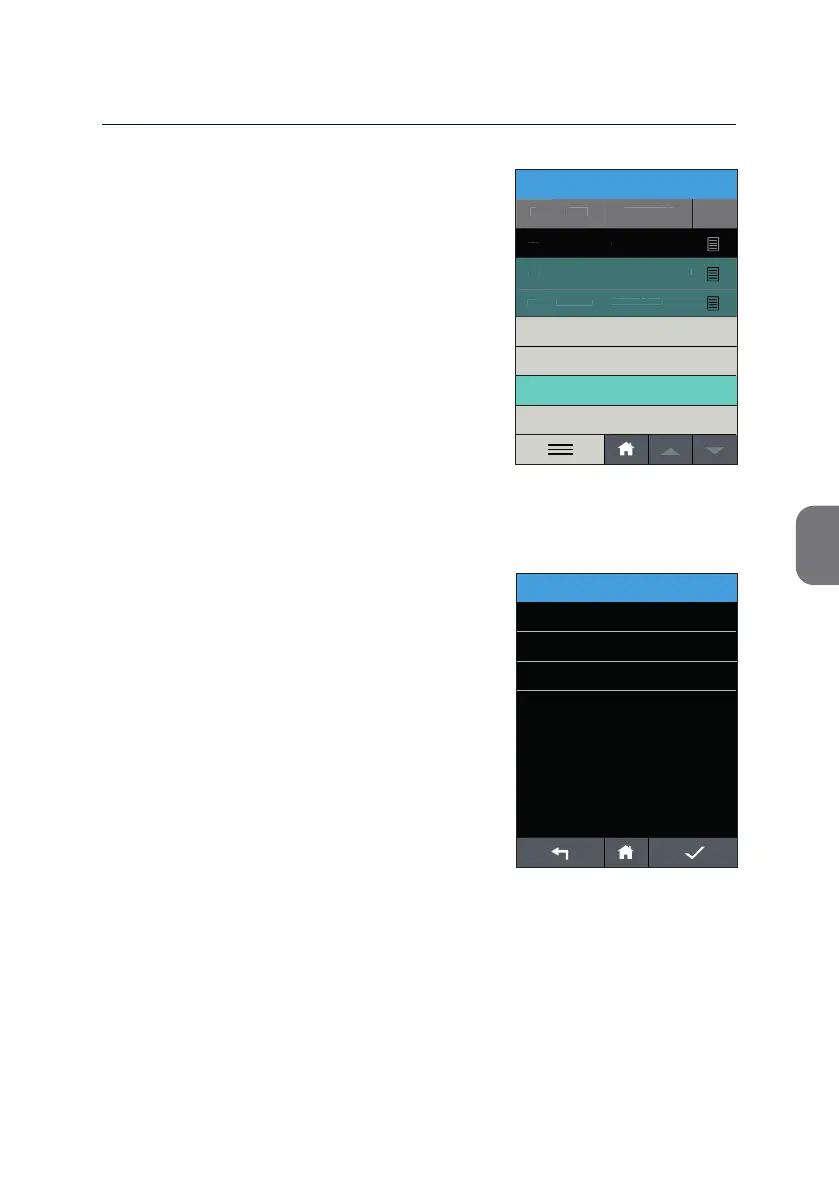
• Press «EXPORT» to open the «EXPORT
MENU» and ini alize the export op on of
your choice.
As a default op on the export of data via USB
Storage Device is available.
Depending on the con gura on your
m-PIMA™ Analyser can also provide data
export via
Mobile Network and/or to a Local
Network and the CONNECT Universal Gateway,
respec vely.
EXPORT MENU
14:56
Storage Device
Mobile Network
Local Network
2019-11-07
SELECT ALL
DELETE
2019-11-06
123456789-ABD-576123
12345-ABG-123
2019-11-05
PRINT
Sample ID
#
View
Date
ARCHIVE
2019-11-07 14:51
2019-11-06
107
06-11-2019-ABC
106
105
EXPORT



 To Next Page