TCS-Compact 6 Putting into operation
EN - 17
You can activate the device manually via the cover in order to set the dosing of the anti-adhesives.
• An injection pulse is activated by lightly pressing down the cover.
• You can assess the amount of the atomized anti-spatter by the produced spray mist.
• The injection pulse should only be activated for max. 2 sec.
• You can increase or reduce the amount of anti-spatter via the adjusting screw (8) (see Fig. 11 Adjusting
the anti-spatter fluid on page EN-16).
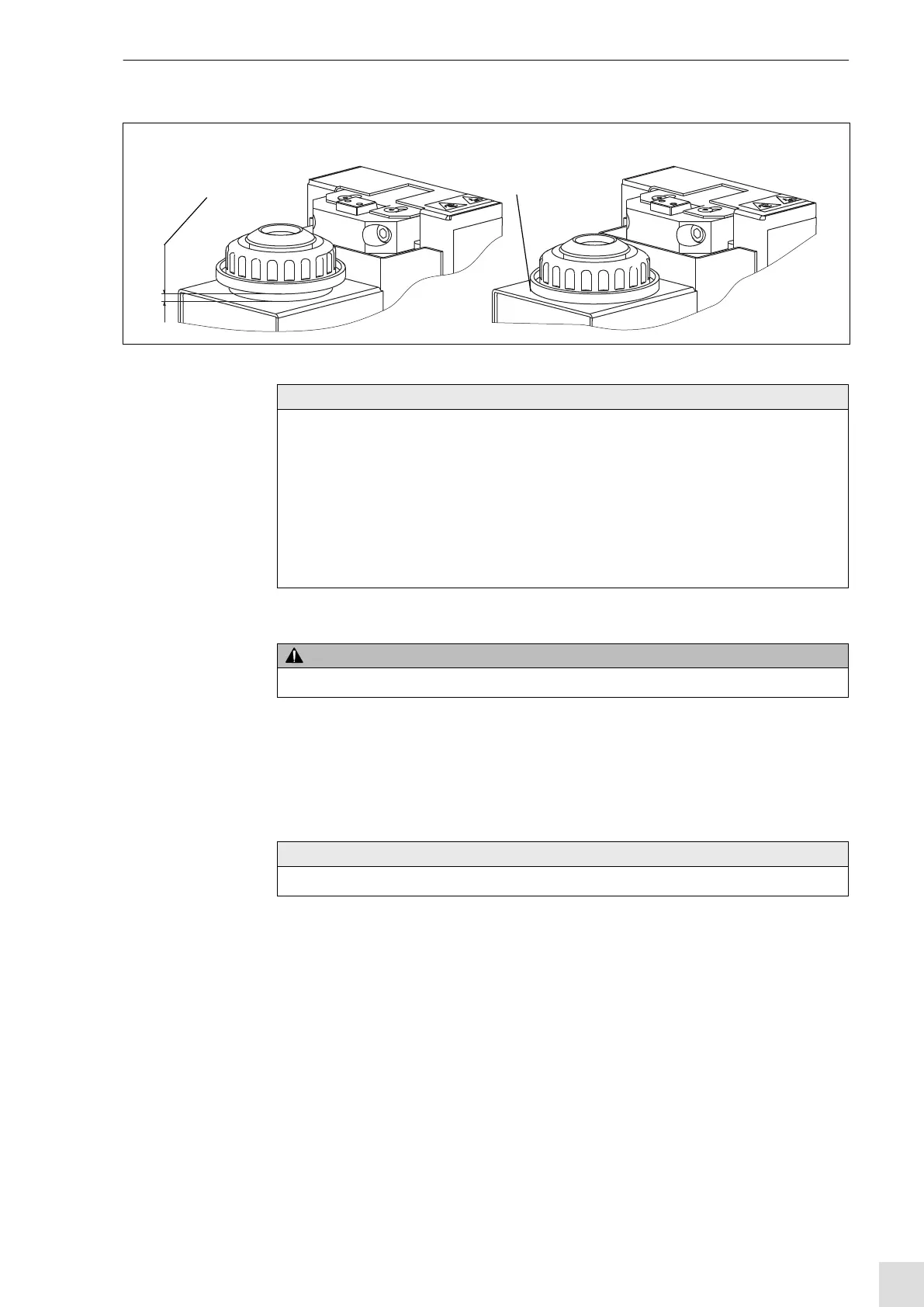
Fig. 12 Stroke movement injection unit
Injection unit not activated
(max. stroke movement)
max. 6 mm
Injection unit
activated
NOTE
• Observe the max. stroke movement for injection.
• The max. stroke travel (traverse movement of the welding torch) should not exceed 6 mm.
• We recommend a maximum injection impulse of 3 s.
The injection pulse is reset when moving out of the injection unit.
• Use the adjusting screw (8) to adjust the amount of anti-adhesives per injection impulse (see Fig.
11 Adjusting the anti-spatter fluid on page EN-16).
• The residual oil of the anti-spatter from the injection unit is collected in the drain bottle (7) (see Fig.
11 Adjusting the anti-spatter fluid on page EN-16) and can be reused after cleaning particulate from
it.
CAUTION
• When setting the anti-spatter adjustment manually, wear safety goggles.
NOTE
• A small amount of anti-spatter is sufficient to achieve the desired effect.



 To Next Page