Counting
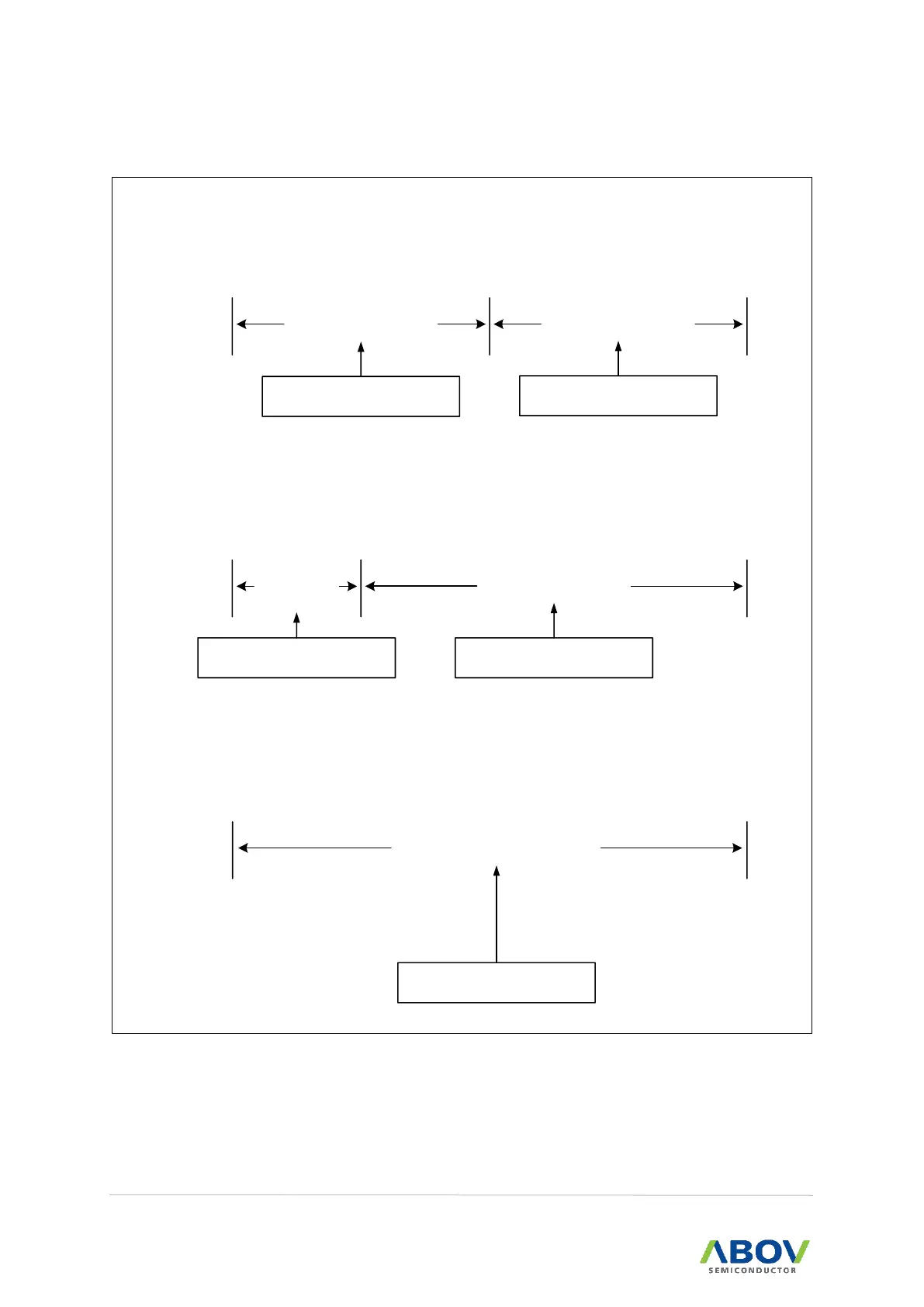
Start
Window close(50%)
Overflow
time
Window open(50%)
Watchdog reset is occurred,
if 96H is written to WDTC.
Counter clear & Start again,
if 96H is written to WDTC.
1. WDT window open period is selected as 50%.
Counting
Start
Window
close(25%)
Overflow
time
Window open(75%)
Watchdog reset is occurred,
if 96H is written to WDTC.
Counter clear & Start again,
if 96H is written to WDTC.
2. WDT window open period is selected as 75%.
Overflow
time
Window open(100%)
Counter clear & Start again,
if 96H is written to WDTC.
3. WDT window open period is selected as 100%.
Counting
Start


 To Next Page