QUALITY CONTROLS - 5
VerifyNow System User Manual Page 38 14340.J
8.
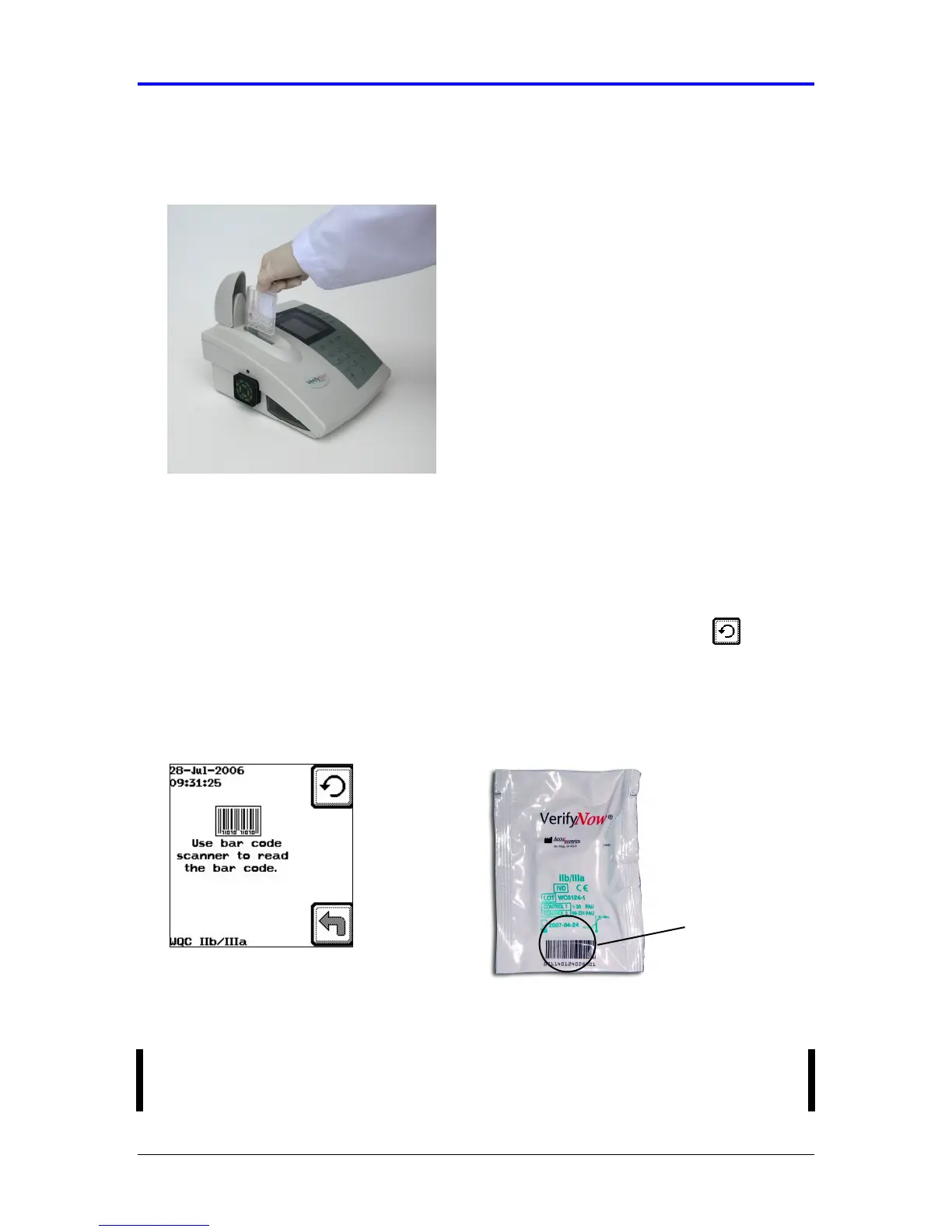
Open the cover. Using the finger grip, insert the assay device into the assay
device port until it clicks (Figure 5-22).
Figure 5-22 Insert Device
9.
If the assay device is the first from a new lot, the instrument will display a bar
code screen as soon as the assay device is inserted into the port and the device
spot code is read. (Figure 5-11). Position the barcode of the assay device pouch
in front of the bar code scanner on the left side of the instrument so that the bar
code on the bottom edge of the pouch lines up with the scanner window. Move
the pouch both towards and away from the red barcode light. An audible beep will
be heard when the instrument reads the information. Press the Retry key if
you are unable to scan the bar code the first time.
Figure 5-23 Scan Bar Code
After the bar code has been scanned once, the instrument will accept all
remaining assay devices from that lot without displaying the bar code screen.
NOTE: If you are experiencing difficulty with the bar code scanner scanning the
label, try adjusting the angle of the scan by raising the corner of the instrument.
Bar Code



 To Next Page