QUALITY CONTROLS - 5
VerifyNow System User Manual Page 39 14340.J
10.
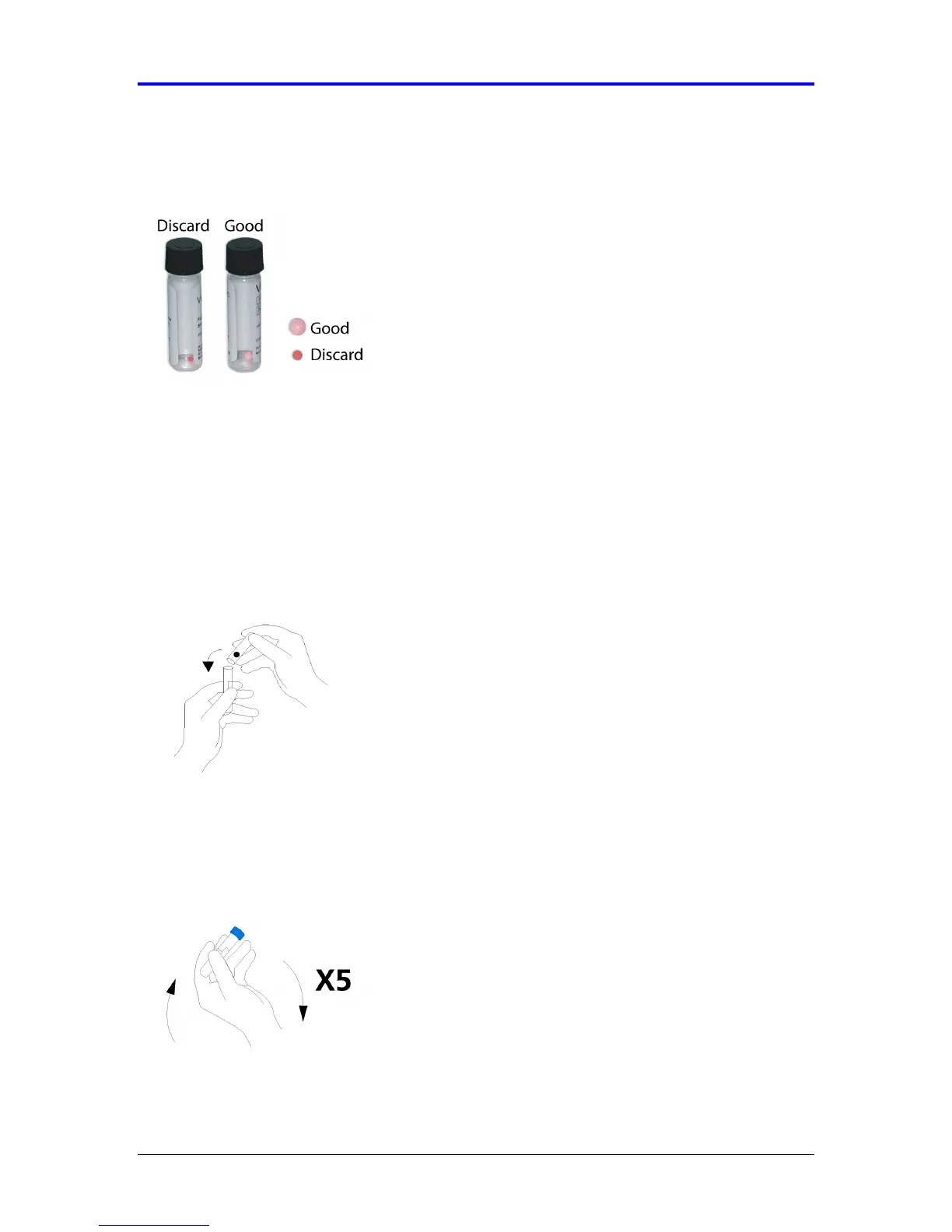
Inspect the pellet. It should appear pink. If the pellet appears smaller, red or is
stuck to the vial, discard and use a new pellet (Figure 5-24).
Figure 5-24 Inspect Pellet
11.
Immediately before use, open the vial containing the pellet. Remove the cap from
the diluent tube by twisting and pulling the cap simultaneously.
12.
Hold the diluent tube vertically. Then, invert the tube containing the pellet so that
the pellet falls into the diluent tube (Figure 5-25). Ensure the pellet does not stick
to the side of the diluent tube, as it will not reconstitute properly. If you are
unsure, discard the tube and retry using another WQC diluent tube and pellet.
Figure 5-25 Add Pellet
Replace the cap on the diluent tube by pressing and turning simultaneously.
Immediately after replacing the cap, gently invert the tube five times to mix the
reagents (Figure 5-26). Control material should be used within 15 minutes of
reconstitution.Figure 5-26 Invert Sample



 To Next Page