QUALITY CONTROLS - 5
VerifyNow System User Manual Page 40 14340.J
If the reconstituted control is not used immediately, gently invert the tube five times
to mix the reagents again just before use (Figure 5-26).
13.
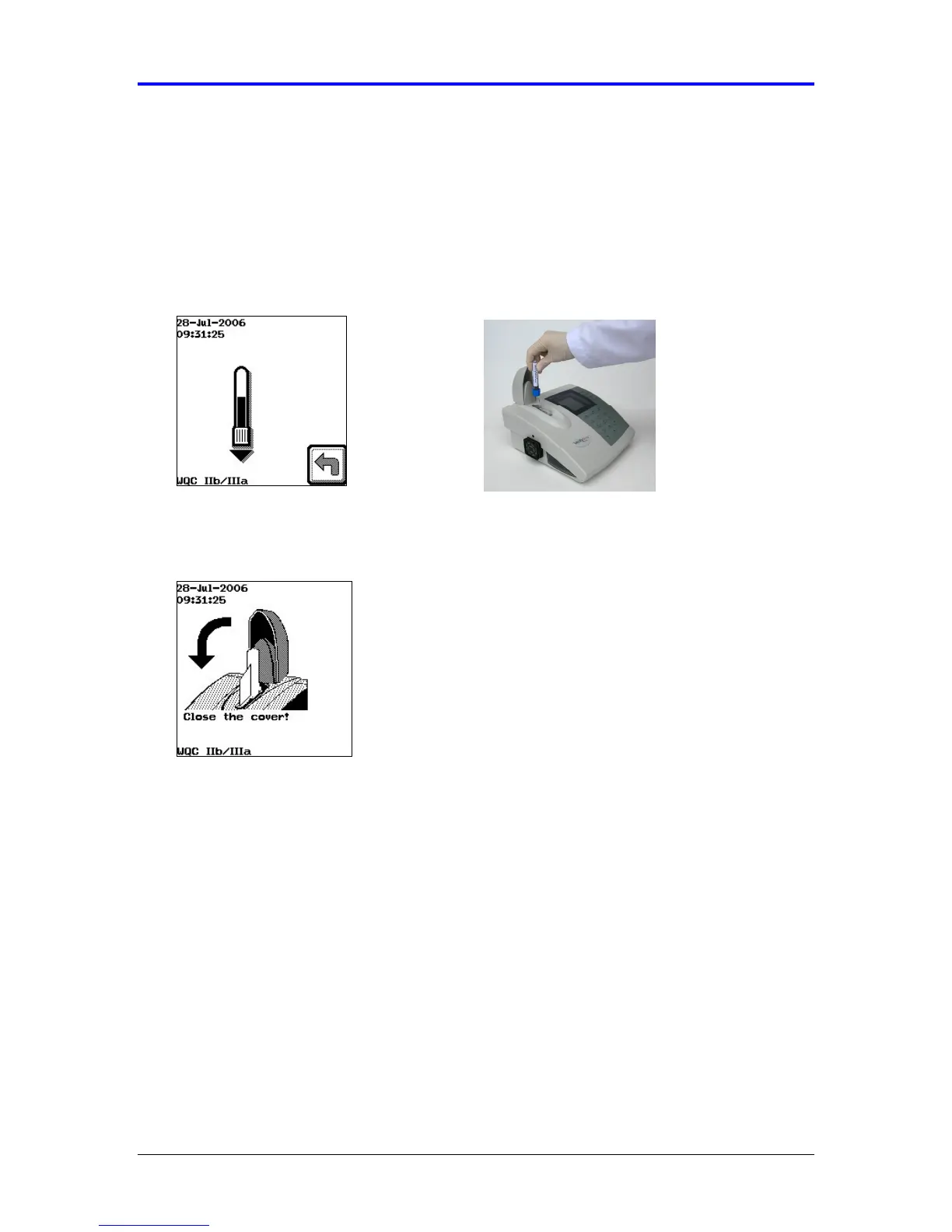
Wait for the Insert Tube image to display, then insert the WQC sample into the
sample well of the assay device with the rubber stopper facing downward so that
the needle pierces the stopper (Figure 5-27). The instrument will produce two
audible beeps when the tube has been fully inserted.
Figure 5-27 Insert Tube
14.
Close the cover to the assay port (Figure 5-28).
Figure 5-28 Close Cover
15.
The instrument automatically draws the WQC sample from the vacuum collection
tube into the assay device, heats the sample, and proceeds with the analysis of
the sample. During this time the screen will flash an icon of the assay device
indicating that the sample is processing. Do not open the cover until the assay
has completed and a result displays. A calculator will display when the assay is
near completion (Figure 5-29).



 To Next Page