27
System Description
B
B
System Description
RTCA Software
2.6 RTCA Software
e RTCA So ware provides unparalleled instrument control for exible experiment
setups, data acquisition, and data analysis. All instrument and experiment controls
are embedded in the RTCA So ware to simplify instrument setup and operation. e
So ware is used with the RTCA Analyzer in conjunction with a single RTCA SP Station.
For a comprehensive description of the RTCA So ware please refer to the RTCA
So ware Manual.
RTCA Software Package Cat. No. 05454433001
2.7 RTCA Cleaning and Replacement Equipment
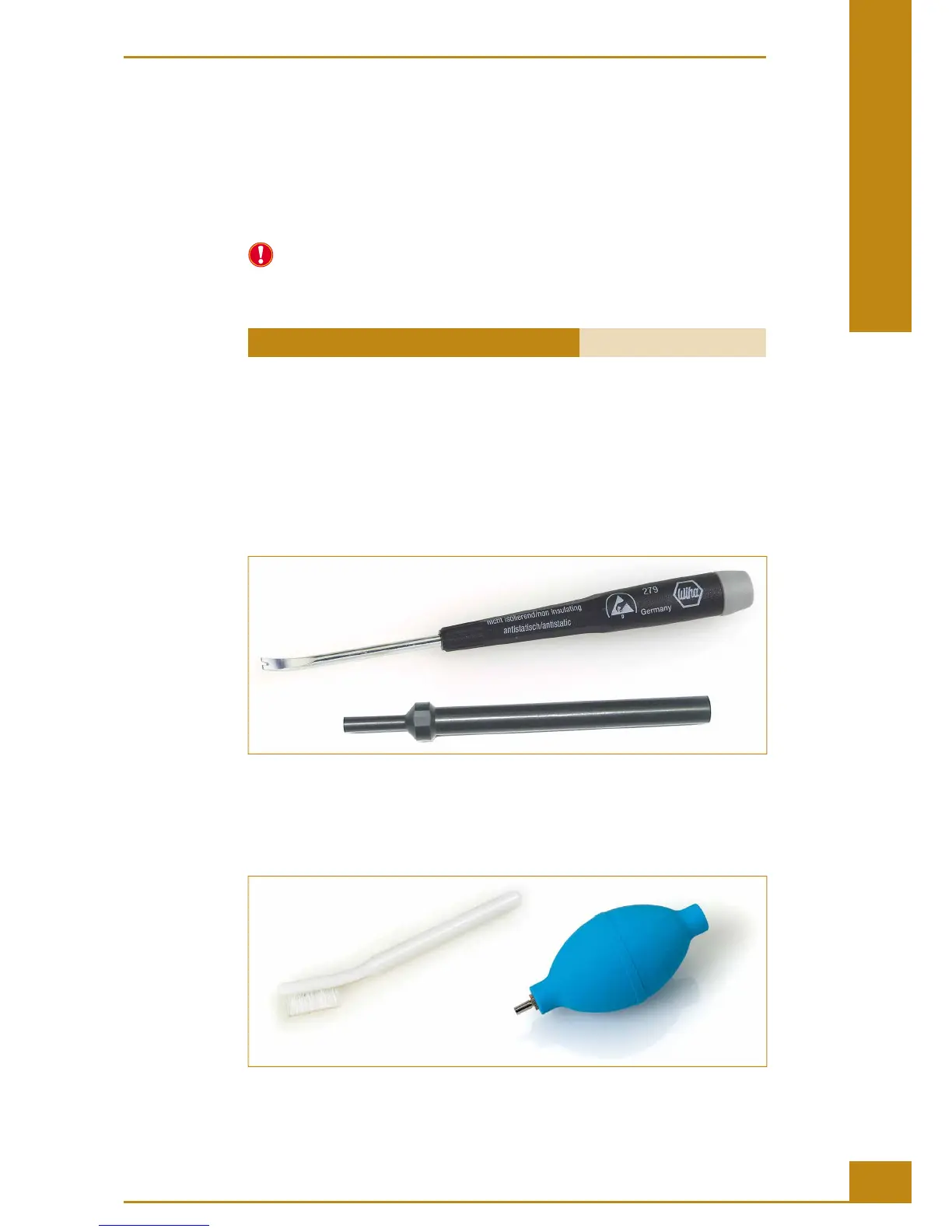
RTCA Contact Pin Replacement and Insertion Tools
e RTCA Contact Pin Replacement and Insertion Tools are used to remove defective
Pins from the RTCA SP Station and to insert new Pins. Pins can be safely handled using
tweezers provided together with the RTCA Cleaning Equipment.
Figure 13: The RTCA Contact Pin Replacement Tool (upper part) and RTCA Contact Pin Insertion Tool
(lower part).
RTCA Cleaning Kit
e RTCA Cleaning Kit includes a ber-free brush to clean the RTCA Contact Pins 96.
e dust blower is used to remove dirt particles from the RTCA SP Station or the RTCA
Contact Pins 96.
Figure 14: The RTCA Cleaning Kit.



 To Next Page