53
Appendix
E
E
1.2 I started an experiment and there was a sound and error
message, “No Station”, what happened?
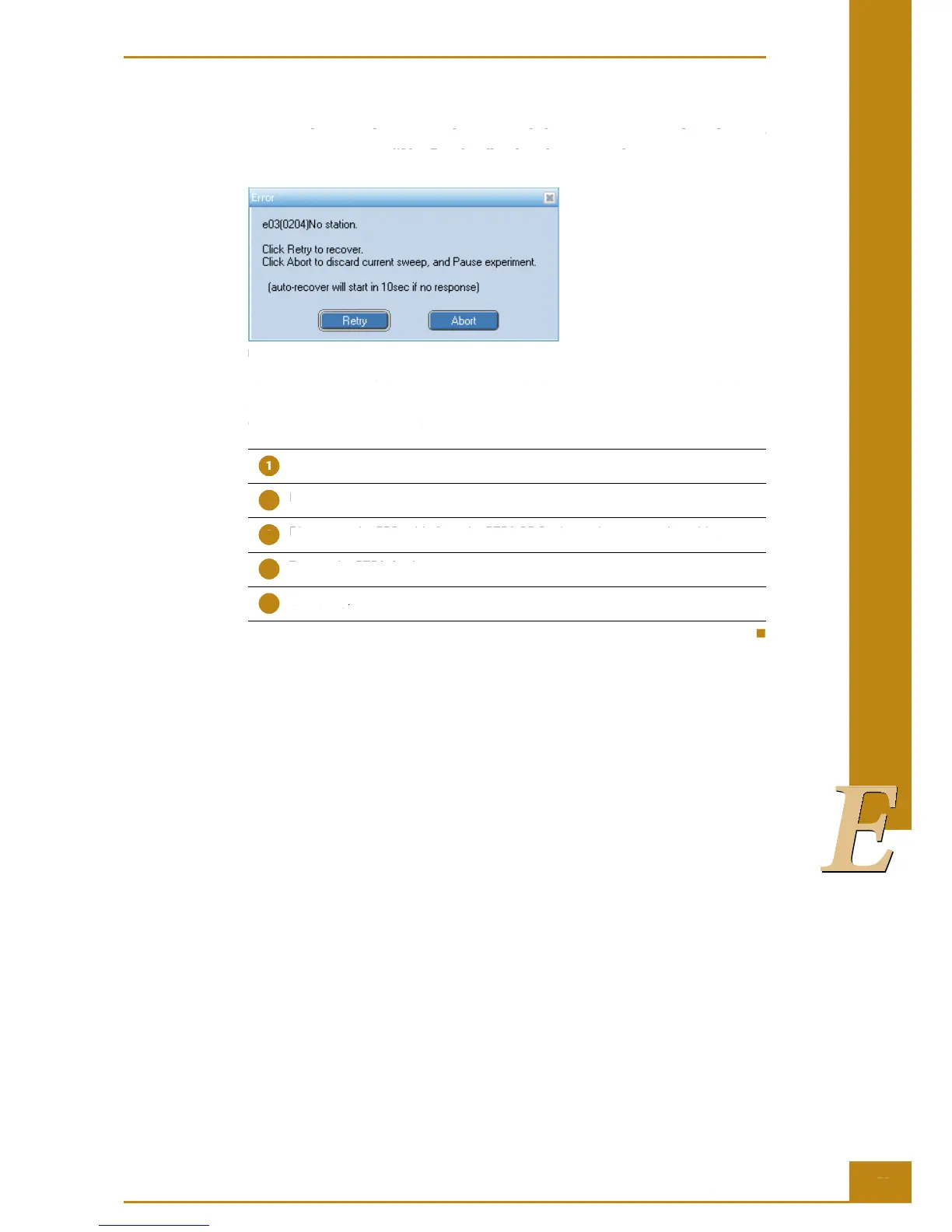
Figure 38: “No station” error message.
e RTCA Analyzer failed to communicate with the RTCA SP Station. Please check the
RTCA Analyzer EPS cable, linking the RTCA Analyzer to the RTCA SP Station, for secure
connection. Do the following:
Turn off the RTCA Analyzer.
Disconnect the EPS cable from the RTCA Analyzer and reconnect the cable.
Disconnect the EPS cable from the RTCA SP Station and reconnect the cable.
Turn on the RTCA Analyzer.
Click Retry.
Troubleshooting
I started an experiment and there was a sound and error message, “No Station”, what happened?
1.2 I started an experiment and there was a sound and error
message, “No Station”, what happened?
Figure 38: “No station” error message.
e RTCA Analyzer failed to communicate with the RTCA SP Station. Please check the
RTCA Analyzer EPS cable, linking the RTCA Analyzer to the RTCA SP Station, for secure
connection. Do the following:
Turn off the RTCA Analyzer.
Disconnect the EPS cable from the RTCA Analyzer and reconnect the cable.
Disconnect the EPS cable from the RTCA SP Station and reconnect the cable.
Turn on the RTCA Analyzer.
I started an experiment and there was a sound and error message, “No Station”, what happened?



 To Next Page