54
RTCA SP Instrument Operator’s Manual
E
E
Troubleshooting
I started an experiment. There was an error message, “ACK communication lost.” What happened?
1.3 I started an experiment. There was an error message,
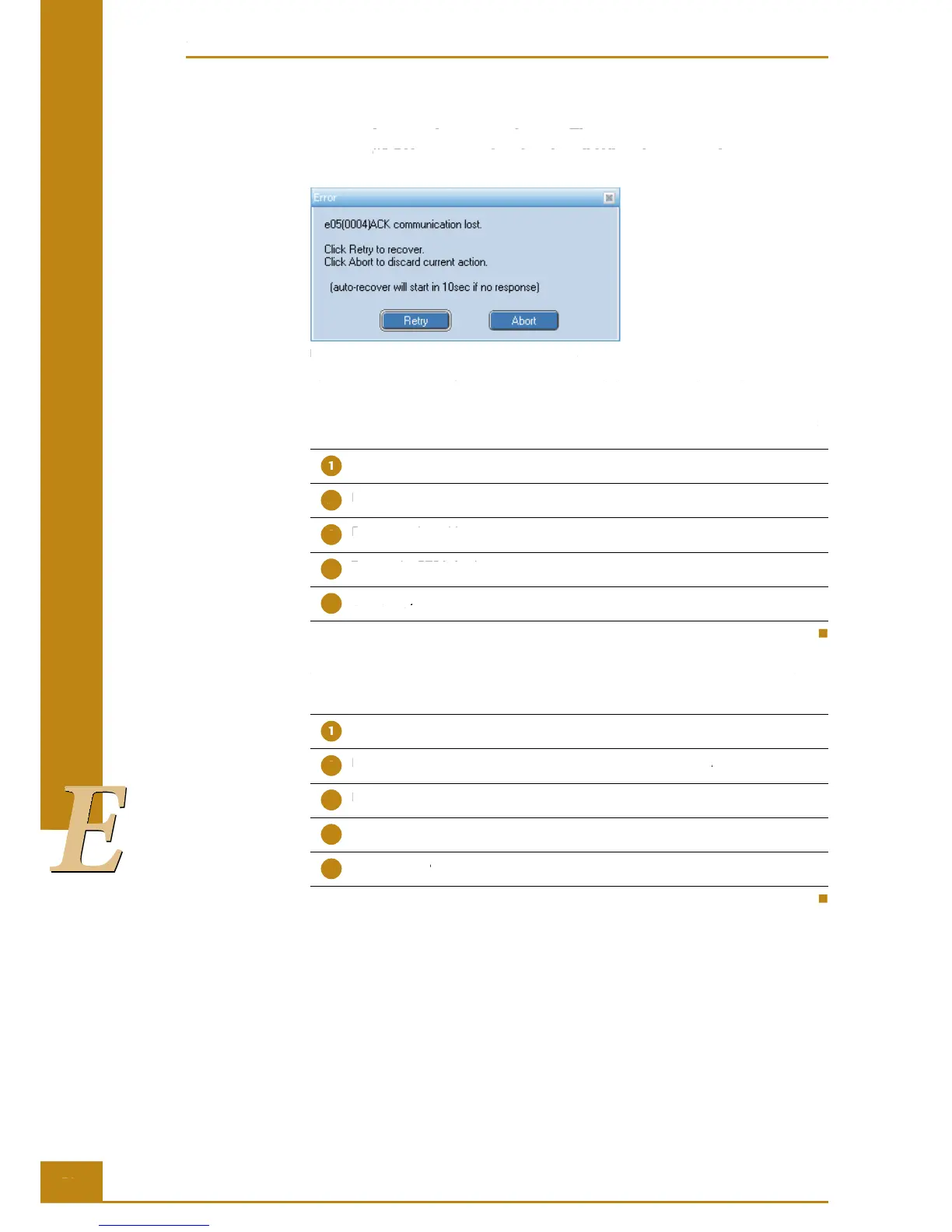
“ACK communication lost.” What happened?
Figure 39: “ACK communication lost” error message.
e RTCA Control Unit failed to communicate with the RTCA Analyzer. Please make sure
that RTCA Analyzer power is on and the RS232 serial cable, linking the RTCA Control
Unit to the RTCA Analyzer (COM port), is securely connected. Try the following steps:
Turn off the RTCA Analyzer.
Disconnect the cable from the RTCA Analyzer and from the RTCA Control Unit.
Reconnect the cable.
Turn on the RTCA Analyzer.
Click Retry.
If this error message appeared in the middle of an experiment and you clicked the Abort
button, try the following steps:
Turn off the RTCA Analyzer.
Disconnect the cable from the RTCA Analyzer and from the RTCA Control Unit.
Reconnect the cable.
Turn on the RTCA Analyzer.
Click Continue button in the top left corner of the RTCA Software.
RTCA SP Instrument Operator’s Manual
I started an experiment. There was an error message, “ACK communication lost.” What happened?
1.3 I started an experiment. There was an error message,
“ACK communication lost.” What happened?
Figure 39: “ACK communication lost” error message.
e RTCA Control Unit failed to communicate with the RTCA Analyzer. Please make sure
that RTCA Analyzer power is on and the RS232 serial cable, linking the RTCA Control
Unit to the RTCA Analyzer (COM port), is securely connected. Try the following steps:
Turn off the RTCA Analyzer.
Disconnect the cable from the RTCA Analyzer and from the RTCA Control Unit.
Turn on the RTCA Analyzer.
If this error message appeared in the middle of an experiment and you clicked the
button, try the following steps:
Turn off the RTCA Analyzer.
Disconnect the cable from the RTCA Analyzer and from the RTCA Control Unit.
Disconnect the cable from the RTCA Analyzer and from the RTCA Control Unit.
Turn on the RTCA Analyzer.
button in the top left corner of the RTCA Software.
Continue button in the top left corner of the RTCA Software.Continue



 To Next Page