System Utilities 2-15
DOS Flash Utility 0
Perform the following to use the
DOS Flash Utility
:
1. Press
F2
during boot to enter Setup Menu.
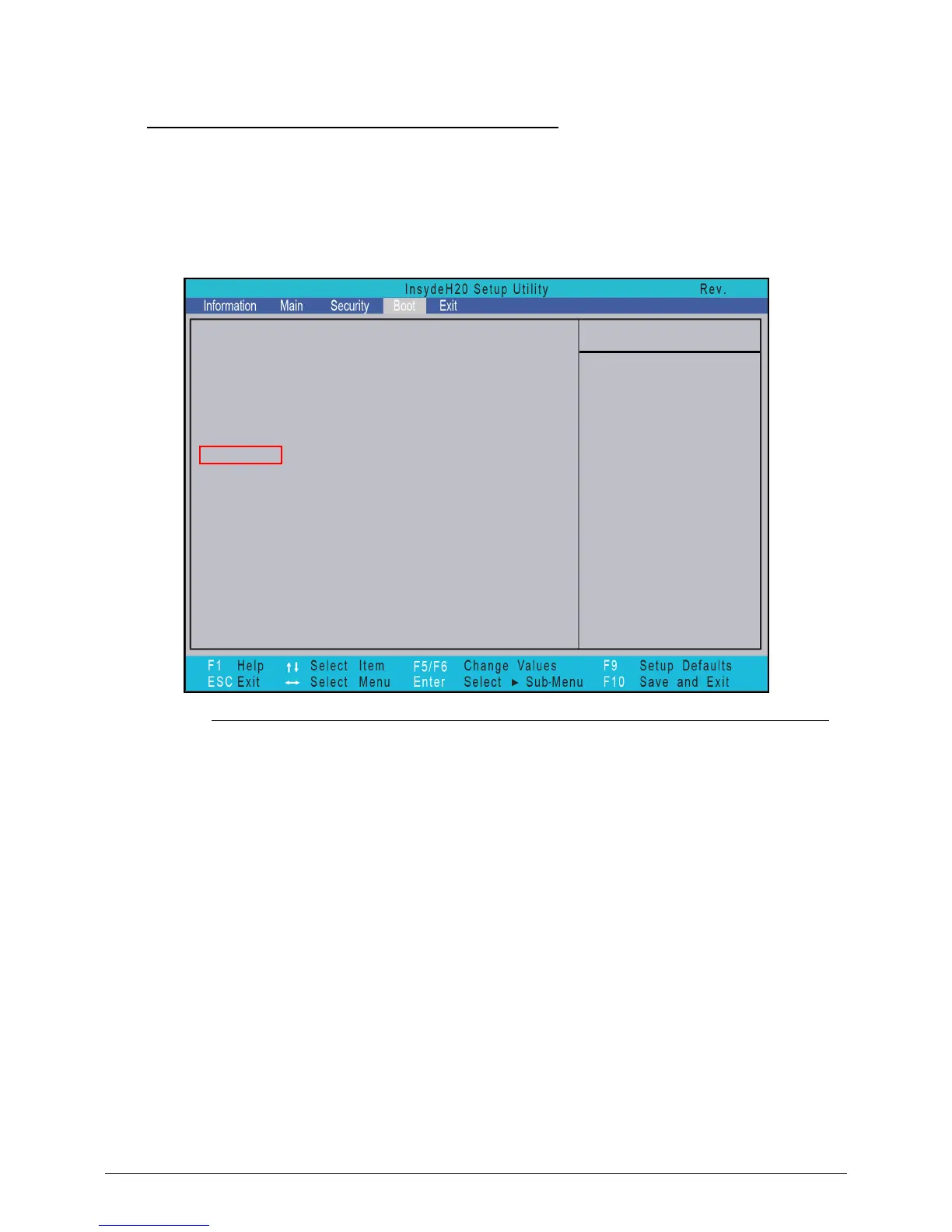
2. Select Boot Menu to modify boot priority order.
Example: If using USB HDD to Update BIOS, move USB HDD to position 1.
Figure 2-12. BIOS Boot
3. Copy
ZQZ102.EXE
to a bootable USB HDD.
4. Insert the USB HDD and reboot computer.
5. Execute
ZQZ102.EXE
under DOS mode to update BIOS.
6. Flash process begins as shown in Figure 2-13.
Boot priority order:
Item Specific Help
Use <↑> or <↓> to select a
1. HDD0: WDC WD3200BPVT-22JJ5T0
2. ATAPI PIONEER DVD-RW DVRTD11RS
3. USB FDD:
4. Network Boot: Atheros Boot Agent
5. USB HDD:
6. USB CDROM:
3.7
device, then press <F5> to
move it down the list, or <F6>
to move it up the list. Press
<Esc> to escape the menu



 To Next Page