System Utilities 2-10
Boot
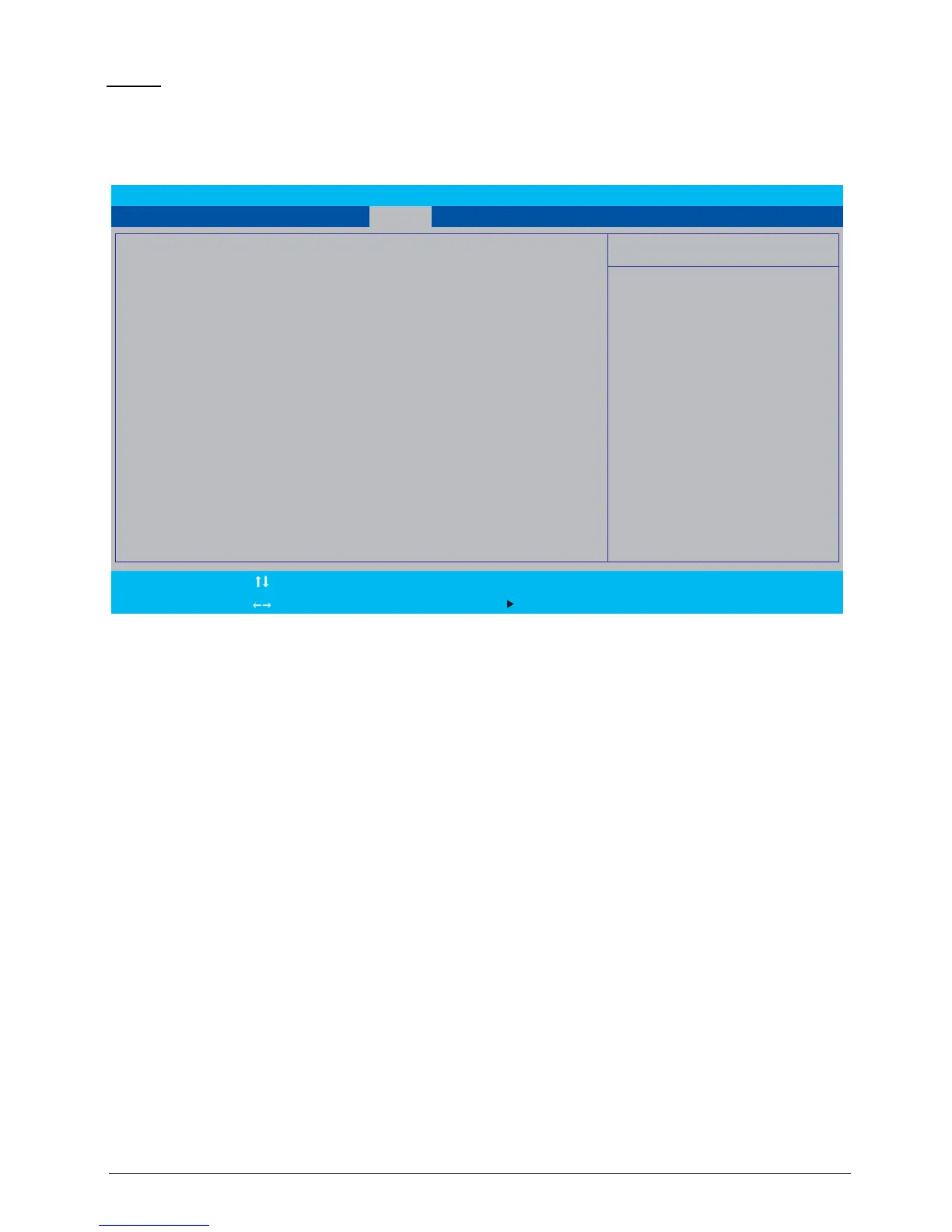
The Boot tab allows the user to configure the order of boot devices used to load the operating
system.
Use
↑ and ↓ keys to select a device and press F5 or F6 to change the value.
Figure 2:10. BIOS Boot
F9 Setup Defaults
F10 Save and Exit
F1
Esc
Help
Exit
Select Item
Select Menu
Enter
F5/F6
Select Sub-Menu
Change Values
InsydeH20 Setup Utility Rev. 3.7
Main
Item Specific Help
Use <ʅ> or <ʆ> to select a device, then
press <F5> to move it down the list, or
<F6> to move it up the list. Press <Esc>
to escape the menu
Boot priority order:
1. HDD0 : Hitachi HTS545032B9A300
2. ATAPI CDROM : MATSHITADVD-RAM UJ870BJ
3. USB FDD :
4. Network Boot : BRCM MBA Slot 0200 v15.0.11
5. USB HDD :
6. USB CDROM :
Information Security ExitBoot



 To Next Page