System Utilities 2-20
4. Write UUID to EEPROM (Create UUID from Intel WFM20.pdf)
Input:
dmitools /wu
5. Write Asset Tag to EEPROM
Input:
dmitools /wa Acet Asstag
NOTE:
When running examples 2 ~ 5, restart the system to make the new DMI data effective.
Using the LAN MAC EEPROM Utility
1. Copy the LAN MAC Tools files to a bootable USB HDD device:
• Filename: MAC.BAT
• MAC Value: MAC.CFG
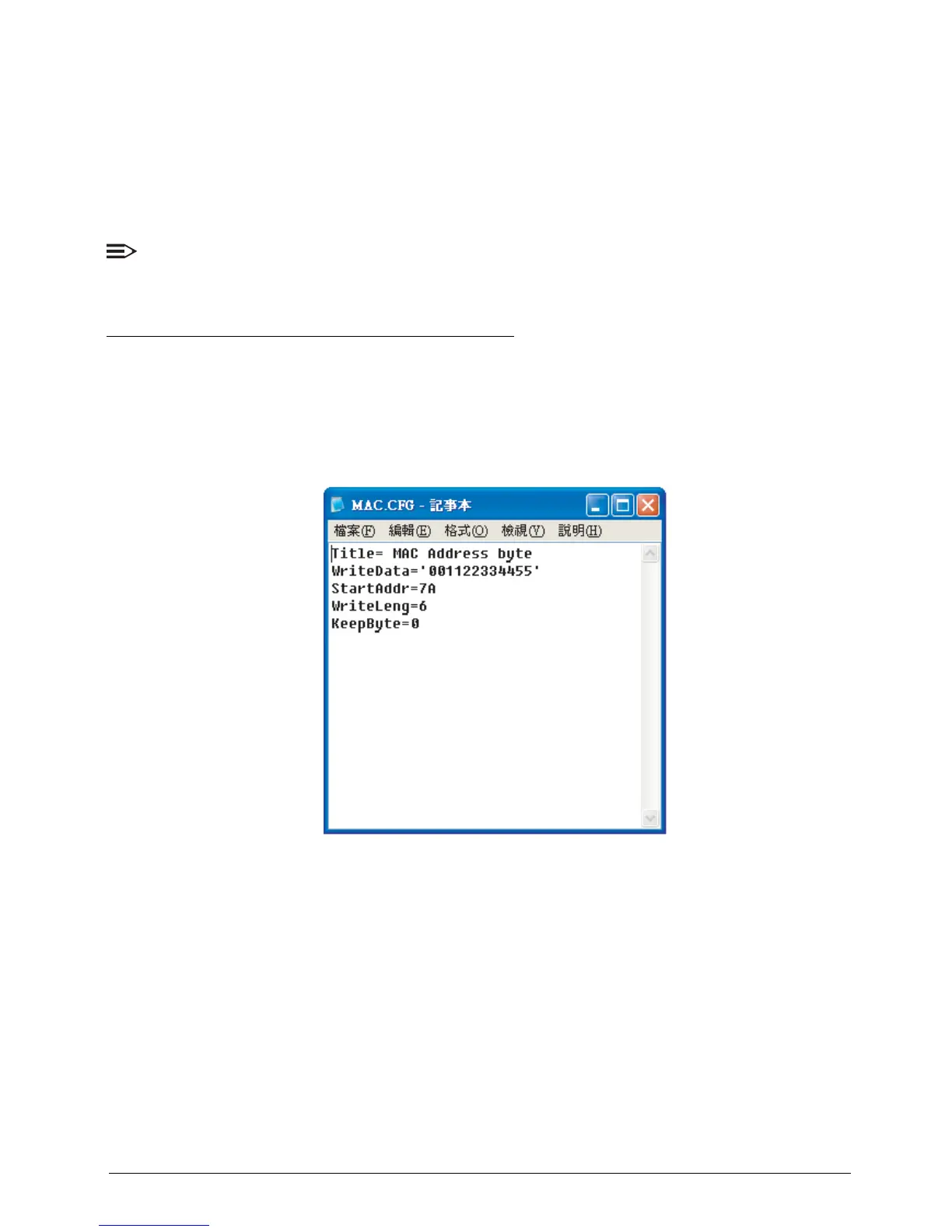
2. Use a text editor to open and edit MAC.CFG with the following contents:
Figure 2:22. LAN MAC Values
• WriteData=’001122334455’ (This is the MAC value)
• StartAddr=7A (This is the MAC address)
• WriteLeng=6 (This is the MAC value length)
• KeeyByte=0 (Leave this value as it is)



 To Next Page