Record the FFR for the First Vessel
42 | ACIST RXi System User’s Guide 901700-001,01 2019-09 English
Basic Operating Procedures
6. Aer Record is pressed, it changes to a Stop button. Press Stop any time
within the 10-minute maximum recording time to end the recording.
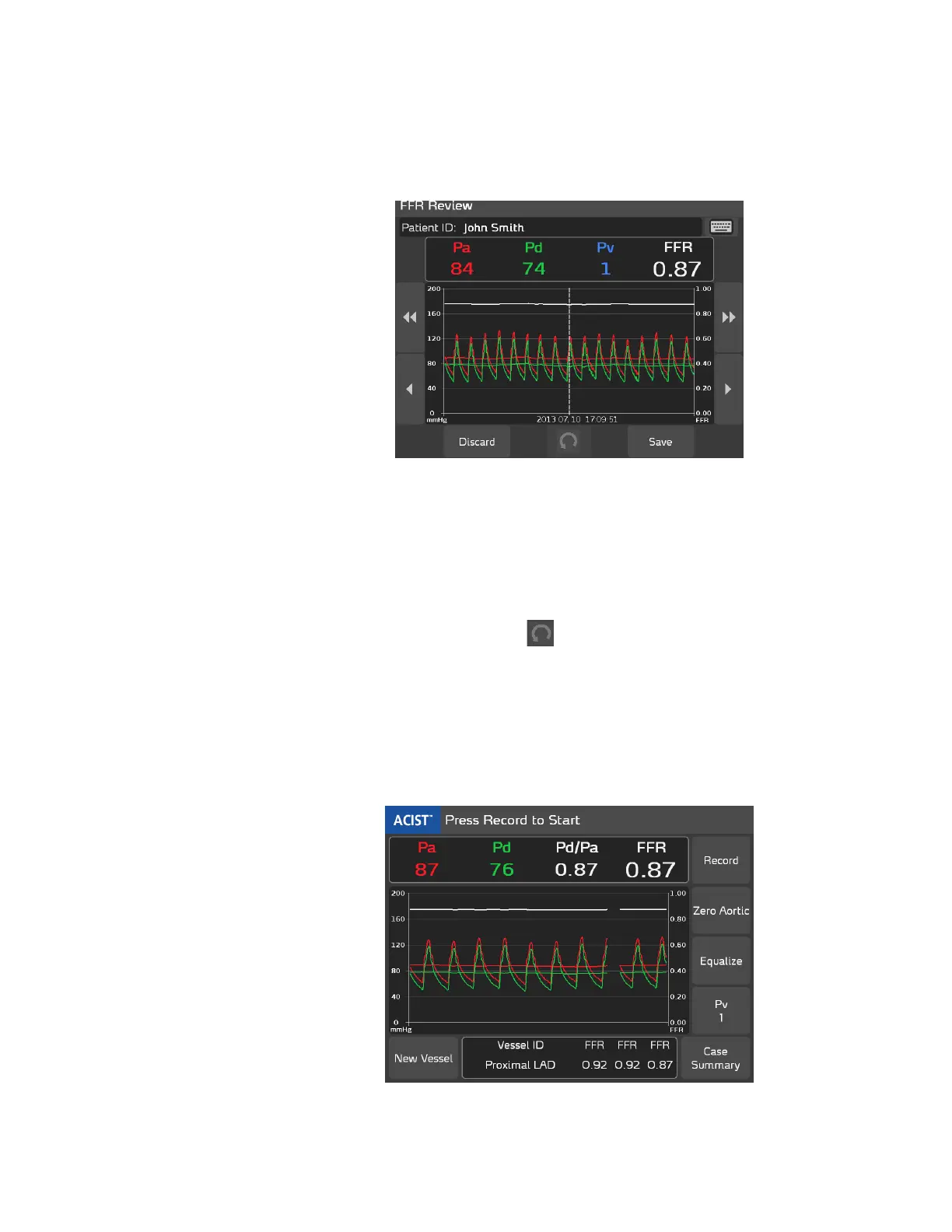
When you press Stop (or when 10 minutes have lapsed), the FFR Review
screen is automatically displayed as shown below:
7. Review the information displayed on the FFR Review screen. (Refer to
page 71 for details regarding this screen.)
e system has pre-selected the minimum FFR value present in the
recording.
• Use the scrolling arrows on either side of the screen to shi the
position utilized for the minimum FFR value.
• Use the Revert button to return to the system-selected value.
8. Press either Discard or Save.
If you press Discard, the system permanently deletes the recording once
you conrm.
If you press Save recorded values are added to the Vessel ID display area,
as shown in the example below (up to three FFR recording values can be
displayed in this area):



 To Next Page