System Settings
58 | ACIST RXi System User’s Guide 901700-001,01 2019-09 English
System Information and Settings
Adjust the Audio Volume
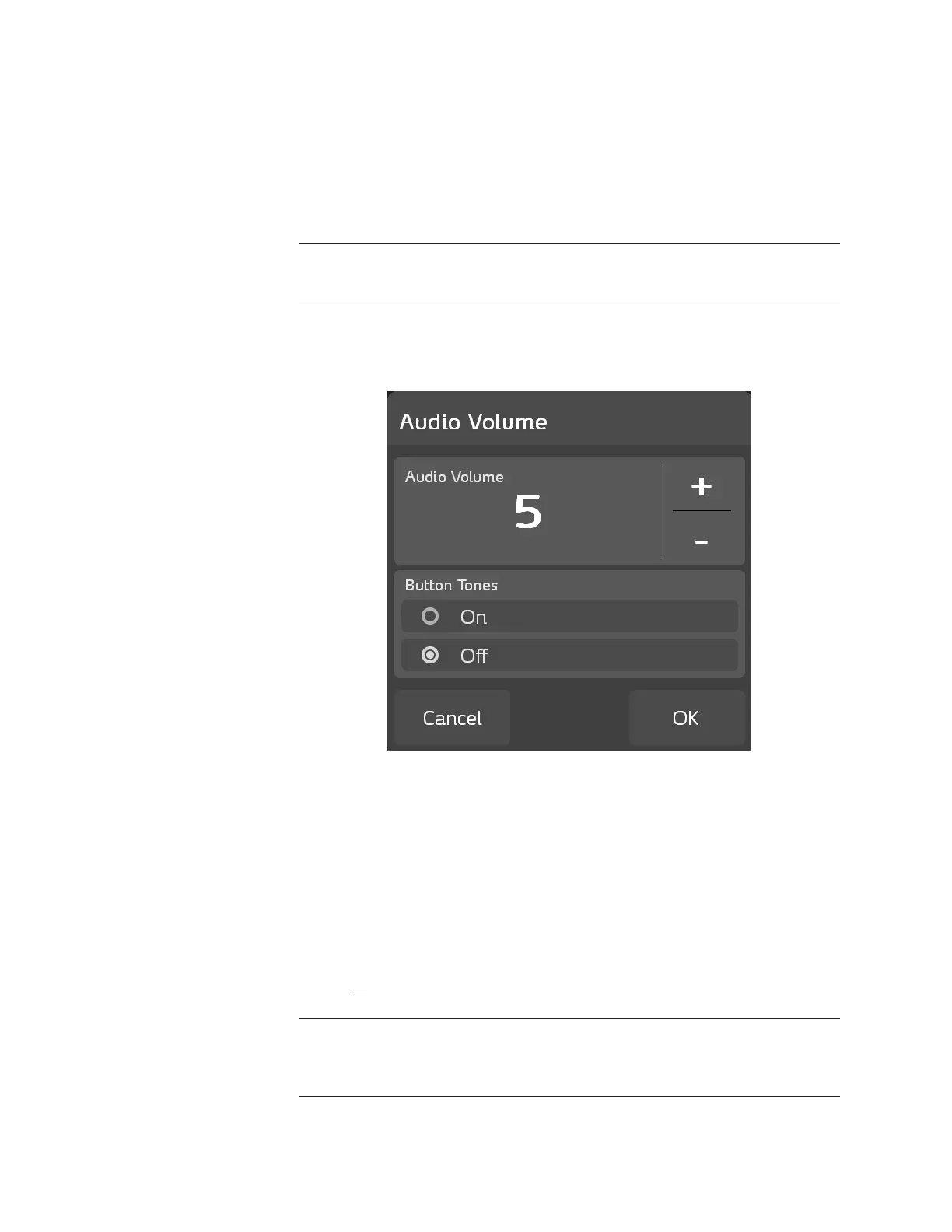
To adjust the audio volume of the system’s alarms and button tones, press
ACIST > System Settings > Audio Volume. e Audio Volume pop-up
window displays the current audio volume settings.
Use the plus (+) and minus (-) buttons to adjust the audio volume settings.
Note
The audio volume cannot be completely silenced.
e Button Tones setting determines if a noise accompanies pressing any of
the touchscreen buttons. Press the corresponding radio button to set button
tones to On or to O.
Touchscreen Calibration
To recalibrate the console panel touchscreen press ACIST > System Settings >
Touchscreen Calibration and perform the following steps:
1. Touch the calibration target on the screen to start the four-point
calibration.
2. Touch the target as it moves around the screen. A conrmation message
window opens when calibration is complete.
3. Press OK in the conrmation message window to save the calibration data
and to end the calibration session.
Note
If touching a eld on the screen does not produce a response, recalibrate the
touchscreen.



 To Next Page