Additional Settings
70 | ACIST RXi System User’s Guide 901700-001,01 2019-09 English
System Information and Settings
Review the Case Summary
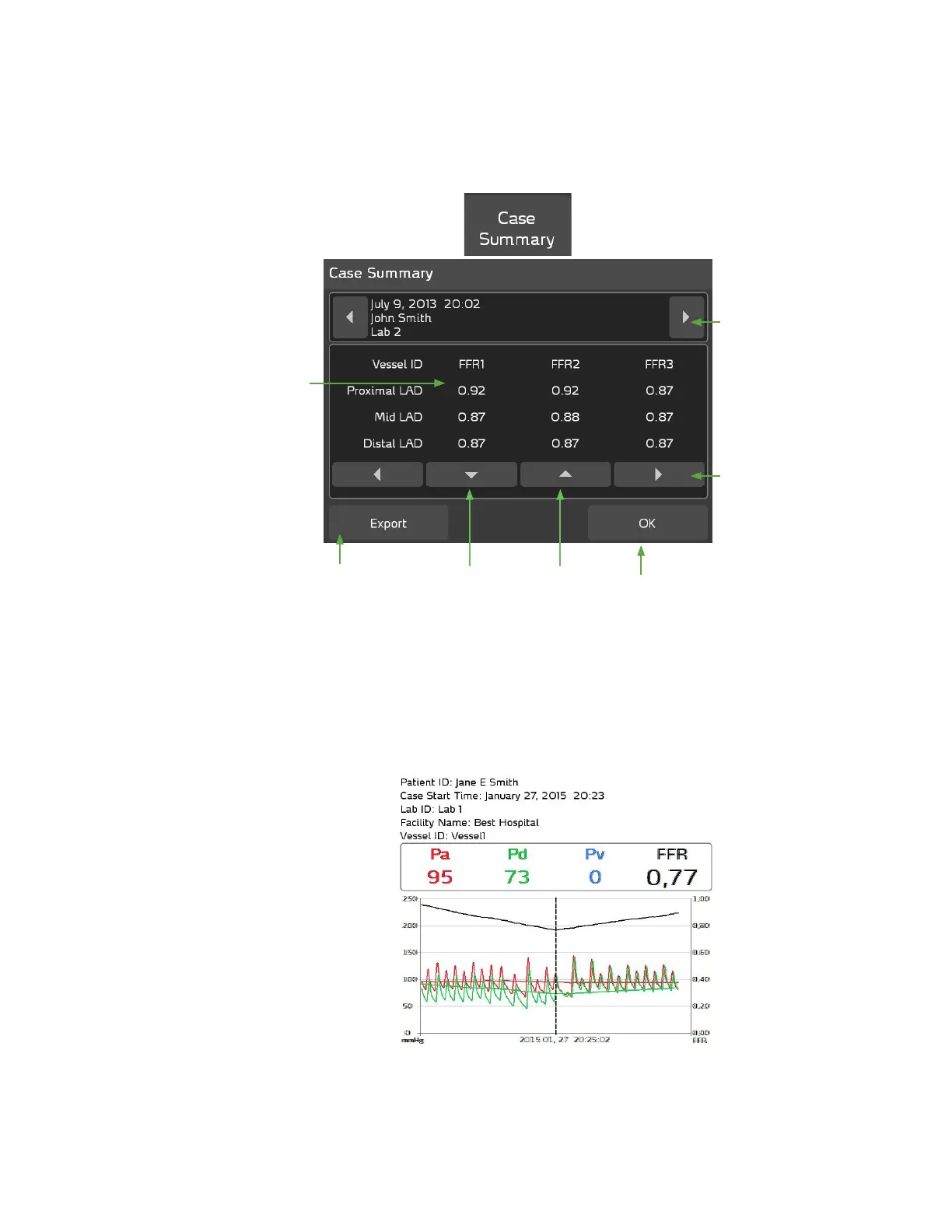
Press the Case Summary button on the main screen to view currently saved
FFR information, as shown below:
An example of an exported case summary for a Vessel ID is shown below:
Use these scroll
buttons to review
all the saved case
summaries.
Use the left/right
scroll buttons to
review up to 10
FFR recordings for
a Vessel ID.
Use the up/down
scroll buttons
to review the
recorded FFR
values for up to
10 Vessel IDs.
Select the
OK button
to close the
Case Summary
window.
Select any FFR
value from the
Case Summary
screen to view the
snapshot of the
FFR recording.
Select the Export
button to export
the displayed Case
Summary data
to a USB memory
device in JPG
format.



 To Next Page