Troubleshooting and Support
ACIST RXi System User’s Guide | 83901700-001,01 2019-09 English
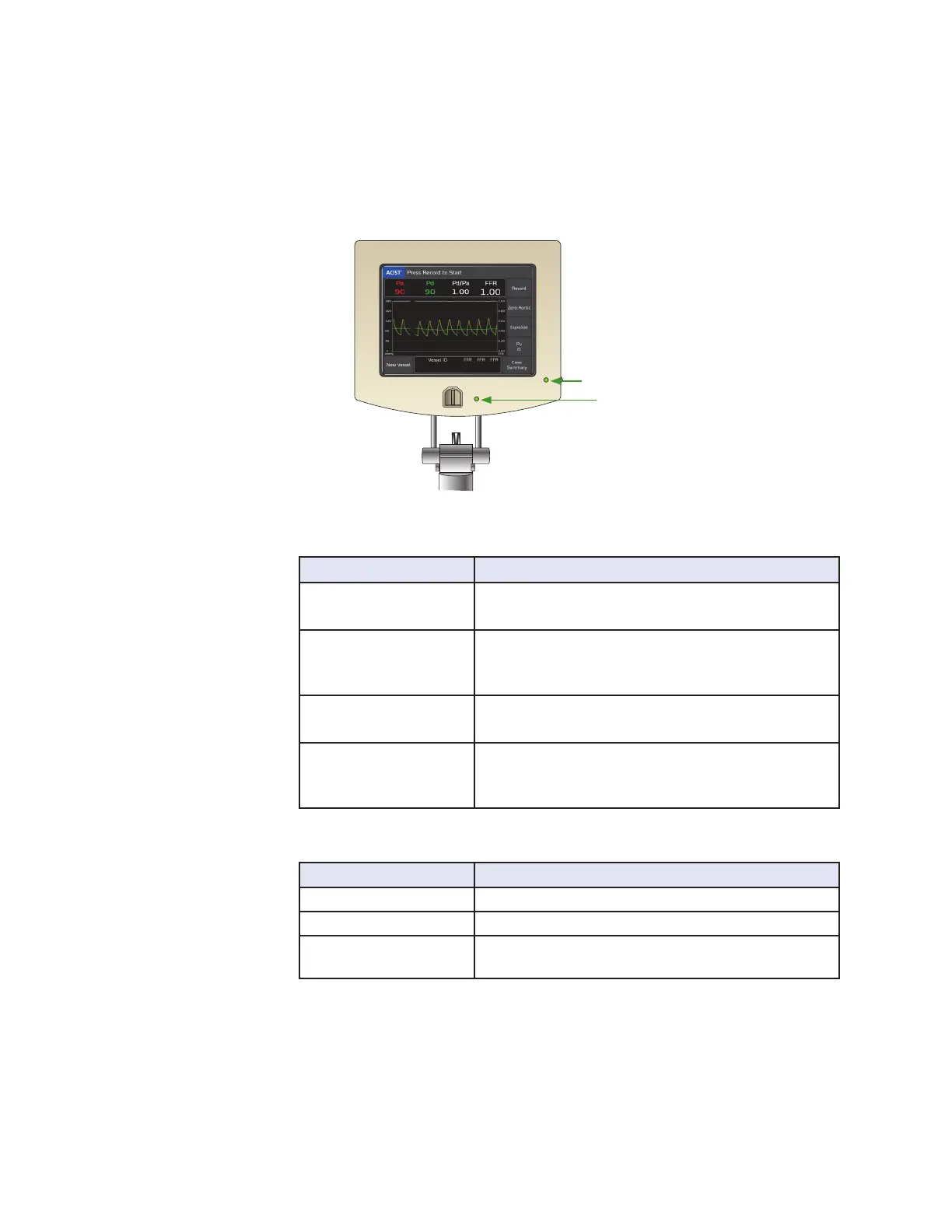
Interpreting LED Indicator Lights
e ACIST RXi System has two LED indicator lights:
• Navvus MicroCatheter Status Indicator LED located next to the
connection port for the Navvus MicroCatheter.
• ACIST RXi System Status Indicator LED located next to the power
switch on the right side of the ACIST RXi System.
Navvus MicroCatheter Status
Indicator LED
System Status Indicator LED
Navvus® MicroCatheter Status Indicator LED
LED State Condition
O The Navvus MicroCatheter is not connected to the
RXi System.
On (Blue) The Navvus MicroCatheter is connected to the RXi
System and the system is checking the functionality
of the sensor.
On (Green) The Navvus MicroCatheter is connected to the RXi
System and is functioning properly.
On (Red) The Navvus MicroCatheter is connected to the
RXi System and software detects an error with the
pressure sensor.
ACIST RXi® System Status Indicator LED
LED State Condition
O The RXi System is not turned on.
On (Green) The RXi System is on and functioning properly.
On (Red) The RXi System is in an error state as detected by the
system software.
Interpreting LED
Indicator Lights



 To Next Page