Appendix: Ao Interface Box
ACIST RXi System User’s Guide | 109901700-001,01 2019-09 English
EMC Tables
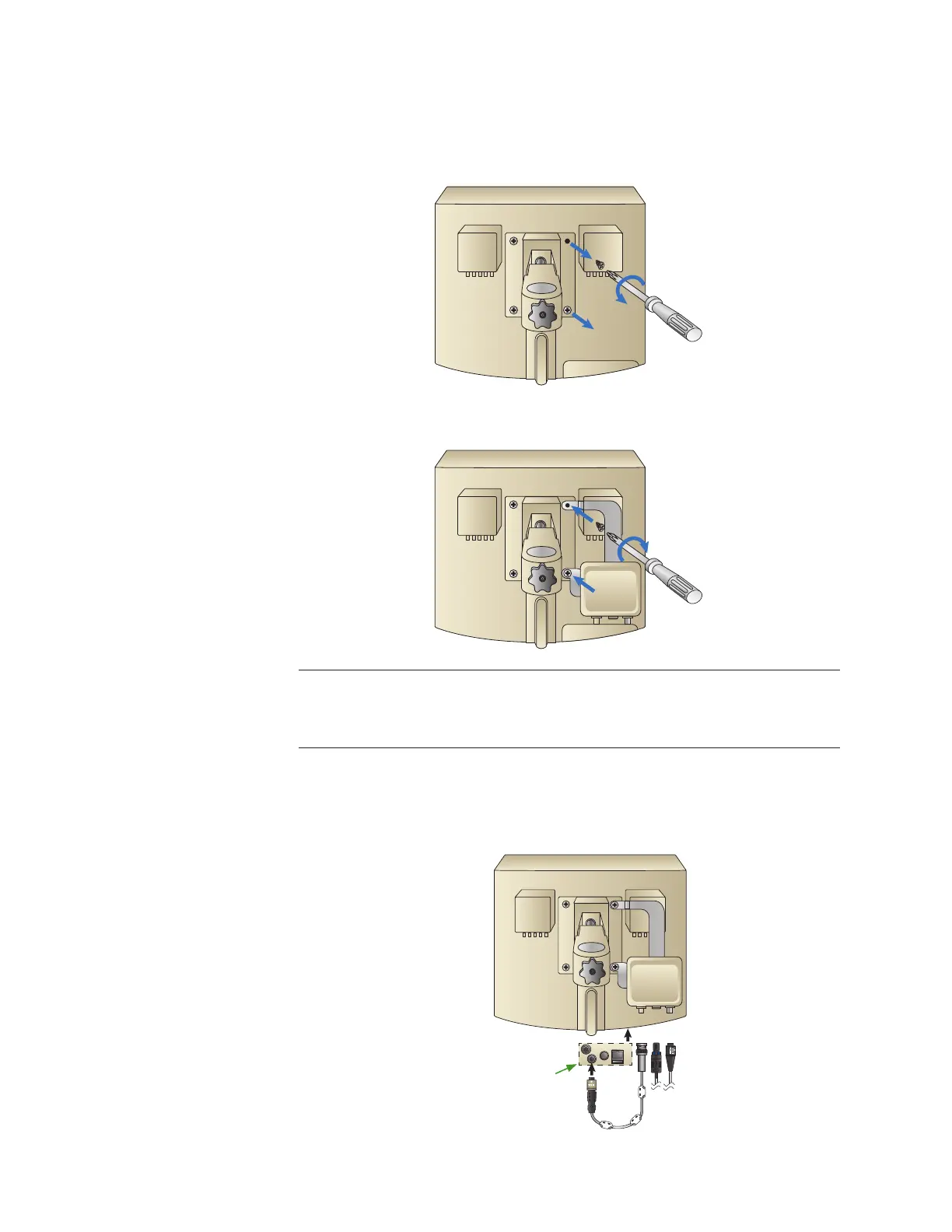
Option 1: Installation of Ao Box on the RXi Console
Using a Phillips head screwdriver, remove the two screws on the right side of
the console Vesa mount.
Position the mounting holes on the Ao Box assembly bracket over the holes in
the RXi mount ange and reattach the screws.
Note
If using the remote mounting option, refer to the section, “Ao Interface Box Installed with
Remote Mounting Bracket”.
Cable Connections to Ao Interface Box
e following illustration shows the cable connections to the Ao Interface Box
when installed on the console.
1 2 3
1 2 3
NOTE: This panel
is on the underside
of the console.



 To Next Page