ON OFF
1 ■ TUBEHEAD 1
2 ■ TUBEHEAD DC
3 ■ TUBEHEAD 2
4 ■ TUBEHEAD DC
5 ■ II° CONTROL BUTTON
6 ■ LONG CONE 12’’ (31cm)
7 ■ NOT AVAILABLE
8 ■ NOT AVAILABLE
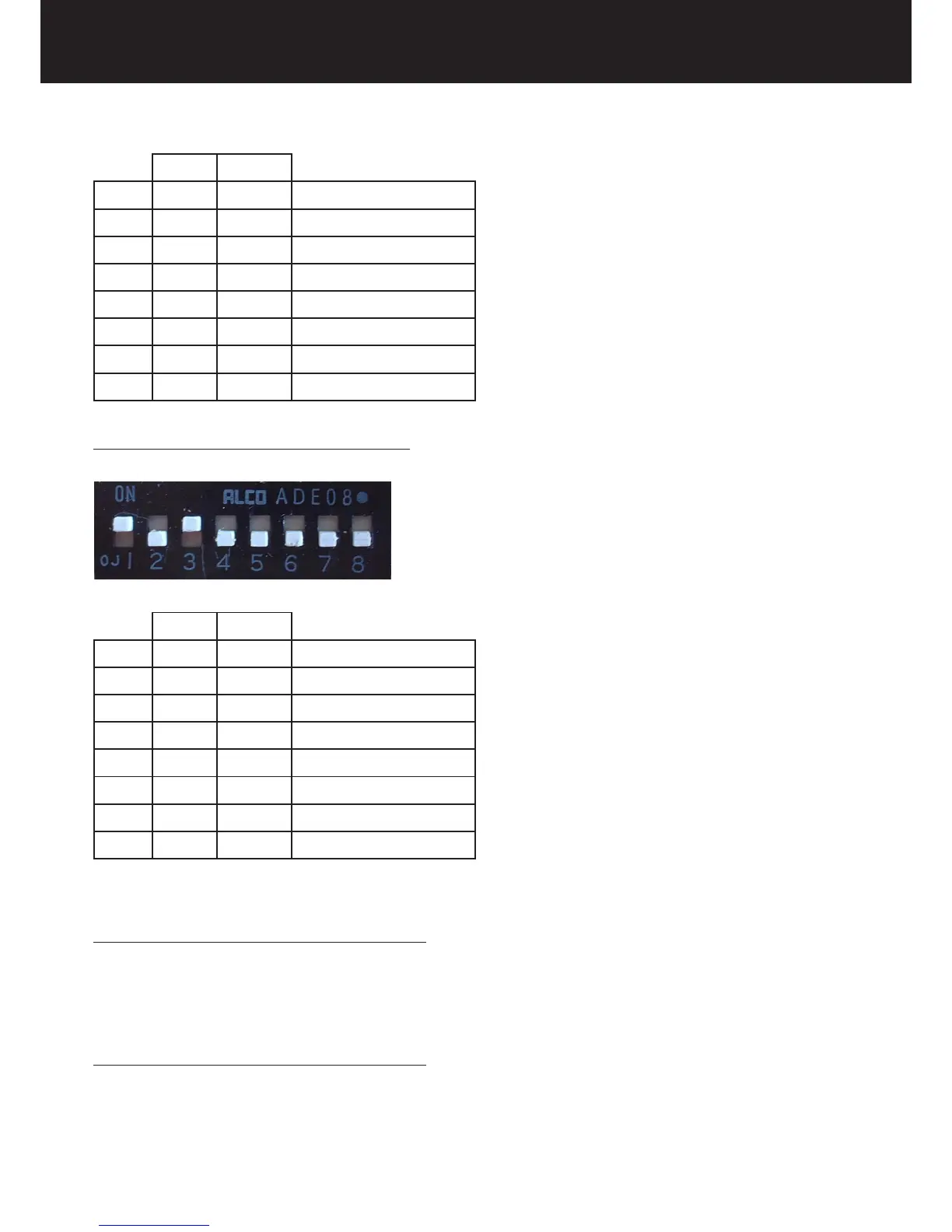
IF THE SHORT CONE IS USED 20cm = 8” (SSD)
ON OFF
1 ■ TUBEHEAD 1
2 ■ TUBEHEAD DC
3 ■ TUBEHEAD 2
4 ■ TUBEHEAD DC
5 ■ II° CONTROL BUTTON
6 ■ SHORT CONE 8’’ (20cm)
7 ■ NOT AVAILABLE
8 ■ NOT AVAILABLE
6.2. CHANGING THE CONFIGURATION
Possible modications of the exposure values
►radiographic voltage (60kV/70kV)
►radiographic current (4mA/8mA)
►type of patient (ADULT/CHILD)
(refer to “User’s Manual” Chapter 4)
Possible modications of the exposure values
►cone (8” /12”)
►type tubehead
► N° of control button
inside the timer, by changing the dip-switch position















 To Next Page