ECD-1000 Product Manual
100
Adding Cameras
There are two ways to add cameras for viewing: by manually entering the IP address of the
camera or by searching the cameras on the network.
NOTE: The Decoder supports third-party cameras. To validate specific camera models that
can be integrated, visit our website (http://www.acti.com/3rdpartycamera).
Searching Cameras to Add
If you do not know the IP address of the camera or you want to add several cameras at the
same time, you can search the cameras connected to the network and choose up to 9
cameras to connect to the Decoder.
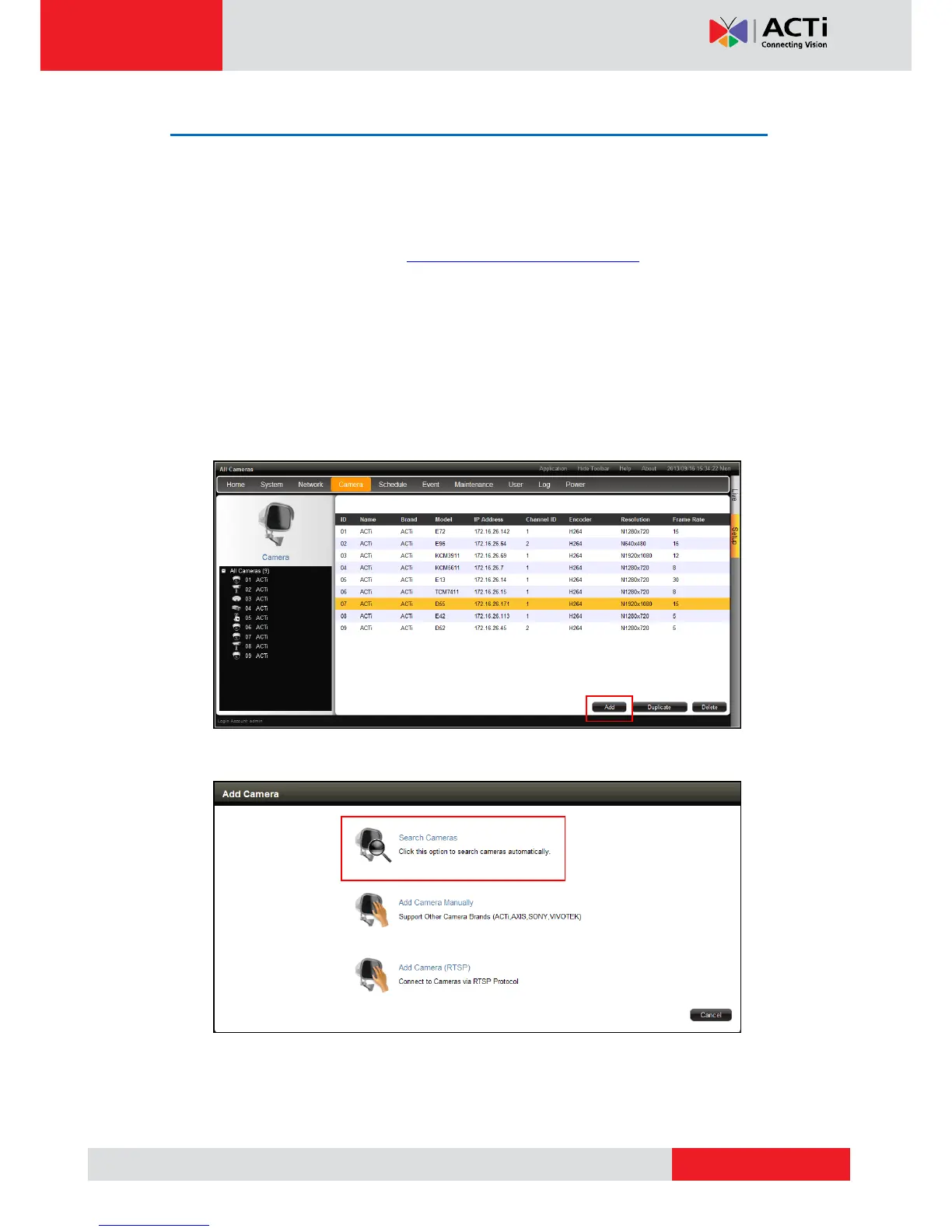
1. On the Setup screen, click Camera.
2. On the camera list table, click Add.
3. Click Search Cameras.



 To Next Page