ECD-1000 Product Manual
72
The Login Screen
When logging in for the first time or after a firmware upgrade, users will be prompted to install
required ActiveX components. Follow the on-screen instructions to install the ActiveX
components.
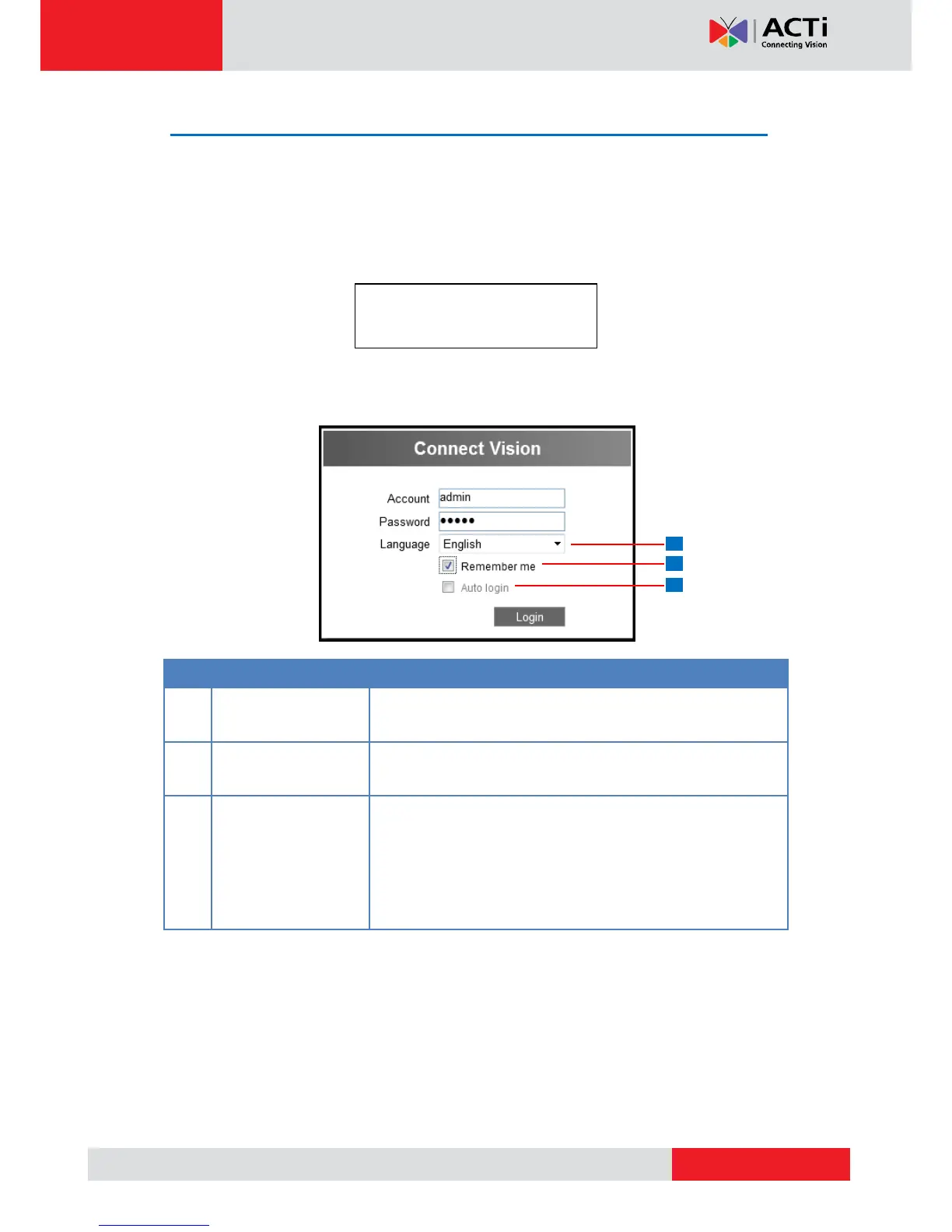
When prompted to login, enter the default Account and Password and click Login.
For security purposes, it is recommended to modify the password in the Setup Wizard or see
3.7 Configuring User Access on page 111.
The default user interface language is English. To change the
language, select the preferred language from the box.
Check to allow the system to remember the account name.
Users just need to enter the password to login.
Check to skip the login page and go directly to the Live View
screen every time the user logs in from the current computer.
This feature takes effect on the succeeding log in.
NOTE: This can be a security risk for any other user will be
able to access the Decoder.
Account: admin
Password: 123456



 To Next Page