2.5 Accessing the Setup Screen
The Setup screen allows users to configure the system and network settings and add or
delete cameras for viewing. Users must login with an administrator account first to access the
Setup screen.
To access the Setup screen, click on the menu panel. The Login screen appears (see
2.3 The Login Screen on page 33).
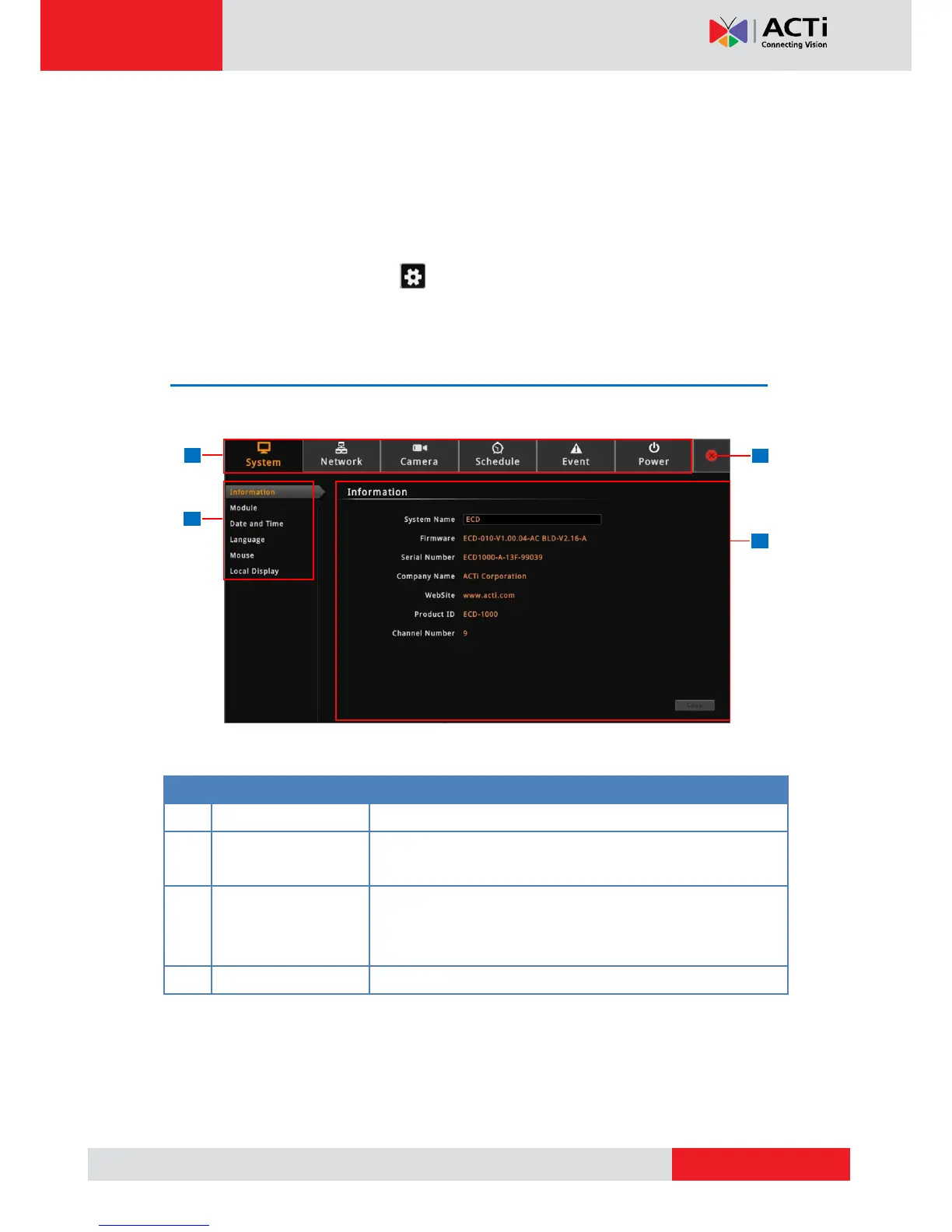
The Setup Screen
After a successful login, the Setup screen appears.
Click to close the Setup screen. Once closed, the system
automatically logs out the account and the Live View screen is
displayed.



 To Next Page