ECD-1000 Product Manual
16
Preparing the Power Adaptor
In case of using a non-PoE Ethernet switch, use the bundled power adaptor to directly connect
the Decoder to a power outlet. The power adaptor must be connected to the supplied terminal
block before use.
To do this, follow the procedures below:
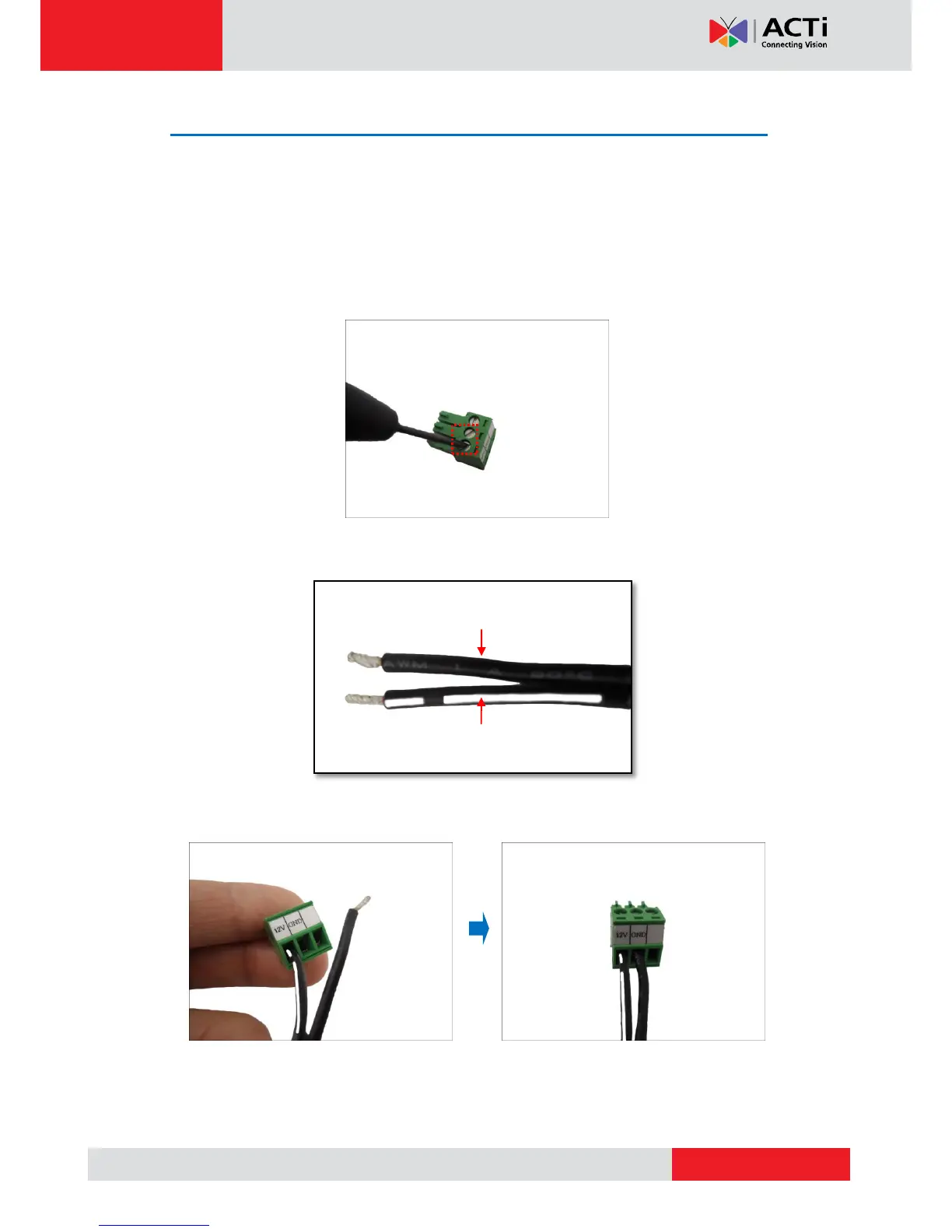
1. Loosen the screws of the 12V and GND pins of the power terminal block.
2. Take note that the power adaptor cable has two (2) different wires:
3. Connect the wire with the white stripe to the 12V pin and the other to the GND pin.



 To Next Page