ECD-1000 Product Manual
46
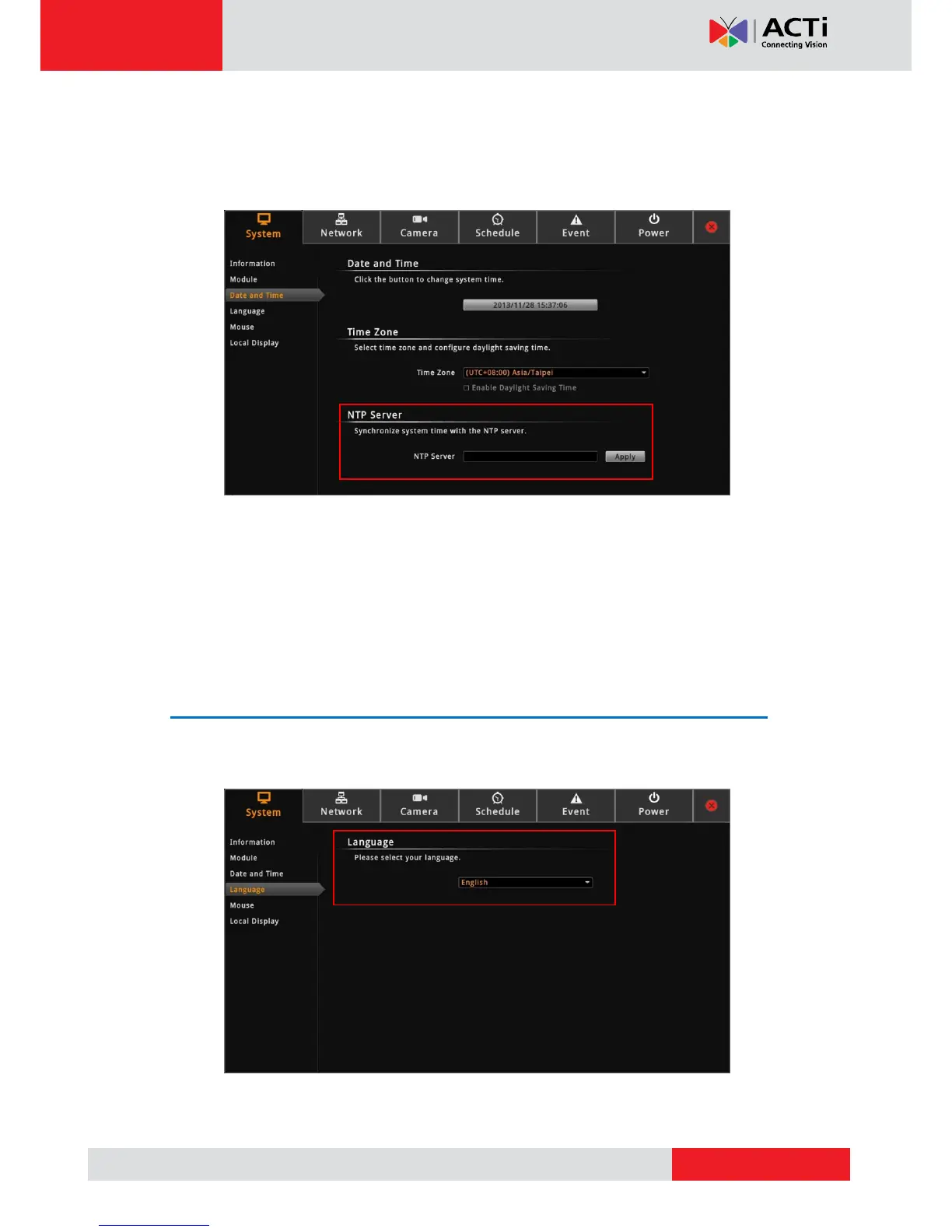
Sync Date and Time with NTP Server
1. On the Setup screen, click System > Date and Time.
2. On NTP Server, type the URL address of the NTP server.
3. Click Apply. A message will appear to confirm if synchronization is successful.
NOTE: If the NTP Server is a domain name, make sure the IP setting and DNS setting of
the system gateway are correct.
To delete NTP Server
To delete an NTP server, delete the URL address on the field and click Apply.
Language
To change the user interface language, click System > Language on the Setup screen. Then,
select the desired language from the box.



 To Next Page